
Introduction
Communication in healthcare is vital. Ensuring clear, fast and accurate communication between patients, hospitals, clinics, diagnostic centres, pharmacies and healthcare teams is important.
Often patients require quick information about their appointments, consultations, reports, prescriptions, billing, follow-ups and other services. This can mean that healthcare teams spend a large amount of time dealing with manual information.
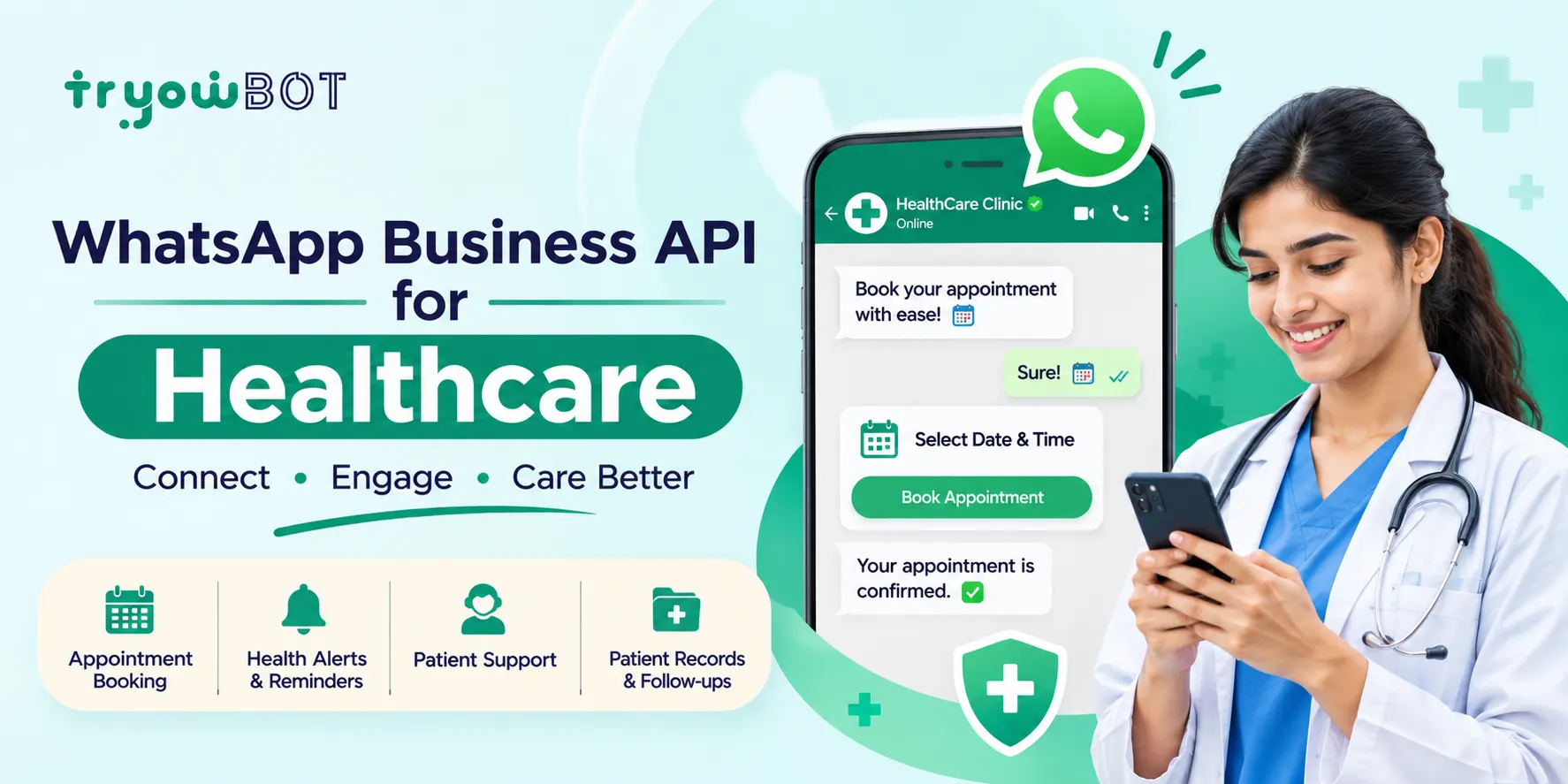
The WhatsApp Business API can connect WhatsApp to bookings, CRMs, patient communication, websites and other systems in a healthcare organisation. This can help ensure that patients receive the correct notifications in an automated way while also making it easy for patients to receive support.
Using WhatsApp can help ensure patients receive the right reminders, notifications and follow-ups for their appointments. This guide explains how the WhatsApp Business API can be used in healthcare, including its main use cases, benefits, integration and best practices.
What is the WhatsApp Business API for Healthcare?
The WhatsApp Business API is a communication tool that allows businesses to send and receive WhatsApp messages. The API can be used in healthcare organisations to connect to:
- Hospitals and clinic management systems
- Bookings
- CRMs
- Websites
- Diagnostic labs
- Pharmacies
- Support platforms
- Billing and payment systems
- Patient communications
For example, when a patient books an appointment online, a confirmation can be sent via WhatsApp.
Example:
Hello {{1}}, your appointment with Dr. {{2}} is confirmed for {{3}} at {{4}}. Please arrive a few minutes before your scheduled time.
This helps reduce the time spent calling patients to confirm their appointments.
Why the WhatsApp Business API is Important
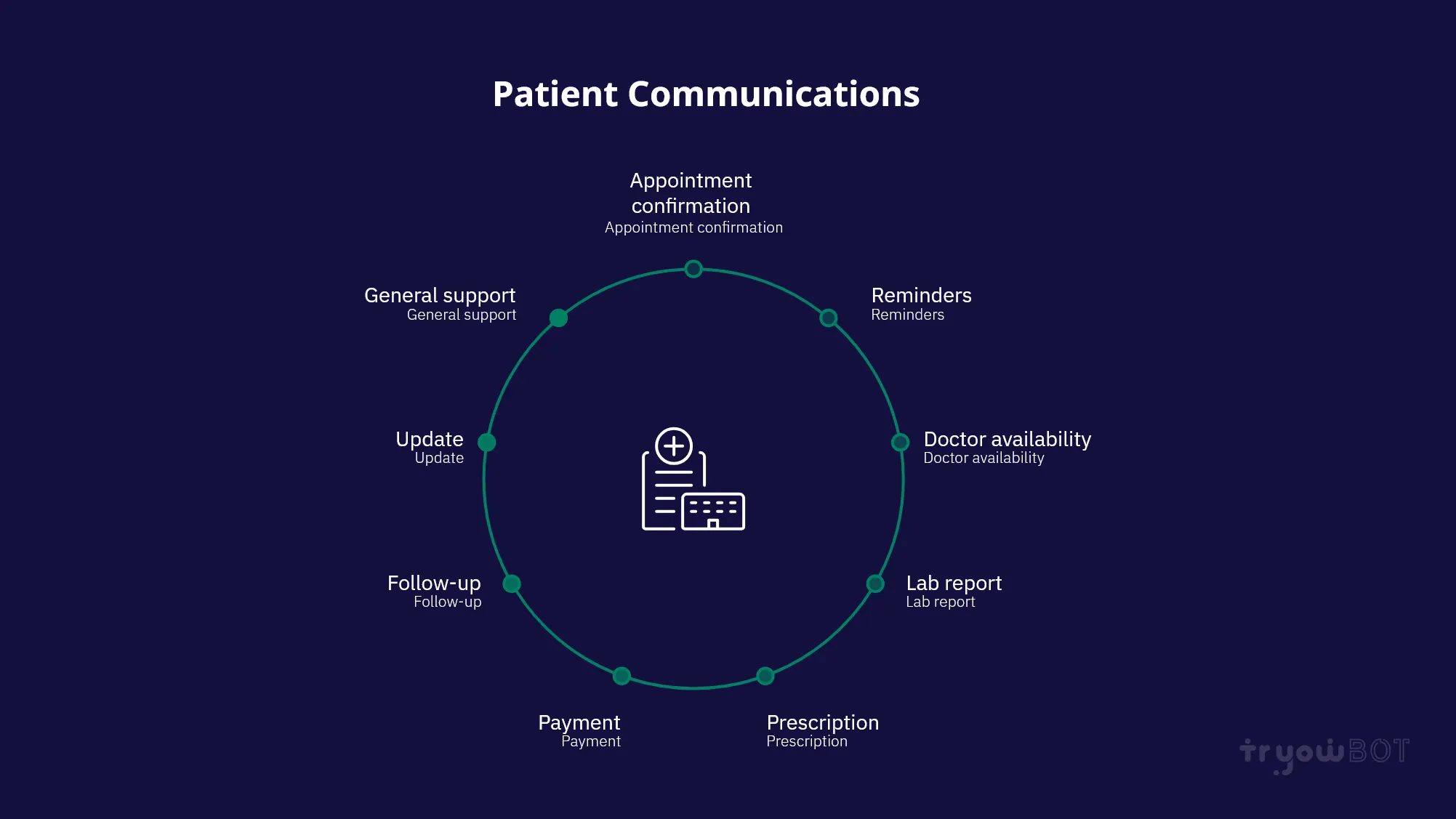
Healthcare organisations often have lots of communication with their patients, including:
- Appointment confirmation
- Reminders
- Doctor availability
- Lab reports
- Prescriptions
- Payment
- Follow-up
- Updates
- General support
If this is done manually, it can cause a lot of extra work for front-of-house and support staff.
The WhatsApp Business API can help automate the sending of the correct notifications and make it easy for patients to communicate with you. It is not intended to replace healthcare professionals but can help reduce repetitive communication tasks and allow healthcare staff to focus on patient-focused activities.
Use Cases
1. Appointment Confirmation
Once a patient has booked an appointment, a confirmation can be sent automatically.
Your appointment has been confirmed.
Doctor: Dr. {{1}}
Date: {{2}}
Time: {{3}}
Location: {{4}}
We look forward to seeing you.
This means patients will receive instant confirmation of their appointment.
2. Appointment Reminders
Patients often forget their appointments, especially if they have booked them days or weeks in advance.
You can send reminders via WhatsApp.
Reminder: Your appointment with Dr. {{1}} is scheduled for tomorrow at {{2}}. If you need assistance, please contact our support team.
This helps patients know when their appointment is.
3. Rescheduling or Cancelling Appointments
Patients may want to change their appointment time or date.
Using automation on WhatsApp, you can send patients options to:
- Confirm
- Reschedule
- Cancel
- Contact support
Your appointment is scheduled for {{1}} at {{2}}. Please select an option below.
This can help patients manage their appointments.
4. Doctor Availability
Healthcare organisations can let patients know when doctors are unavailable.
Dr. {{1}} will be unavailable on {{2}}. Your appointment may need to be rescheduled. Please contact us to select another available time.
This helps reduce unnecessary visits and communication.
5. Lab Reports
Diagnostic centres and hospitals can notify patients when their reports are ready via WhatsApp.
Hello {{1}}, your diagnostic report is now available. You can access your report through the secure link provided below.
Ensure the organisation has the correct security in place for any sensitive information.
6. Prescriptions and Medications
Healthcare organisations and pharmacies can use WhatsApp to send patients the right reminders for medications.
Your prescription-related service request has been received. Our team will assist you shortly.
Any communication around medications and clinical information should be set up in line with healthcare, privacy, consent and regulatory requirements.
7. Follow-up
Patients often struggle to remember follow-up appointments.
Healthcare providers can use WhatsApp to send patients follow-up reminders.
This is a reminder regarding your follow-up appointment scheduled for {{1}}. Please contact our team if you require assistance.
8. Patient Questions
Patients often have general questions about their healthcare. These could include:
- Doctor availability
- Clinic times
- Appointment availability
- Services on offer
- Address
- Contact details
- Billing support
- Insurance support
- Tests
- General information
Using automation, you can answer common questions and send more complex ones to the right member of staff.
9. Hospital and Clinic Information
Healthcare organisations can use WhatsApp to send general information including:
- Address
- Departments
- Opening times
- Doctor availability
- Contact details
- Services on offer
- Appointment process
This can help reduce repetitive questions.
10. Patient Feedback
After appointments or services, healthcare organisations may ask for feedback.
Thank you for visiting our centre. We value your feedback. Please share your experience with us.
This can help organisations understand the quality of their services and identify improvements.
Features of WhatsApp Business API for Healthcare
| Feature Use in Healthcare | |
| Automated Messaging | Appointment and service notifications |
| Templates | Structured business messaging |
| Team Inbox | Manage patient conversations |
| Chat Automation | Answer common questions |
| Integration | Integrate with healthcare software |
| CRM Integration | Manage patient-related workflows |
| Buttons | Quick actions |
| Lists | Show options |
| Media Messages | Send the right information about services |
| Broadcasts | Send relevant messages to an appropriate audience |
| Automation | Manage appointments and follow-ups |
| Reporting | Keep track of communications |
How Can the WhatsApp Business API Help with Patient Communication?
Fast Communication
Important updates regarding appointments and services can be sent to patients.
Reduce Administration
Healthcare staff can automate repetitive notifications and spend more time on patient-focused activities.
Appointment Management
Automate appointment confirmations and reminders.
Centralised Communication
Healthcare teams can manage patient questions through a centralised communication process.
Improved Patient Experience
Patients can communicate with healthcare organisations through a familiar messaging platform.
Scalable Communication
Automated messages can help healthcare organisations handle more messages efficiently.
Integration
The API can be integrated with existing healthcare software.
WhatsApp Business API Healthcare Communication Flow
A simple flow could be:
Patient → Booking → WhatsApp API → WhatsApp Message → Patient
- Patient books an appointment.
- Booking system logs the appointment.
- Booking system triggers the WhatsApp API.
- API selects an approved template.
- Confirmation is sent.
- A reminder can be sent depending on the workflow.
This can also be used for lab reports, appointment changes, follow-ups and other healthcare communications.
How to Integrate WhatsApp Business API into Your Healthcare Business
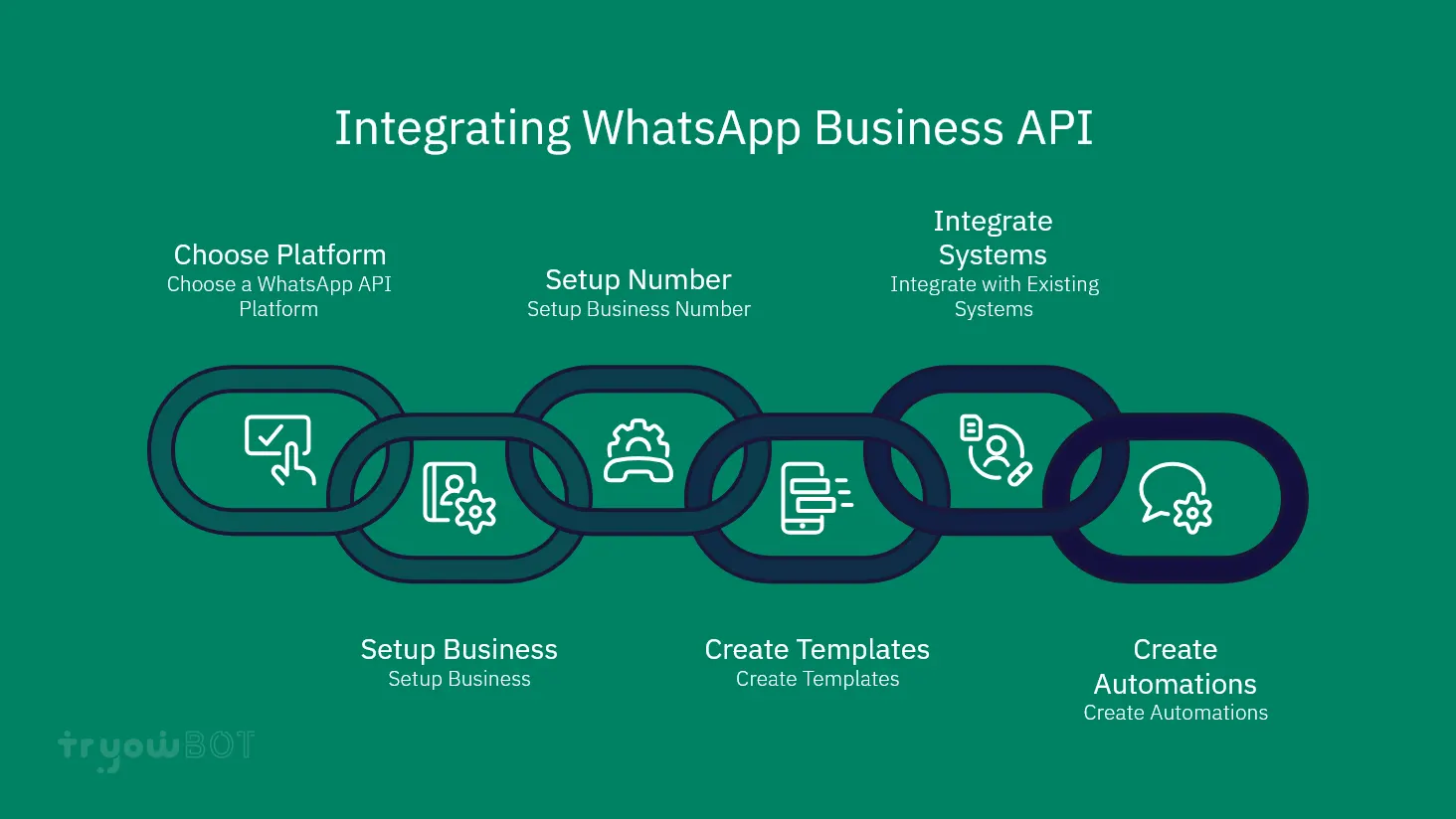
1. Choose a WhatsApp API Platform
Choose a suitable WhatsApp Business API provider or platform.
Consider features such as:
- API
- Automation
- Team inbox
- CRM integration
- Template management
- Reporting
- Customer support
- Security
- Scalability
2. Set Up Your Business
Complete the setup for your business on Meta. This includes your WhatsApp Business Account. You may need to complete business verification and set up your phone number.
3. Set Up a Business Number
Set up an appropriate business number. Once configured, you can manage WhatsApp communications through the chosen platform.
4. Create Templates
Create templates for your business to send appropriate messages.
- Appointment confirmation
- Appointment reminder
- Appointment reschedule
- Lab report available
- Follow-up
- Service request confirmation
- General support
Ensure your templates follow WhatsApp policies and are appropriate for your healthcare communications.
5. Integrate with Existing Systems
Integrate the WhatsApp API with:
- Booking software
- Hospital management systems
- Clinic management systems
- CRM
- Website
- Diagnostic systems
- Customer support systems
This means you can send WhatsApp messages based on events in your existing systems.
6. Create Automations
Create automations based on specific events.
- Appointment Booked
- Send Confirmation
- Appointment Soon
- Send Reminder
- Appointment Complete
- Send Follow-up
This creates a structured process and reduces the need to manually send messages.
WhatsApp Business API for Hospitals and Clinics
The WhatsApp Business API can be useful for both large hospitals and small clinics.
Hospitals
- Appointment communication
- Department questions
- Patient service notifications
- Lab reports
- Follow-up
- Customer support
- General information
Clinics
Small and medium-sized clinics can start with simple automations including:
- Appointment booking
- Appointment confirmation
- Appointment reminders
- Doctor availability
- Patient questions
- Follow-up reminders
As they receive more patients, they can add more features.
WhatsApp Business API for Diagnostic Centres
Diagnostic centres can use WhatsApp to send important service updates.
- Test confirmation
- Appointment reminders
- Sample updates
- Report available
- Payment
- Customer support
- Feedback
Ensure sensitive reports and patient information have secure access.
WhatsApp Business API for Pharmacies
Pharmacies can use WhatsApp to manage customer communications.
- Order confirmation
- Prescription request
- Delivery updates
- Availability
- Customer support
- Service reminders
Any communication around prescriptions or medical information should follow applicable laws, privacy requirements and professional requirements.
Privacy and Security
Healthcare communications contain sensitive information, so privacy and security should be a top priority.
- Get the right consent from customers.
- Minimise sensitive information.
- Use secure links.
- Restrict access to patient communications.
- Set appropriate staff permissions.
- Follow healthcare and privacy regulations.
- Handle data correctly.
- Provide clear opt-outs and preferences.
WhatsApp should be used as part of a well-designed healthcare communication process.
Best Practices
1. Keep Messages Clear
Ensure patients know instantly why they have received the message.
2. Minimise Sensitive Information
Do not include confidential medical information unless it is permitted by the communication process and applicable policies.
3. Use the Right Message Type
Ensure you are using the appropriate message type for appointment notifications, service updates and promotions.
4. Provide Support
Ensure patients can receive support from staff when required.
5. Ensure Correct Patient Information
Incorrect appointment dates, doctor names or service information can cause confusion and create a poor patient experience.
6. Restrict Staff Access
Only authorised staff should have access to the appropriate patient communications and business information.
7. Review Communications
Regularly review the messages being sent, customer replies, support requests and the performance of your automations.
Common Mistakes
1. Using WhatsApp as a Full Healthcare System
WhatsApp should support communication rather than replace the clinical management system.
2. Sending Sensitive Information
Carefully consider what information should be sent through WhatsApp.
3. Over-Automating
Ensure patients can get support from staff when required.
4. Too Many Messages
Too much unnecessary communication can create a negative patient experience.
5. Wrong Message Types
Ensure templates are appropriate for their purpose and follow WhatsApp policies.
6. Not Updating Patient Information
Out-of-date contact details or appointment information can result in incorrect notifications.
Why Choose TryowBOT for Healthcare Communications?
Healthcare organisations need a communication platform that can provide automation and support.
TryowBOT can provide WhatsApp Business communications, automation, integration and customer management to help with healthcare communications. Healthcare businesses can use this for:
- Appointment communications
- Patient questions
- Automated reminders
- Service updates
- Follow-up
- Team communications
- API-triggered messages
- Customer support
- CRM communications
Using automation and CRM can help organise communications and ensure teams can manage conversations that require personal attention. TryowBOT also includes CRM functionality for wider customer management.
Is the WhatsApp Business API Suitable for Small Clinics?
Yes. Small clinics do not need complicated automation to get started.
They can begin with a simple workflow:
Appointment Booking → Confirmation → Reminder → Follow-up
As the clinic grows, it can add:
- Doctor availability
- Automated patient questions
- Service information
- Feedback
- CRM
- Team customer support
This allows WhatsApp communications to grow with the healthcare organisation.
WhatsApp Business API vs Manual Patient Communications
| Manual WhatsApp API | |
| Staff call patients | Automated notifications |
| Manual appointment reminders | Automated reminders |
| Time-consuming repetitive questions | Automated replies |
| Individual staff manage communications | Team inbox |
| Not scalable | Scalable communications |
| Manual follow-ups | Automated follow-up |
| Multiple processes | Integrated API processes |
The WhatsApp Business API should not be used to remove human communication. Instead, it should be used to automate repetitive tasks so healthcare teams can focus on patients.
Conclusion
Good communication is an important part of the patient experience. The WhatsApp Business API can help hospitals, clinics, diagnostic centres, pharmacies and other healthcare organisations automate appropriate patient communications and manage conversations.
Whether it is appointment confirmations, reminders, reports, service updates, follow-ups or patient support, WhatsApp can become an important communication tool with the right processes and privacy measures in place.
Automation should be used responsibly by ensuring messages are relevant, sensitive information is protected, policies are followed and appropriate support is available.
The WhatsApp Business API can be a useful addition to digital communications for healthcare organisations looking to reduce repetitive communication and improve patient communication.