














TryowBOT WhatsApp Catalog

Build and Manage Your WhatsApp Product Catalog

Manage products, categories, pricing, and catalog details from one place. Let customers browse products, add items to their cart, and connect with your business directly on WhatsApp

WhatsApp Product Catalog for Business

Trusted by Growing Businesses

Helping businesses showcase products and connect with customers on WhatsApp.
A2C House of Kurtis women's ethnic wear
AARA Homemade Skincare products
Ampere Pro Engineering Technology Pvt Ltd
Avatar Financial Group financial services
Avira Organics natural health food products
CARE Dental Hospital dental care services
Cash Bazzar loan for multiple loan services
CrestLuxe Realty real estate services
Ekatrika Ventures laundry and dry cleaning services
Family Medicals pharmacy and healthcare
kottakkal farook arts and science college education
Maruthi School of banking training and education
Surgical Shop medical equipment and surgical supplies
Yamaha motorcycles and bikes
Royal Enfield motorcycles and bikes

Bring Your Product Range to WhatsApp

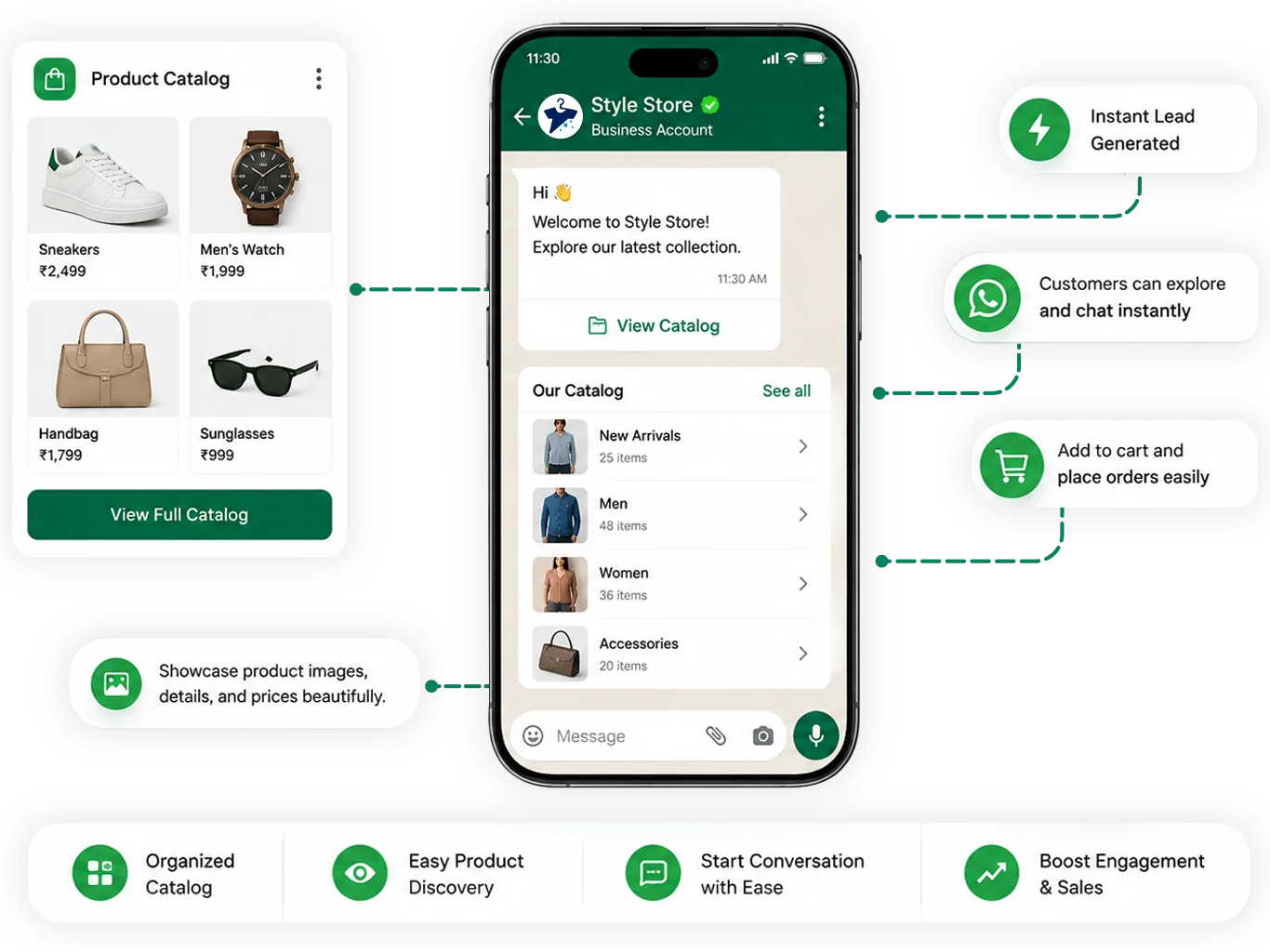
Give customers a simple way to discover your products on WhatsApp. Display product images, prices, descriptions, categories and essential product details in one organized catalog

Customers can browse your catalog, explore products, add items to their cart, and start a conversation with your business directly on WhatsApp.

WhatsApp Product Catalog for Business

Give Customers More Than a WhatsApp product Catalog

Turn product discovery into a complete WhatsApp shopping experience, from browsing products to placing orders and receiving updates.

Product Management

Add, edit, and organize products with images, prices, descriptions, categories, and other essential product details.

Easy Product Discovery

Let customers browse products and categories directly through WhatsApp and explore relevant product details.

Cart & Checkout Options

Let customers add products to their cart and configure shipping, discounts, pickup, and payment options.

Order Communication

Update order statuses from the admin portal and send relevant WhatsApp updates to customers automatically.

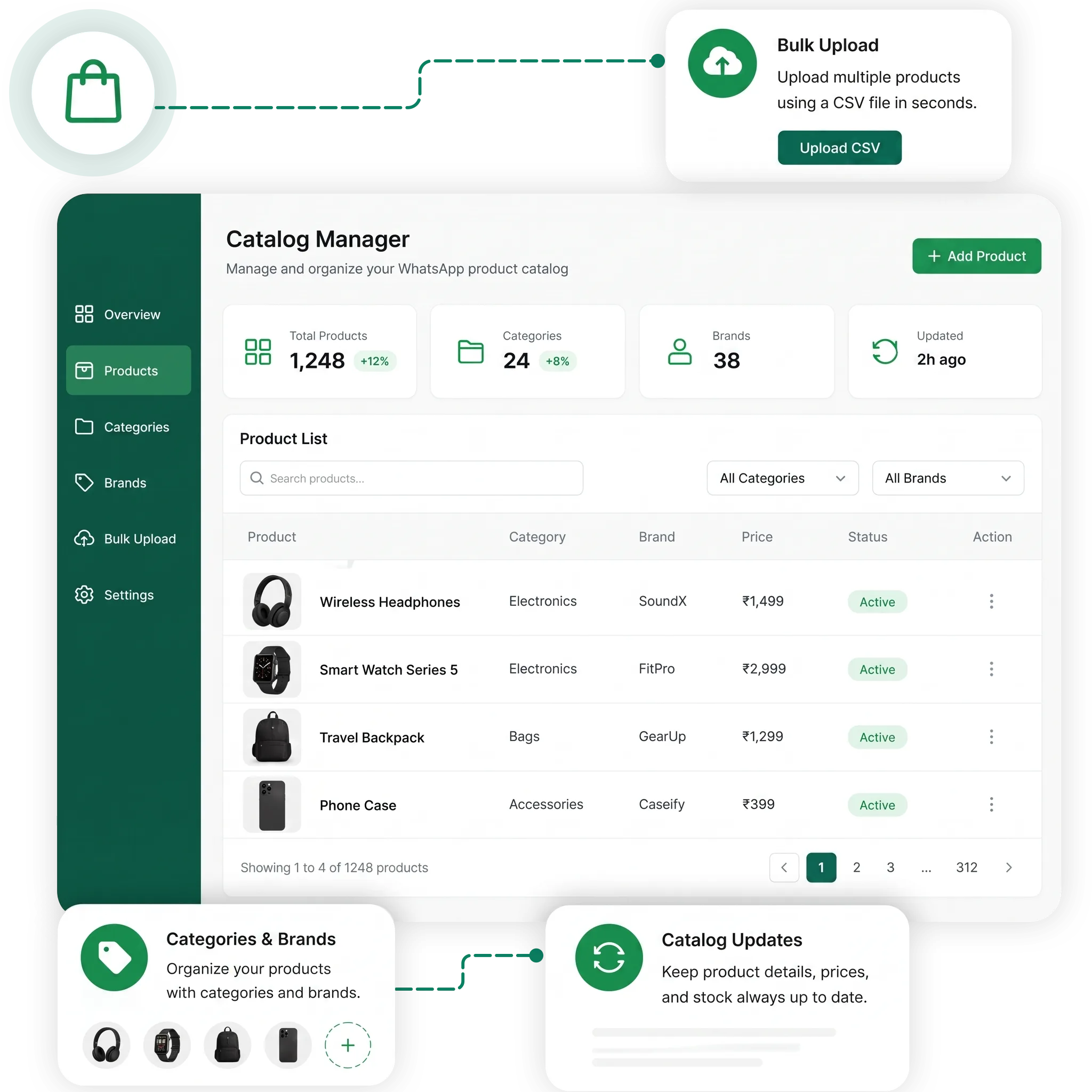
Manage Your Products Catalog From One Place

TryowBOT helps businesses showcase products clearly on WhatsApp and make product discovery easier for customers. Keep your catalog organized while giving customers a direct way to enquire about the products they find.

Categories & Brands

Organize your products by categories and brands to keep your catalog structured and easy to manage.

Bulk Product Upload

Upload multiple products at once using a CSV file instead of adding products individually.

Catalog Updates

Quickly update product information, images, prices, and descriptions whenever your catalog changes.

WhatsApp Product Catalog Updates
WhatsApp Catalog

Share, Engage & Sell using WhatsApp Catalogs

Give customers a simple shopping experience inside WhatsApp, from discovering products to completing their purchase.

01

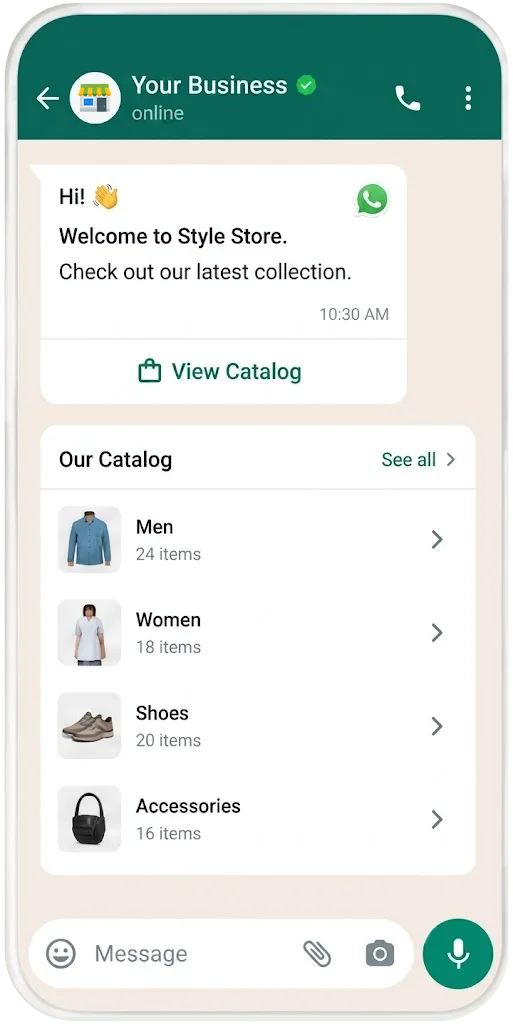
Browse the Catalog

Display product catalogue within WhatsApp chat
02

Explore Products

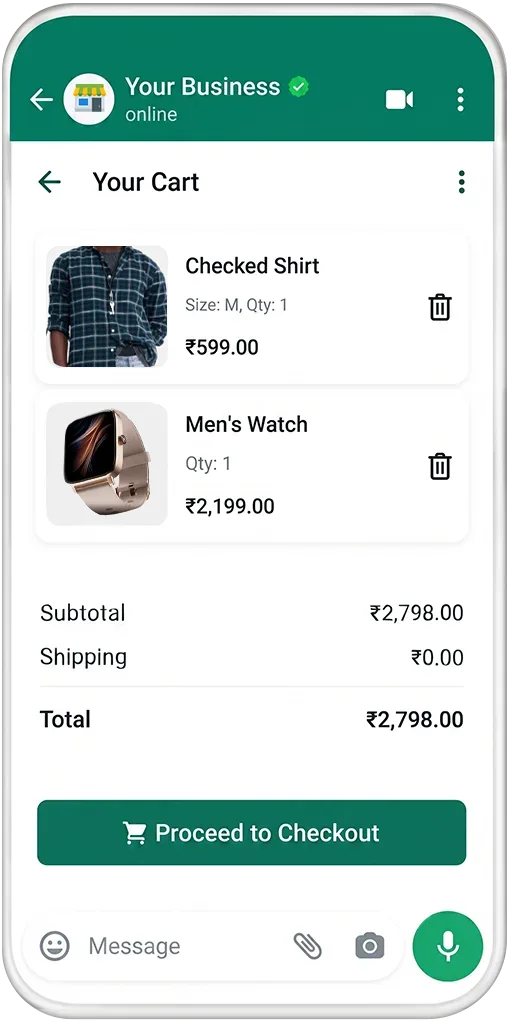
View WhatsApp catalog products and add to cart
03

Add Products to Cart

Proceed to checkout and place WhatsApp catalog order
04

Place an Order

Complete payment through WhatsApp

Configure Your WhatsApp Shopping Experience

Give customers a smooth shopping experience by configuring delivery, discounts, and payment options for your WhatsApp Catalog.

Share tools quickly and confidently in minutes

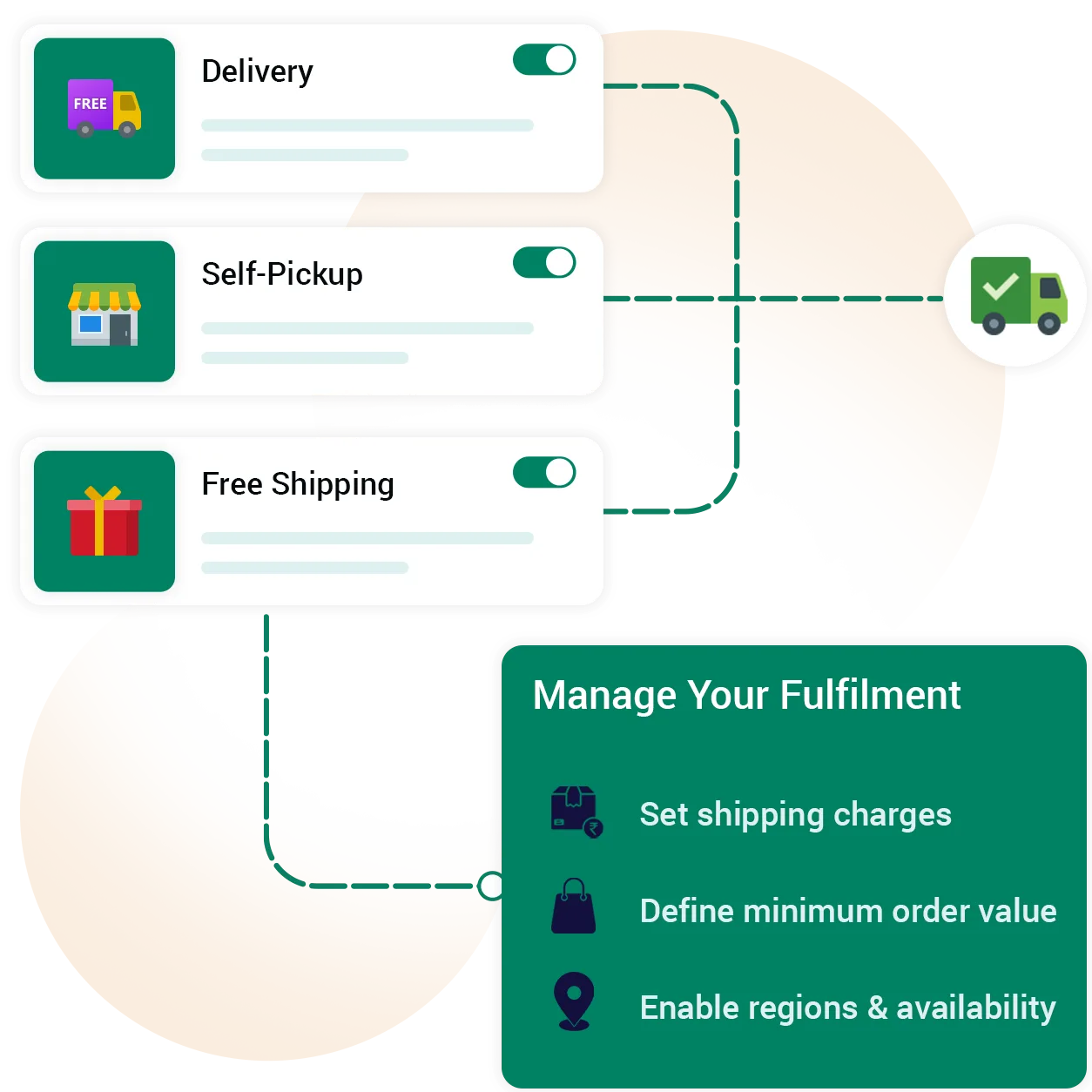
Shipping Options

Offer delivery, self-pickup, or free shipping based on your business needs. Set shipping charges and minimum order values to manage fulfilment more easily.

Connect every part of your entire business

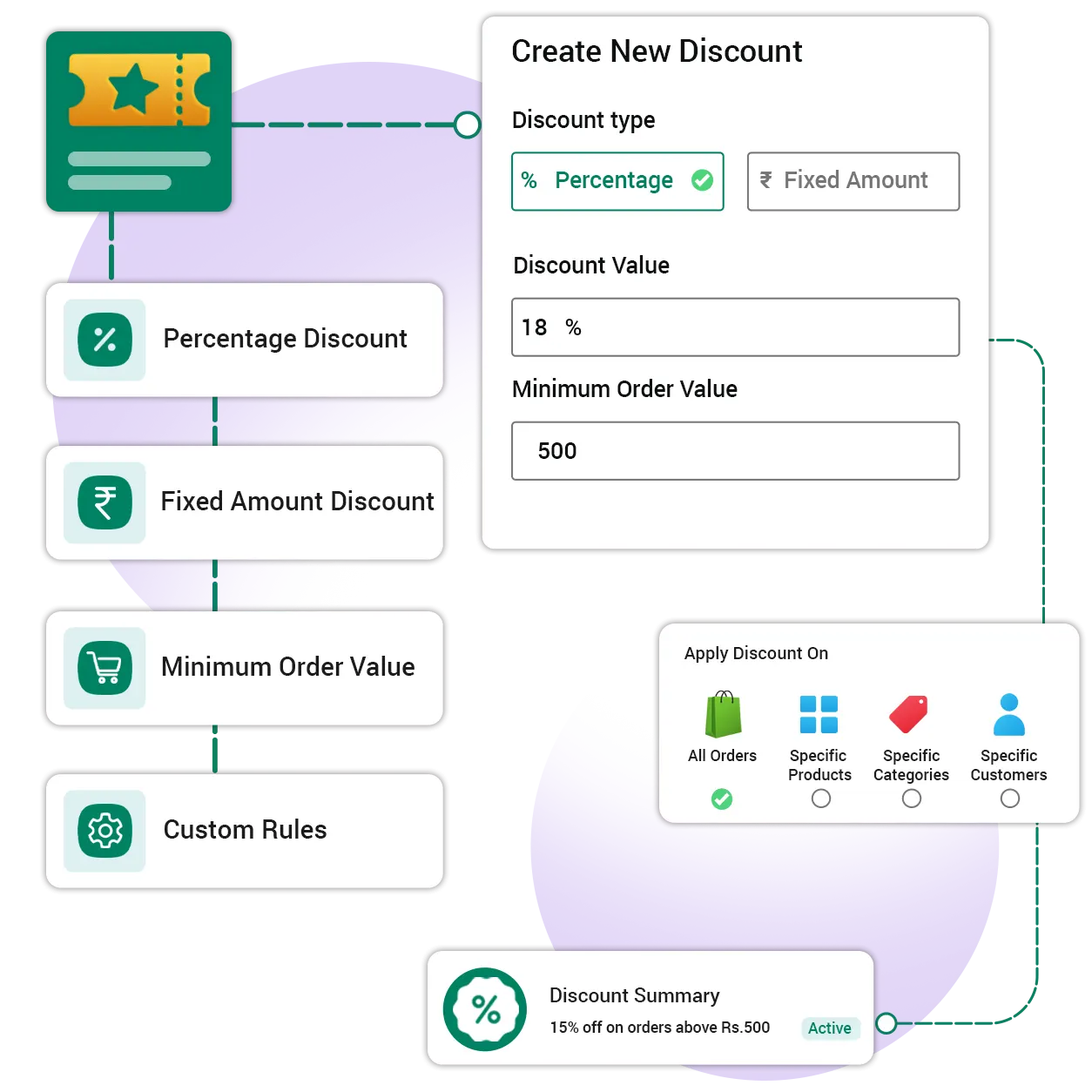
Discount Options

Create percentage or fixed discounts with minimum order value conditions. Set rules that match your business offers and checkout requirements.

Maintain compliance and control your apps

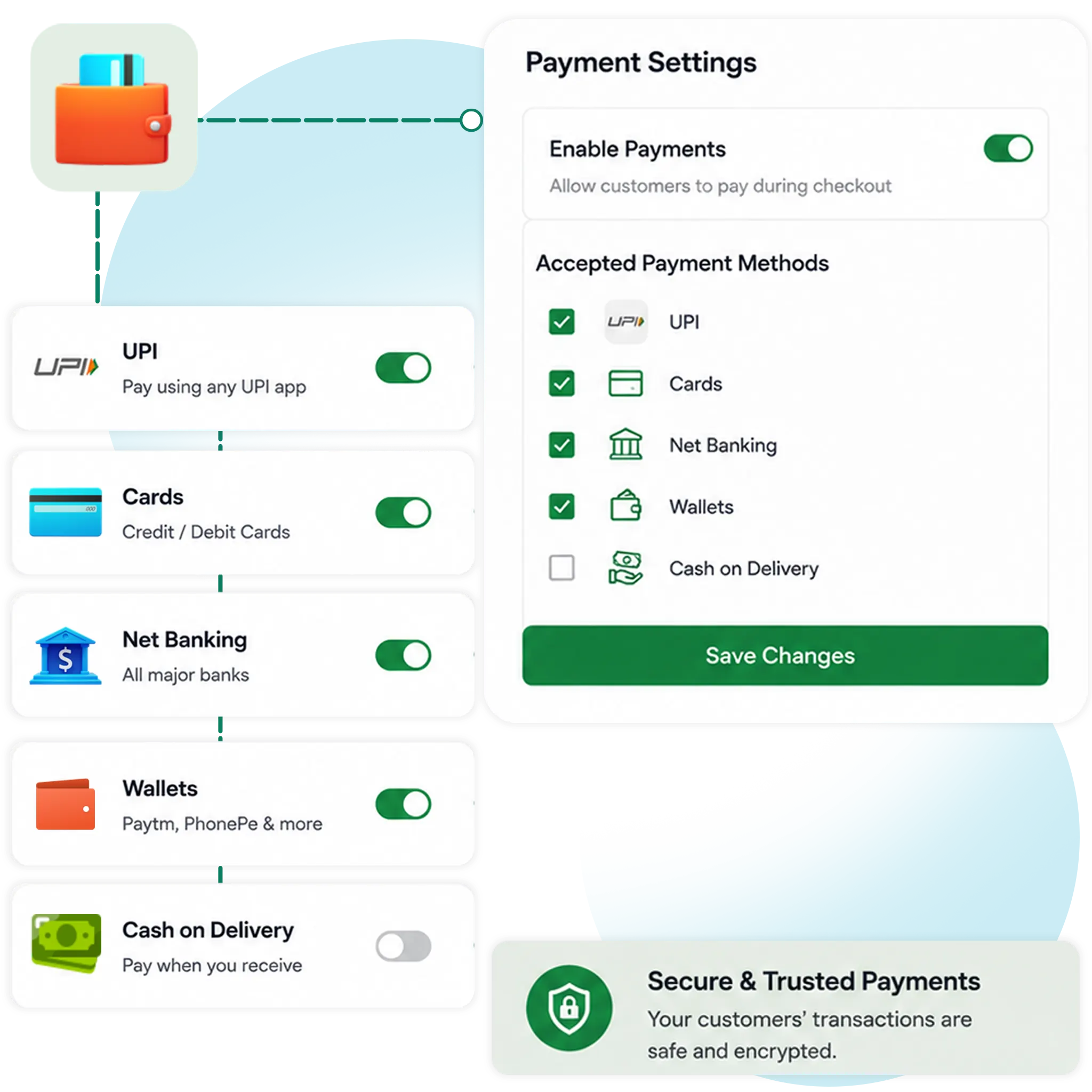
Payment Options

Configure payment availability for your catalog checkout. Enable or disable supported payment options based on your business requirements.

Manage Orders from One Place

Keep your WhatsApp Catalog orders organized and manage every order from your admin portal.

Update order statuses as they move from confirmed to packed, shipped, and delivered. Keep customers informed with timely WhatsApp updates.

Manage your catalog orders with ease:

  • View and manage customer orders
  • Update order status at every stage
  • Send order updates through WhatsApp
  • Keep customers informed about delivery progress
WhatsApp Catalog Order Management
KEYWORD AUTOMATION

Automate Catalog Messages With Customer Keywords

Connect customer keywords with configured bot automation to send relevant catalog, product, and promotional messages through WhatsApp.

01
Set Up Your Bot

Configure the required bot setup before creating catalog keyword automation.

02
Configure Keywords

Add keywords such as “catalog”, “offers”, or product names to trigger specific actions.

03
Set Up Automation

Connect the keyword with the required automation and configure the message to be sent.

04
Send Catalog Messages

When a customer sends a matching keyword, TryowBOT sends the configured catalog or product message through WhatsApp.

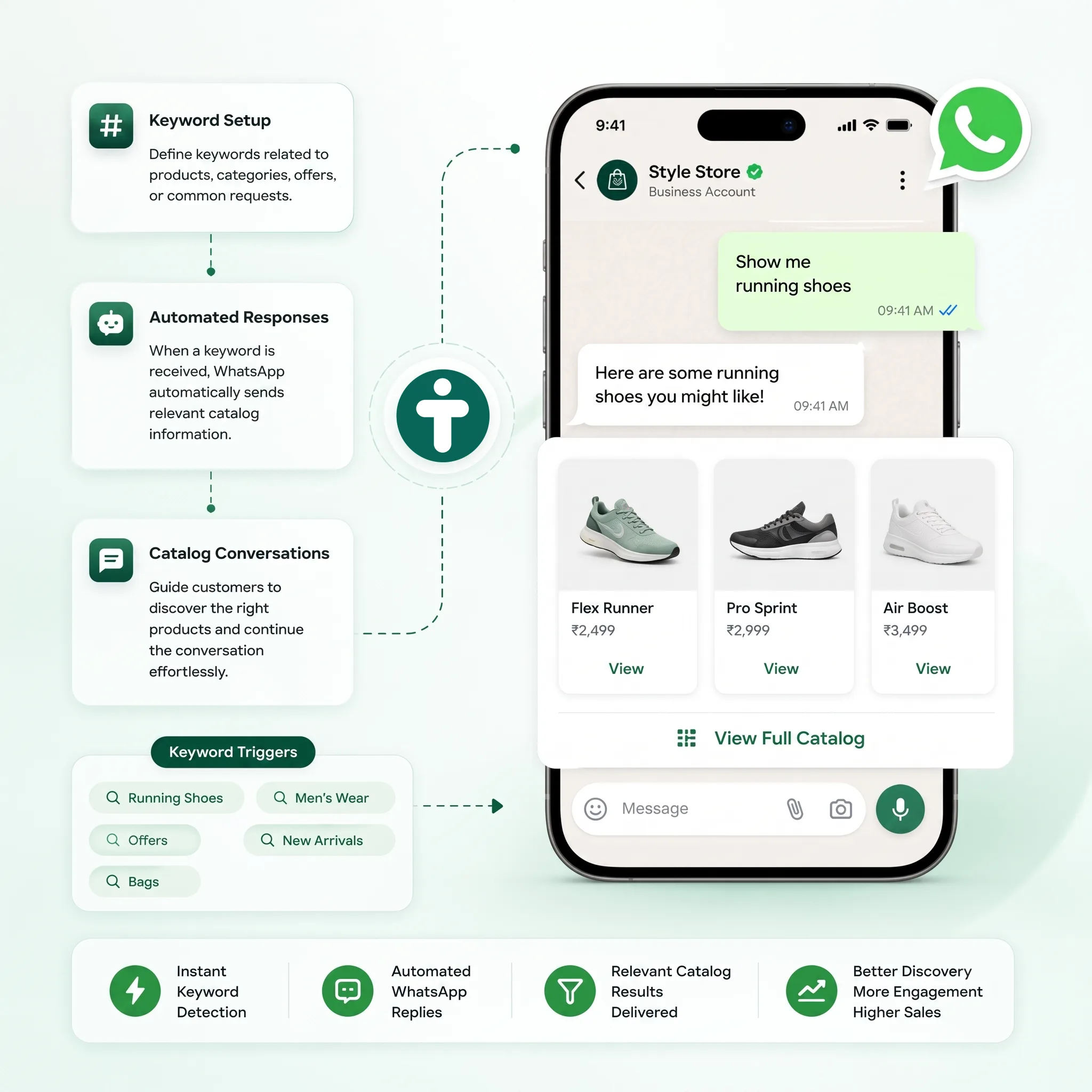
Automate Catalog Discovery With Keywords

Make it easier for customers to discover products through WhatsApp. Set up keywords that automatically share relevant catalog information and guide customers toward the right products.

Keyword Setup

Configure keywords for specific customer actions, product categories, offers, or catalog requests.

Automated Responses

Trigger predefined WhatsApp messages whenever customers send matching keywords.

Catalog Conversations

Guide customers to relevant products, categories, and catalog details through automated WhatsApp messages.

TryowBOT WhatsApp Product Catalog
WHATSAPP CATALOG

More Than a WhatsApp Product Catalog

TryowBOT gives you complete control over your catalog, product discovery, orders, and customer conversations on WhatsApp.

Bulk Product Upload

Upload multiple products using CSV files for faster catalog management.

Product Categories

Organize products into categories for easier management and browsing.

Flexible Checkout

Configure shipping, discounts, pickup, and available payment options.

Catalog Templates

Create approved WhatsApp templates for catalog and product messaging.

Product Sharing

Select one or multiple products and send them to an user via WhatsApp template.

Order Status Updates

Update order status and send relevant WhatsApp messages to customers.

Integrations

Get more value from your tools

Connect your tools, connect your teams. With powerful integrations already available in our directory, your team's favourite tools are just a click away.

Ready to Showcase Your Products on WhatsApp?

Create a WhatsApp catalog, showcase your products, and help customers discover and purchase with ease.

Book a Demo
Avatar-image Avatar-image Avatar-image Avatar-image
+8
10,000+ Businesses trust TryowBOT

Frequently Asked Questions