01
Start here
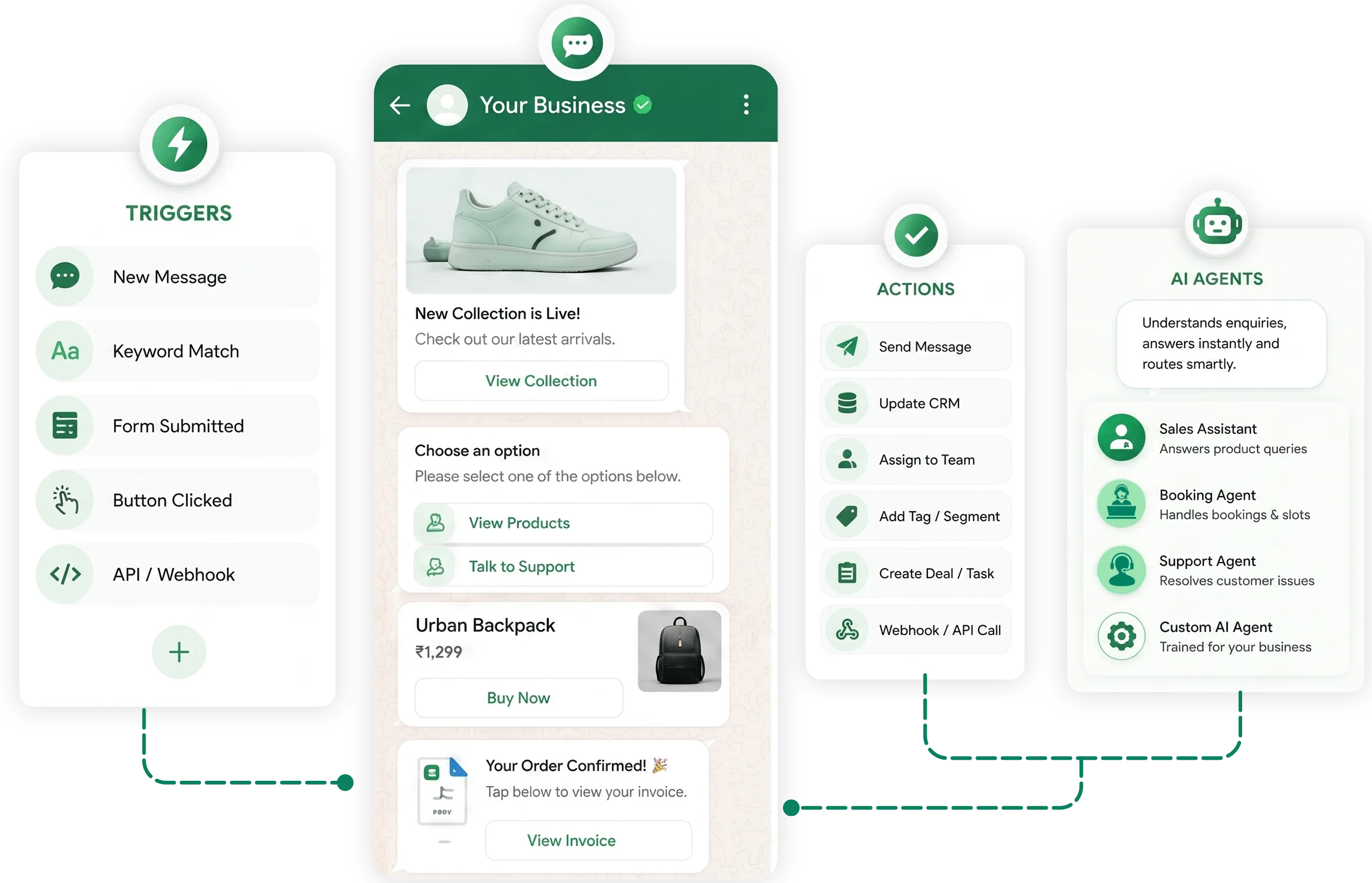
Choose a Trigger
Start your automation when something happens.
- User Keyword triggers
- When a template is used
- When a flow is triggered
- Receive data from a webhook URL

Create powerful WhatsApp customer workflows with triggers, actions, AI agents and rich messages without writing code















Automations Running
Messages Automated
Workflow Reliability
Build complete customer journeys visually. Connect triggers, add logic and AI actions, then finish with messages your customers can act on.
Build your automation in just a few simple steps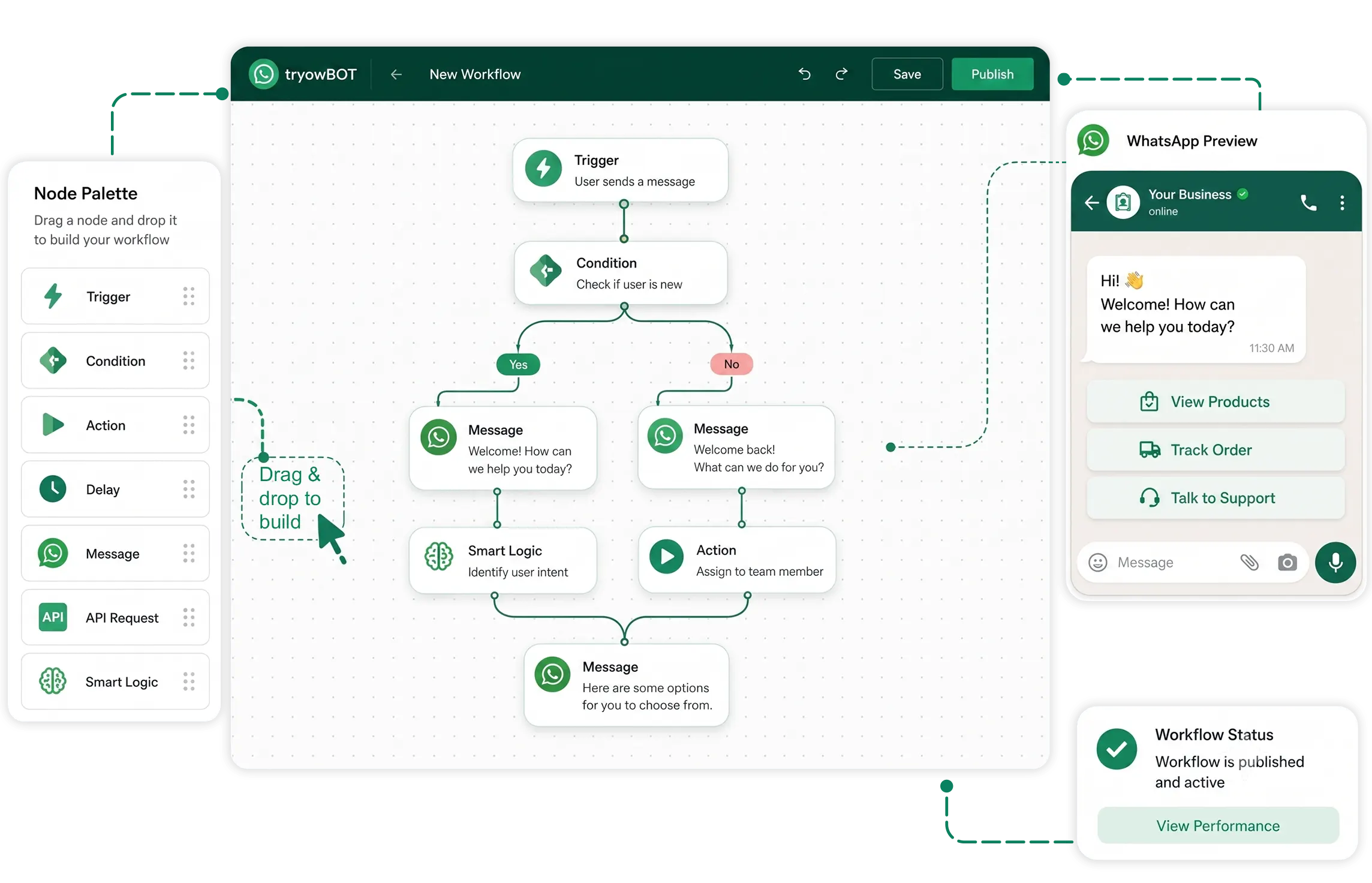
Everything Your Business Can Automate on WhatsApp
Turn customer actions into automatic follow-ups, assignments, updates, and business processes without manual work.
Keep your customers supported around the clock without manually monitoring every conversation.
Deliver the right information at the right stage and create consistent customer experiences across conversations.
Handle more conversations and customers without constantly increasing your support workload.
WhatsApp automations with a simple drag-and-drop builder. No coding, developers, or technical expertise required.
Trigger instant responses to customer messages and keep conversations moving while your team is busy.
Automatically follow up with leads and customers so valuable opportunities never quietly go cold.
Guide prospects through the right conversations, capture their details, and move them closer to conversion.
Handle repetitive questions automatically and give customers useful answers whenever they reach out.
Turn customer signals into helpful, perfectly timed WhatsApp conversations.
Start your automation when something happens.
Tell TryowBot what you want to happen next, and it will handle the process for you.
Create rich, interactive customer experiences.
WhatsApp automation helps your business respond faster, follow up consistently, and keep customer journeys moving — without turning every interaction into manual work.
Start Your DemoResolve repetitive questions instantly and reduce queue pressure.
Turn casual interest into useful sales context before handoff.
Guide customers to relevant products, services, or plans.
Keep promises, reminders, and next steps moving on time.
Connect your tools, connect your teams. With powerful integrations already available in our directory, your team's favourite tools are just a click away.
See how TryowBOT can turn routine conversations into intelligent customer journeys.
Book a DemoTryowBOT can automate customer journeys, follow-ups, notifications, lead workflows, customer responses, data collection, and repetitive WhatsApp tasks using trigger-based workflows.
No. TryowBOT provides a visual drag-and-drop automation builder, allowing you to create and manage WhatsApp workflows without writing code.
Automation starts with a trigger, checks the conditions you define, and performs the required action. For example, a new lead can trigger a WhatsApp message, agent assignment, or follow-up.
Yes. You can create automated follow-up journeys that send the appropriate WhatsApp message after a defined trigger or waiting period, helping your team stay connected with leads and customers.
Yes. You can connect automation with your lead workflow to trigger messages, assign leads, update statuses, create tasks, and move prospects through your sales process.
Yes. Workflows can respond to defined customer actions or business events, allowing the next message or action to happen automatically.
Yes. TryowBOT automation can work alongside CRM processes such as lead creation, assignment, status updates, tasks, follow-ups, and customer activities.
Yes. You can build multi-step customer journeys with triggers, actions, conditions, and waiting periods to guide customers through different stages of a process.
Absolutely. Repetitive communication and routine workflow actions can be automated, allowing your team to spend more time on conversations and tasks that require human attention.
An AI chatbot focuses on understanding customer questions and generating relevant responses. WhatsApp automation focuses on running predefined workflows, triggers, conditions, follow-ups, and business actions automatically.
Yes. Automated workflows can continue handling defined customer journeys and business processes without requiring your team to manually trigger each step.
Yes. You can build workflows around your own customer journeys, business rules, lead processes, follow-ups, notifications, and communication requirements.