














TRYOWBOT WHATSAPP PAYMENT

Make WhatsApp Orders Easier to Pay

Accept payments for WhatsApp Catalog orders or create payment links for individual payment requests. Configure your payment gateway, generate payment links, and manage payment collection from TryowBOT.

Make WhatsApp Orders Easier to Pay

Trusted by Growing Businesses

Helping businesses connect with customers through WhatsApp.
a2c
aara
ampere
avatar financial Group
Avira organics
Care Dental Hospital
Cash Bazzar
Crestluxe Realty
Ekatrika
Family Medicals
Kottakal Farook Arts and Science College
Maruthi School of Banking
Shop Surgicals
Yamaha
Royal Enfield

Choose the Right Way to Collect Payments

WhatsApp Payment

Let customers pay for their catalog orders after checkout using your configured payment gateway.

Payment Link

Create a payment request with customer and transaction details, then share the payment link through WhatsApp.
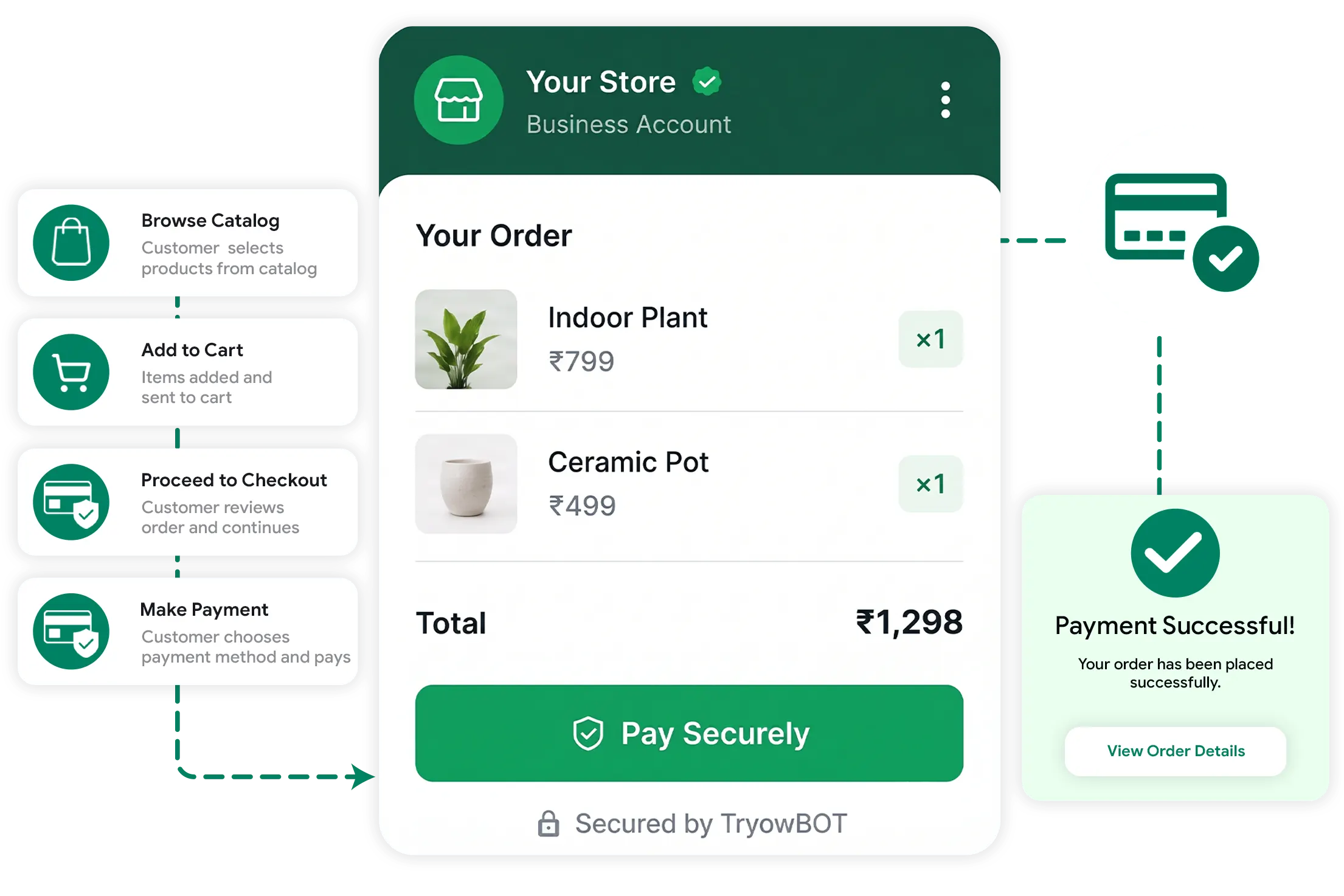
From WhatsApp Catalog to Payment

From WhatsApp Catalog to Payment

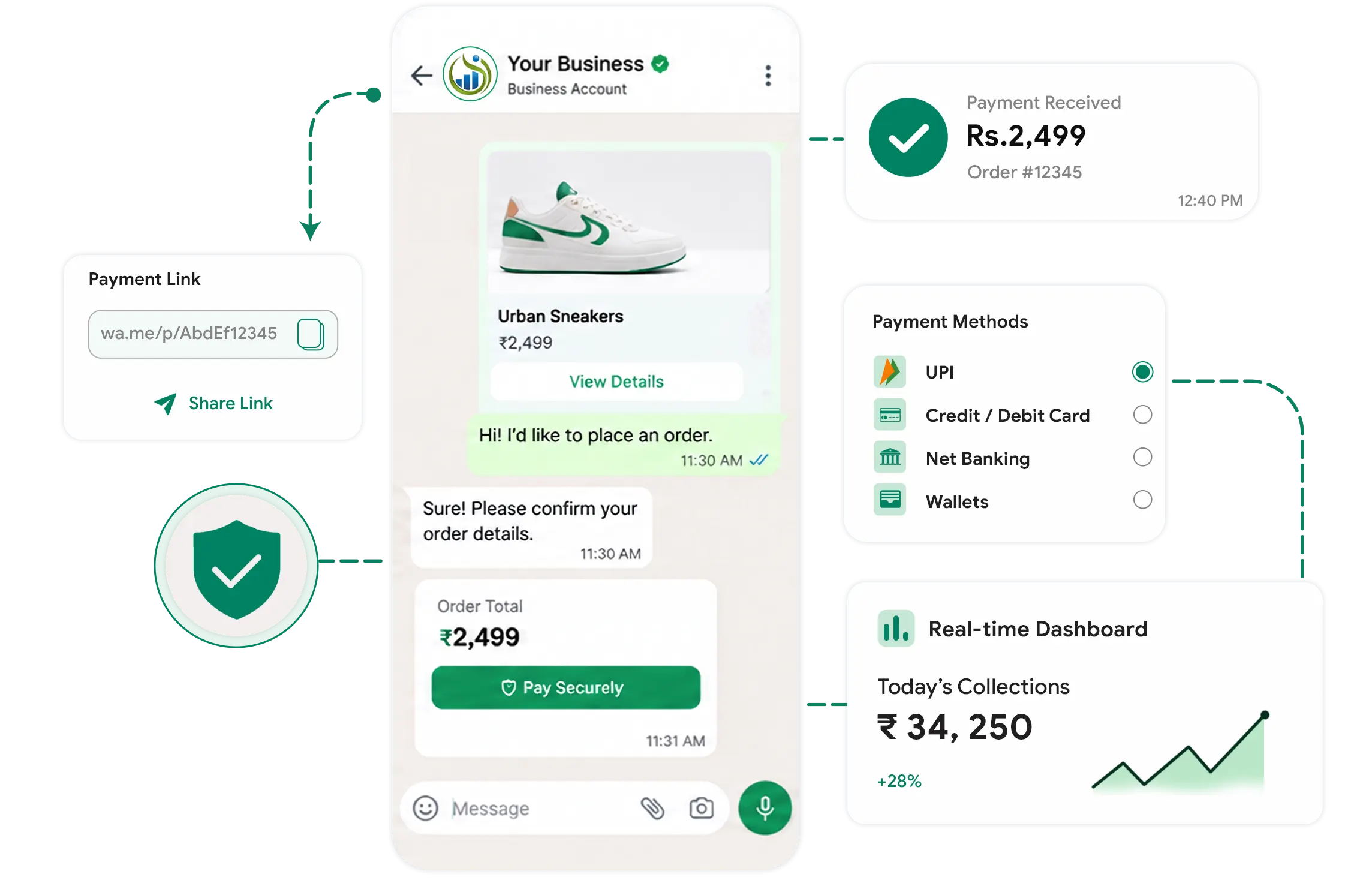
Let customers select products from your WhatsApp Catalog and continue to checkout with the payment options configured for your business.

TryowBOT connects the catalog checkout with your configured payment gateway, allowing customers to continue to the payment screen and complete their transaction securely.

WHATSAPP PAYMENT

A Simple Payment Experience on WhatsApp

Let customers complete catalog orders through a configured payment gateway without leaving the WhatsApp payment journey.

01
Add Products to Cart

Customers select products from your WhatsApp Catalog and proceed to checkout.

02
Select Payment Option

Customers choose the available payment option configured for your catalog checkout.

03
Continue to Payment

Customers proceed to the configured payment gateway for the transaction.

04
Complete Payment

The payment screen opens in the browser, where customers securely complete the transaction.

Create Payment Requests and Share Them on WhatsApp

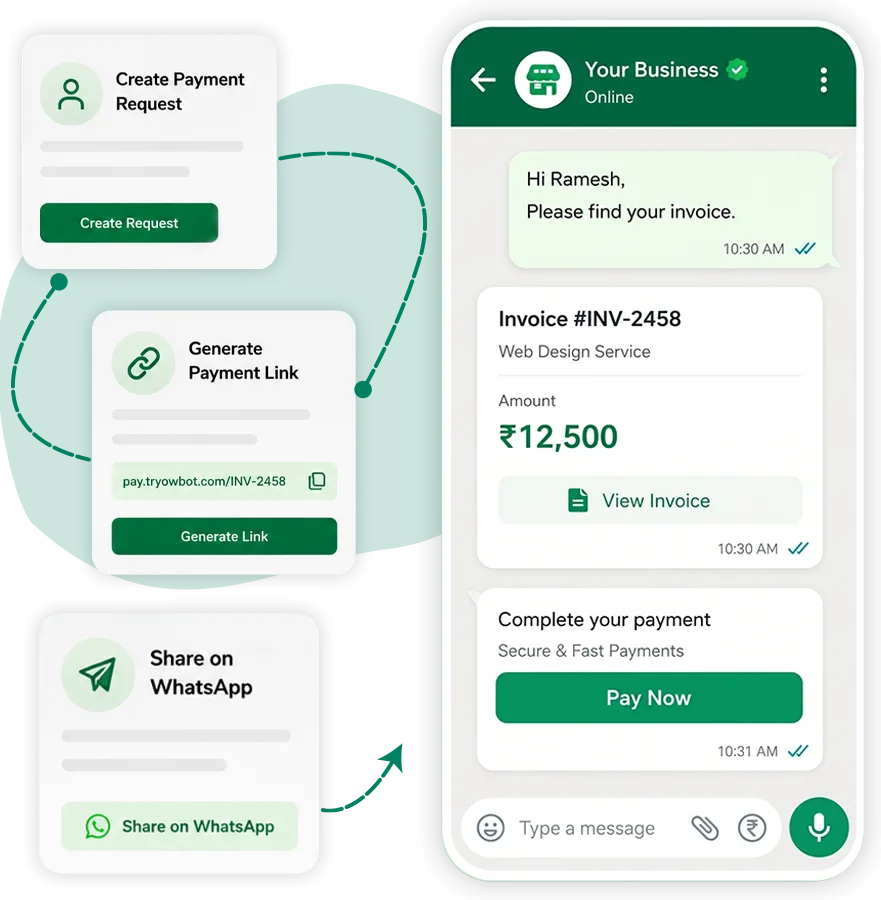
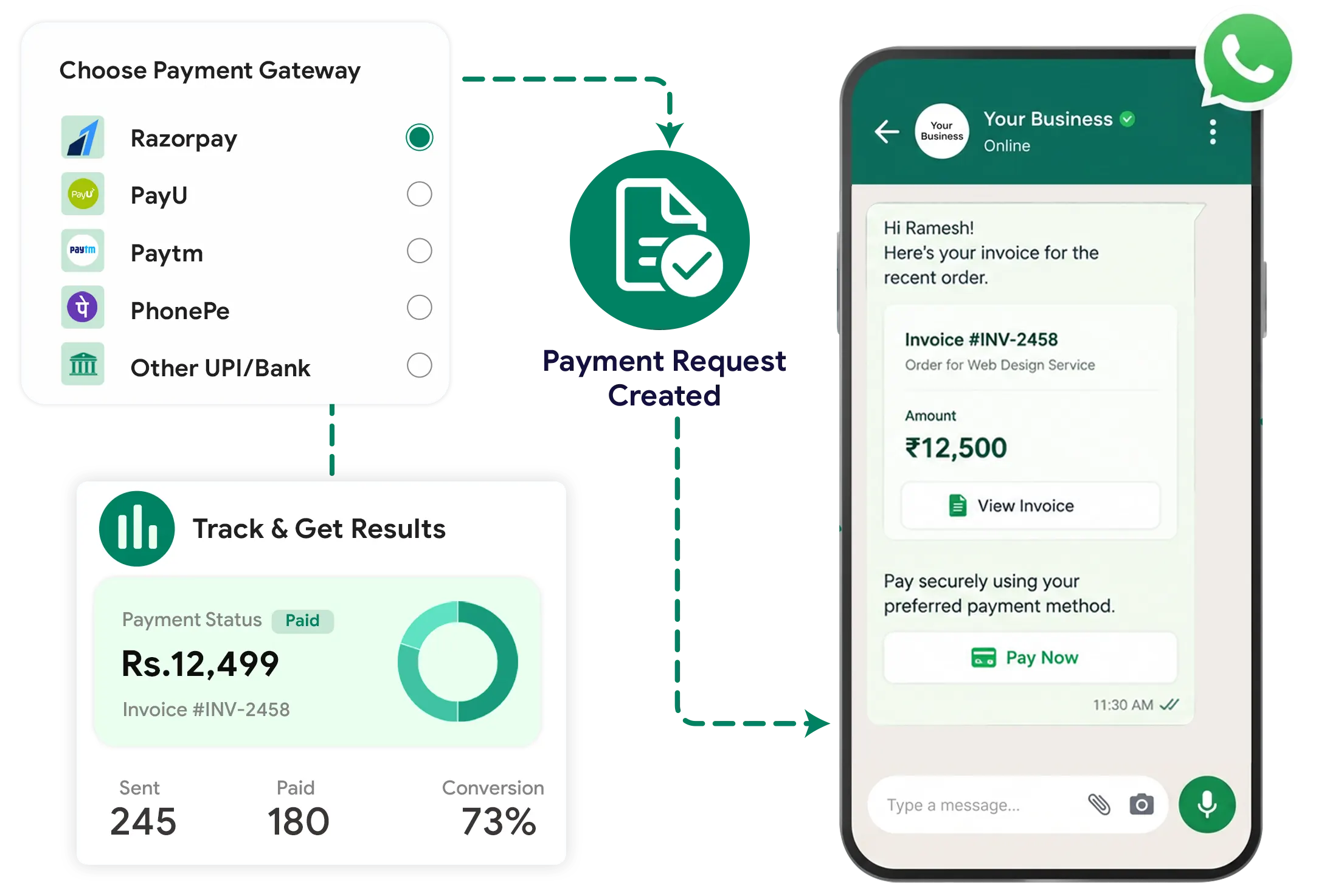
Create a payment request in TryowBOT with customer details, invoice information, payment purpose, and the amount you want to collect. Add the required payment details and choose the payment gateway configured for your business.

Create a payment request in TryowBOT with customer details, invoice information, payment purpose, and the amount you want to collect. Add the required payment details and choose the payment gateway configured for your business.

Create Payment Requests and Share Them on WhatsApp
Create and Share Payment Links in Simple Steps

Create and Share Payment Links in Simple Steps

Create a payment request, generate a payment link, and share it with your customer through WhatsApp

01

Enter Customer Details

Add the customer name, mobile number, and email ID for the payment request.

02

Add Payment Details

Enter the invoice ID, payment purpose, and amount you want to collect.

03

Select Payment Gateway

Choose the payment gateway configured for your business before generating the payment link.

04

Generate and Share the Link

Generate the payment link and send it to the customer through WhatsApp. The customer can open the link and complete the payment through the selected gateway.

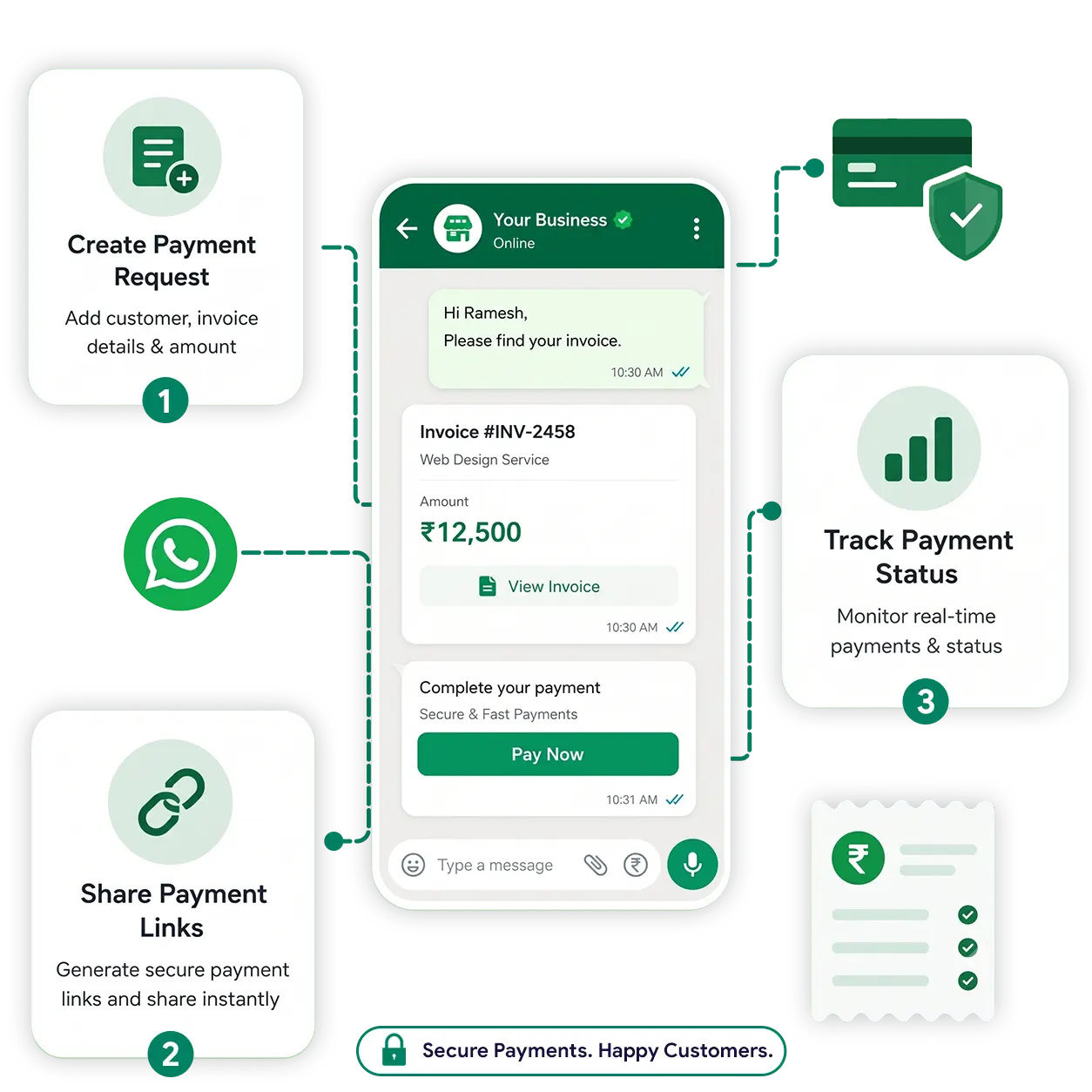
Simplify Payment Collection on WhatsApp

Send payment requests directly through WhatsApp and make it easier for customers to complete payments without leaving the conversation.

Create Payment Requests

Create payment requests with customer and transaction details from TryowBOT.

Share Payment Links

Generate payment links through your configured gateway and share them directly with customers.

Track Payment Status

Keep payment information organized and monitor the status of customer transactions.

Simplify Payment Collection on WhatsApp
USE CASES

From Orders to Bookings, Collect Payments on WhatsApp

Accept payments for products, services, bookings, and everyday customer transactions through WhatsApp.

Restaurants & Food

Collect payments for food orders, delivery, bookings, and special orders.

Local Businesses

Collect payments for services, bookings, orders, and customer requests.

Service Businesses

Collect payments for appointments, consultations, subscriptions, and services.

Ecommerce & Retail

Collect payments for product orders and purchases through WhatsApp.

Education & Training

Collect course fees, registrations, and installment payments.

Healthcare & Clinics

Collect consultation, appointment, and service payments.

Integrations

Get more value from your tools

Connect your tools, connect your teams. With over 200 apps already available in our directory, your team’s favourite tools are just a click away.

Ready to Start Accepting Payments on WhatsApp?

Let customers pay for orders, services, and payment requests through a simple WhatsApp payment experience.

Book a Demo
Avatar-image Avatar-image Avatar-image Avatar-image
+8
10,000+ Businesses trust TryowBOT

Frequently Asked Questions