














TryowBOT Crm Task Management

Keep Every Task on Track. Never Miss What Comes Next.

Create, assign, prioritize, and track customer tasks from one CRM. Help your team stay organized and know exactly what needs attention next.

Keep Every Task on Track. Never Miss What Comes Next.

Trusted by Growing Businesses

Helping businesses simplify CRM, sales, and customer management.
a2c
aara
ampere
avatar financial Group
Avira organics
Care Dental Hospital
Cash Bazzar
Crestluxe Realty
Ekatrika
Family Medicals
Kottakal Farook Arts and Science College
Maruthi School of Banking
Shop Surgicals
Yamaha
Royal Enfield
Manage Customer Tasks From Your CRM
CRM TASK MANAGEMENT

Manage Customer Tasks From Your CRM

Create tasks, assign them to team members, set due dates, and track work linked to your customers. TryowBOT keeps your team's tasks connected to the CRM.

STAY ON TOP OF YOUR WORK

Keep Every Customer Task on Track

Customer follow-ups and sales activities can become difficult to manage when tasks are spread across your team.

Tasks Get Missed

Important customer work can be forgotten when follow-ups are not clearly tracked.

Work Gets Overlapped

Teams may work on the same customer without knowing who is responsible for the next step.

Follow-Ups Get Delayed

Without clear due dates, customer follow-ups can stay open longer than expected.

Progress Is Hard to See

It becomes harder to know which customer tasks are pending, completed, or overdue.

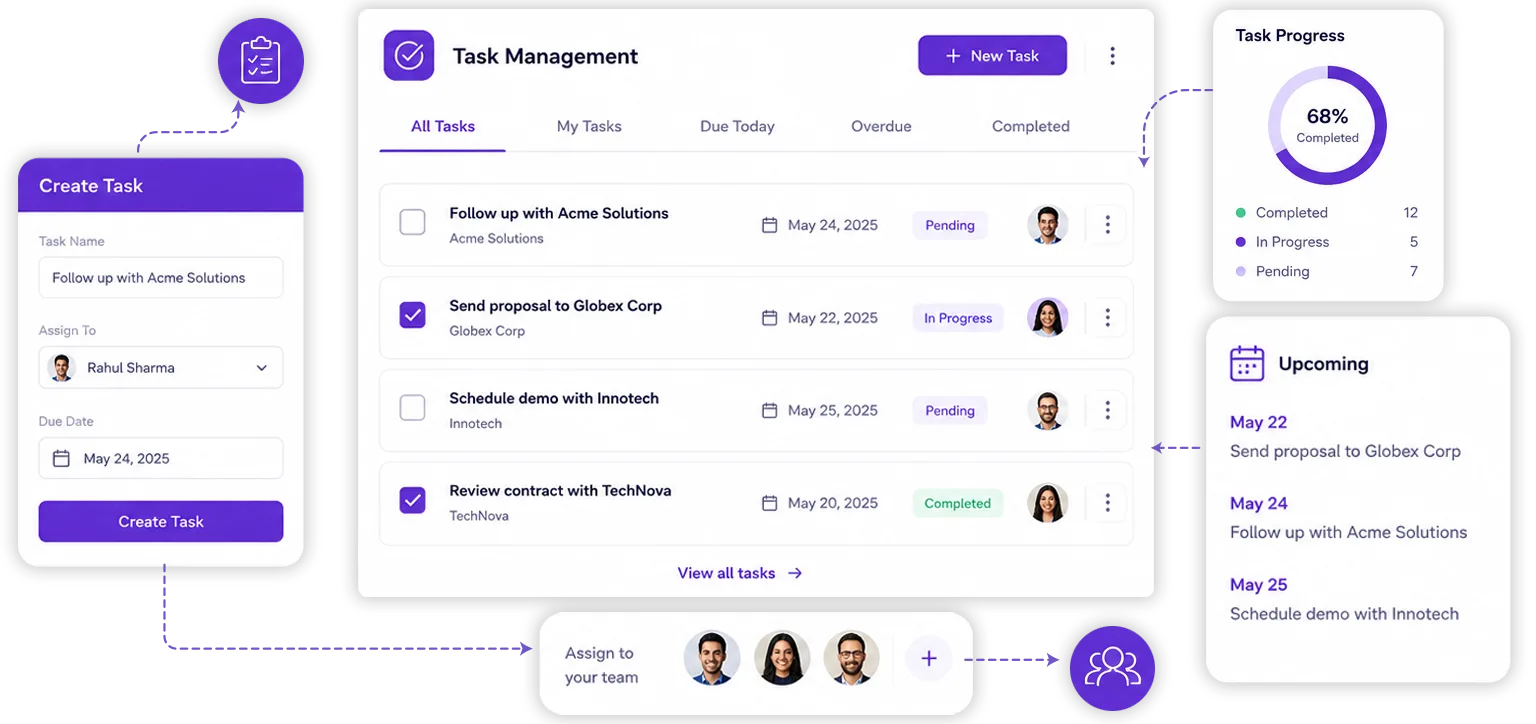
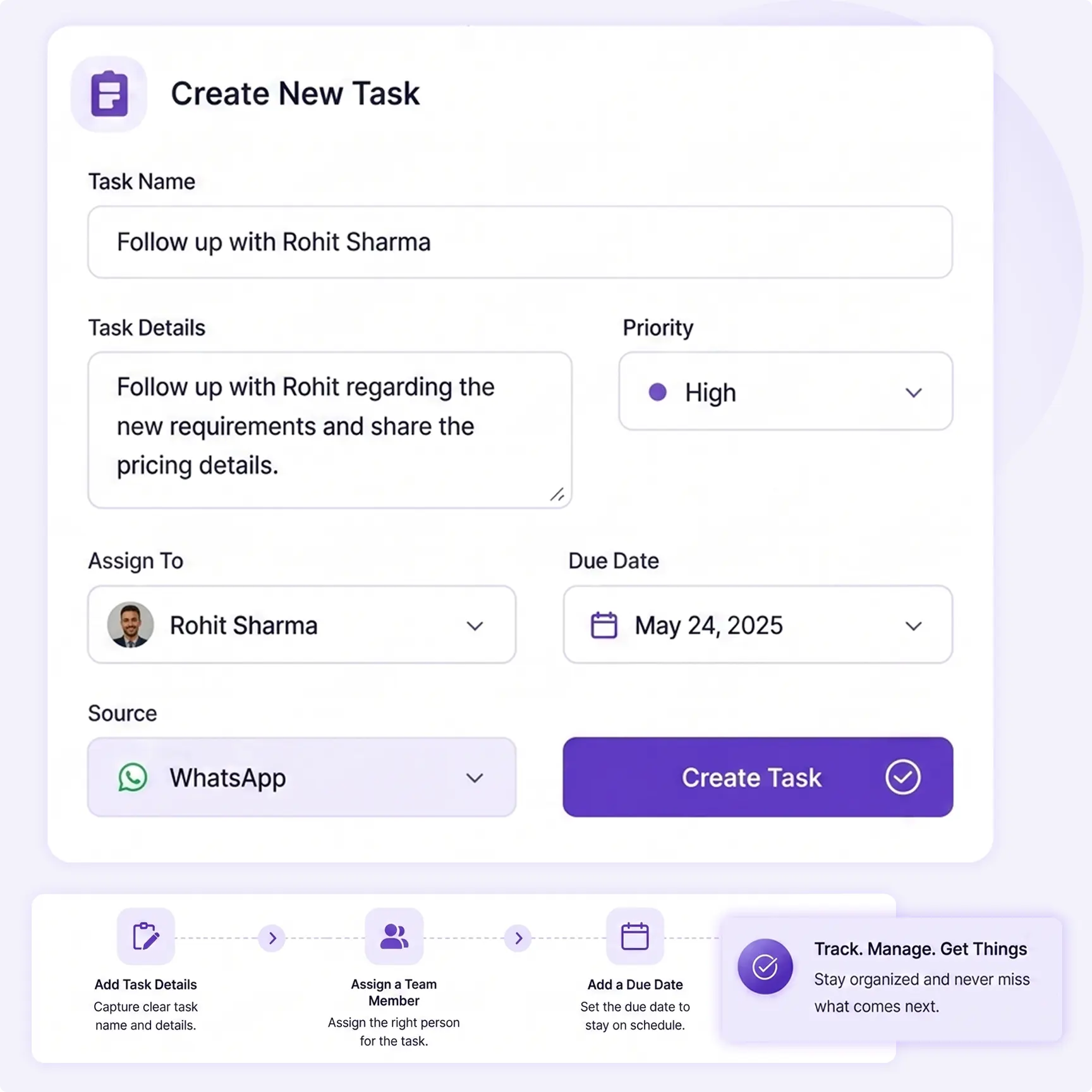
Create and assign CRM tasks in TryowBOT
TASK CREATION

Create Tasks With the Details Your Team Needs

Create customer-related tasks with clear details, assign ownership, and set when the work needs to be completed.

Add Task Details

Add the task name and details so the assigned team member knows what needs to be done.

Assign a Team Member

Choose the team member responsible for completing the task.

Add a Due Date

Set a due date so the team knows when the customer-related work needs attention.

HOW TASK MANAGEMENT WORKS

From Task Creation to Completion

Keep customer-related work moving through a simple task management process.

01
Create a Task

Add the work that needs to be completed for a customer or lead.

02
Set Ownership

Assign the task to the team member responsible for the work.

03
Work on the Task

Keep the task visible while the assigned team member works on it.

04
Mark It Complete

Complete the task and keep the customer's work history up to date.

Manage Tasks the Way Your Team Works

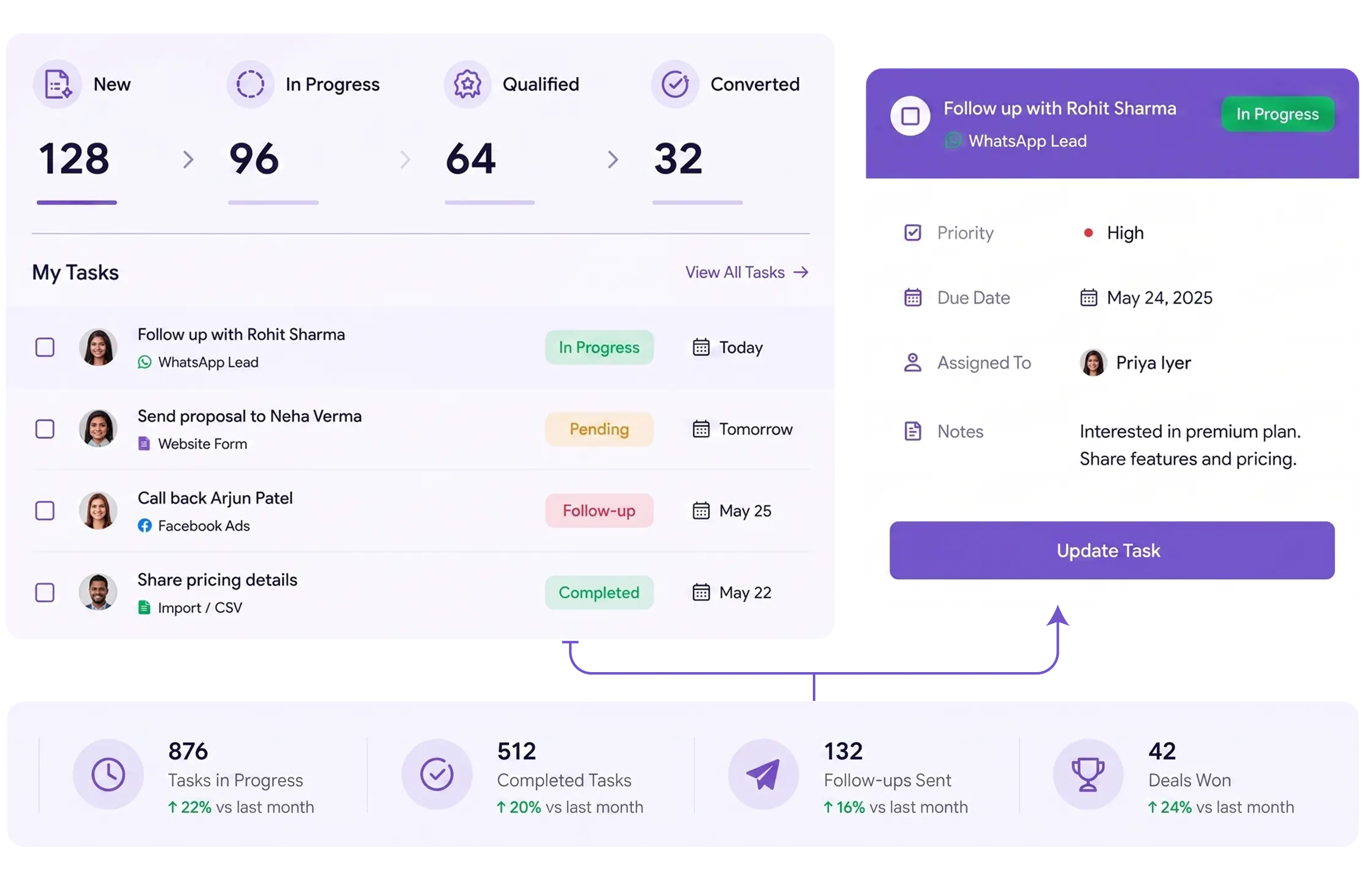
Switch between different task views to see daily work, track progress, and plan upcoming deadlines.

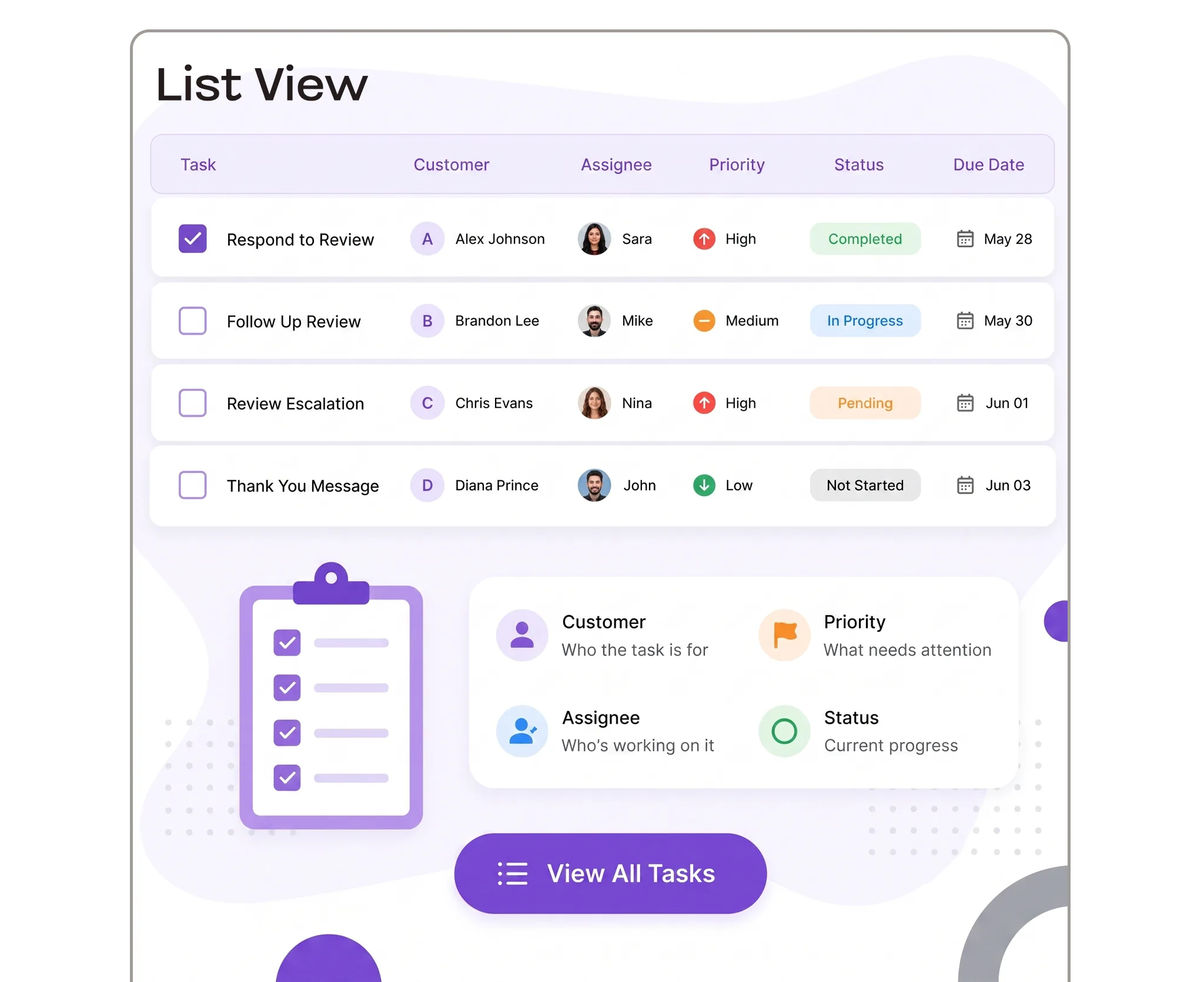
List View

See every task with its customer, assignee, priority, status, and due date.
List View

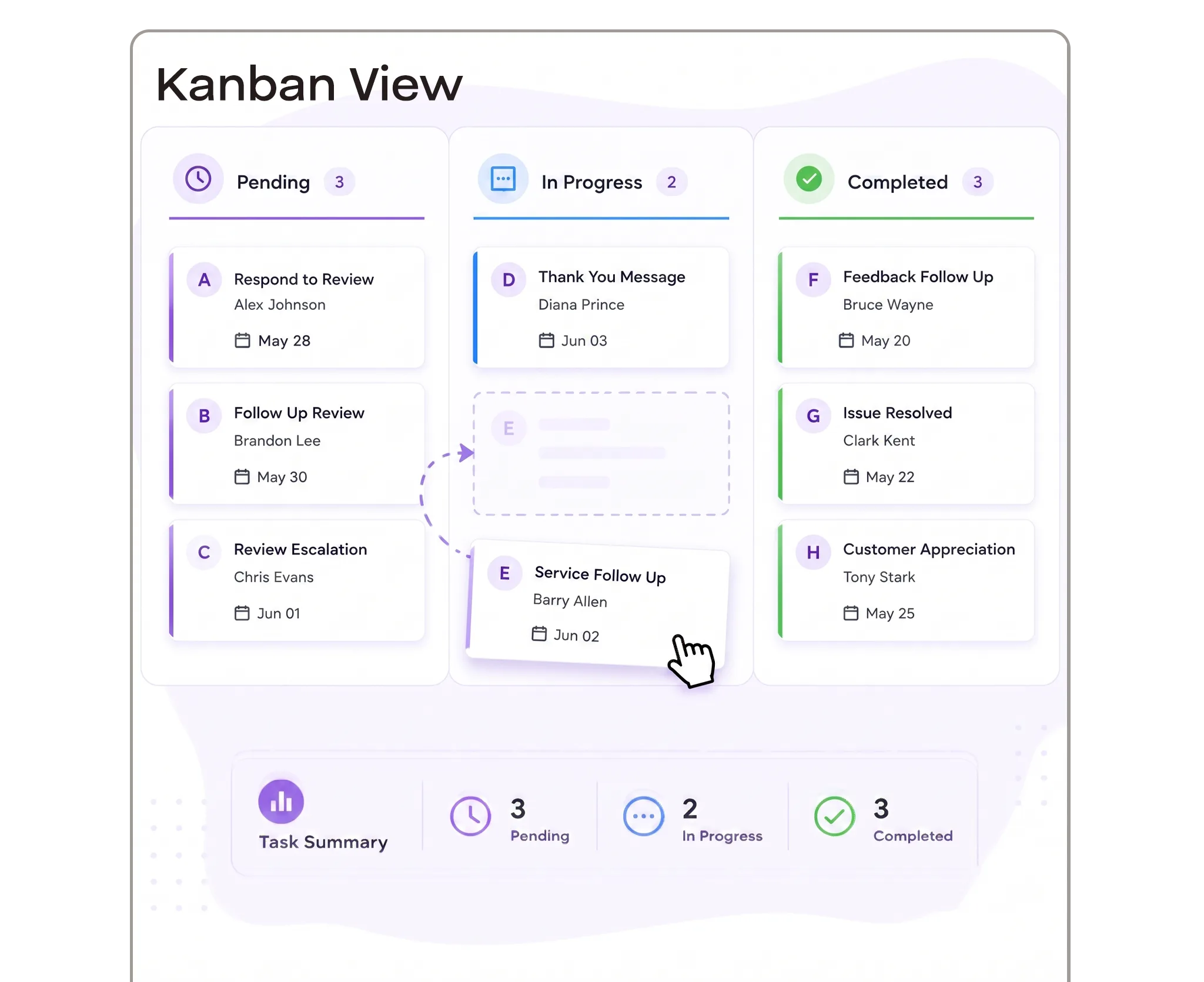
Kanban View

Move tasks between stages and quickly see what is pending, in progress, or completed.
Kanban View

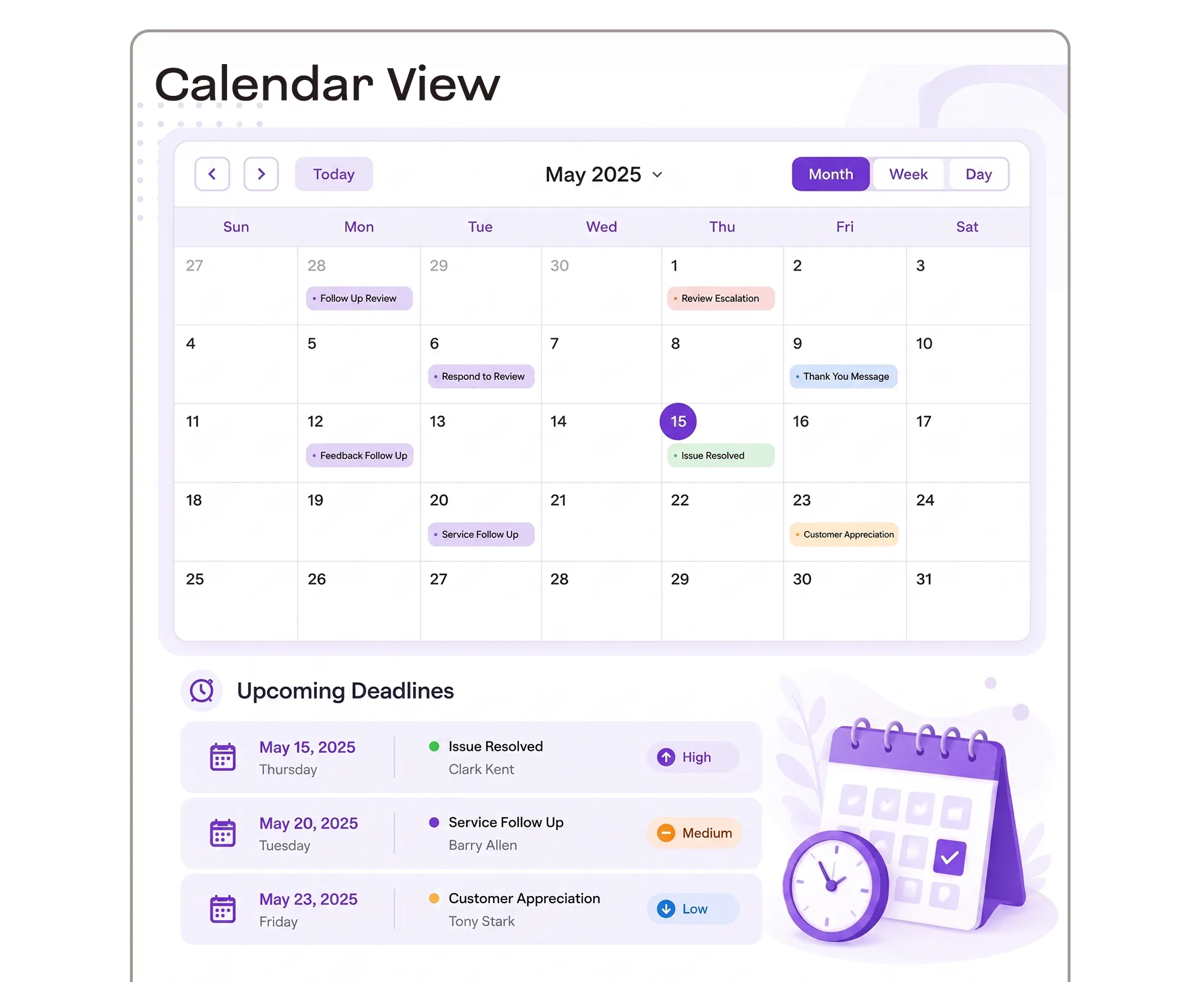
Calendar View

Plan tasks by date and see upcoming deadlines alongside your daily schedule.
Calendar View
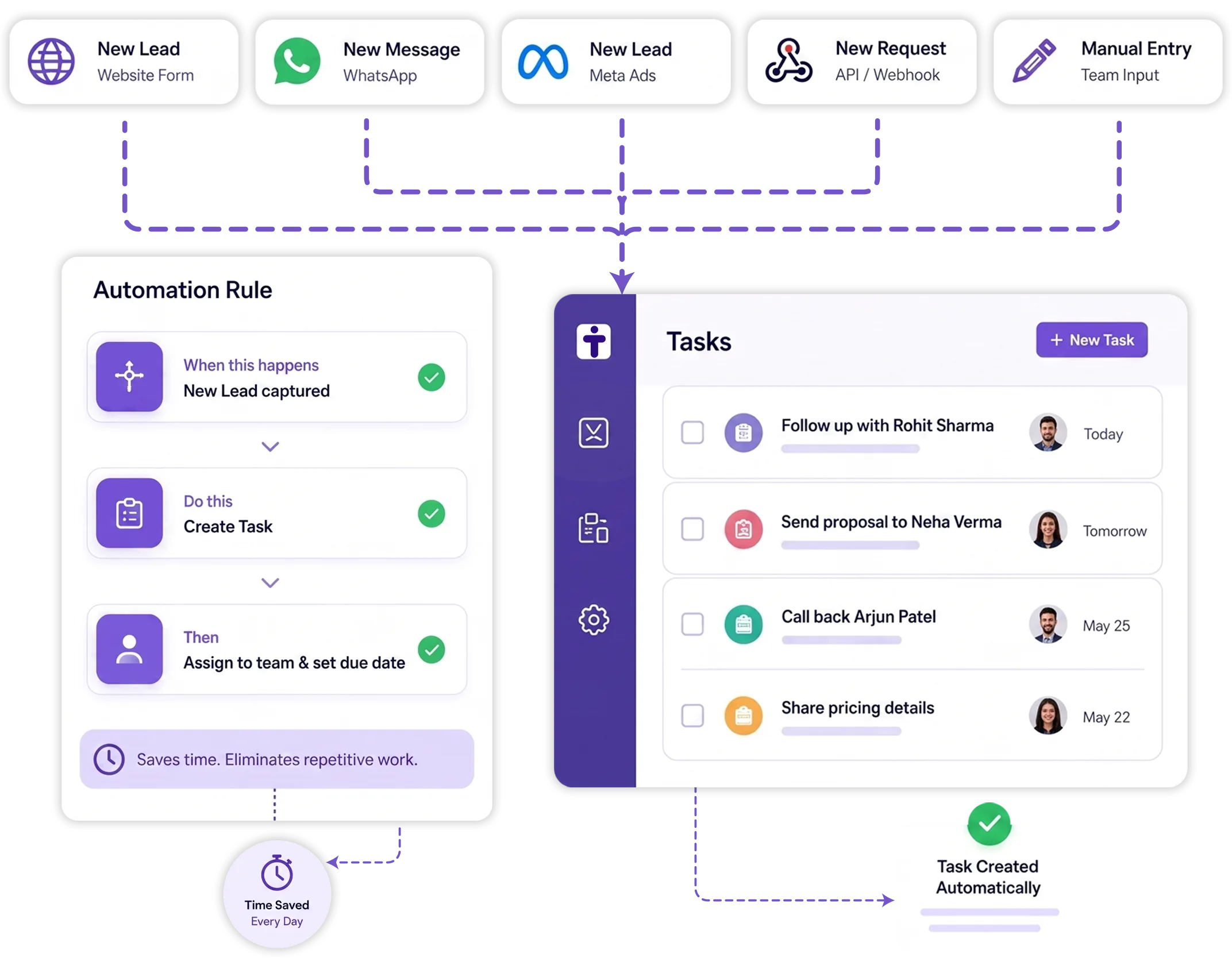
TryowBOT automated CRM task creation
TASK AUTOMATION

Reduce Repetitive Task Creation

Let CRM events create routine tasks automatically instead of adding the same work manually each time.

01

Choose a Trigger

Start task creation when a configured CRM event occurs.

02

Create the Task

Define the task details and add the information your team needs.

03

Set the Timing

Set when the task should be created or completed.

Explore CRM Workflow Automation
TEAM TASK MANAGEMENT

Keep Customer Work Clear Across Your Team

Give team members clear ownership and help managers see how customer-related work is progressing.

Clear Ownership

See who is responsible for each customer-related task.

Quick Filtering

Find specific tasks using available details and filters.

Status Tracking

Track each task as it moves toward completion.

Overdue Visibility

Identify tasks that have passed their due date.

TASK MANAGEMENT FEATURES

Everything You Need to Manage Customer Tasks

Create, assign, organize, filter, and track customer-related work from one CRM workspace.

Task Creation

Create tasks with clear details and connect them with customer-related work.

Task Assignment

Assign tasks to the team member responsible for completing the work.

Due Dates

Set due dates to keep customer-related work scheduled and visible.

Task Filters

Filter tasks using available task, customer, assignee, status, and date details.

Task Status

Track task progress and identify work that is still open or completed.

Overdue Tasks

Identify tasks that have passed their due dates and need attention.

Recurring Tasks

Schedule repeating work for processes that happen regularly.

AI Quick Action

Use AI Quick Action to add tasks quickly from a simple instruction.

Integrations

Get more value from your tools

Connect your tools, connect your teams. With over 200 apps already available in our directory, your team’s favourite tools are just a click away.

Keep Every Task Moving Forward

Create tasks, assign responsibility, track progress, and manage customer-related work from one CRM.

Book a Demo
Avatar-image Avatar-image Avatar-image Avatar-image
+8
10,000+ Businesses trust TryowBOT

Frequently Asked Questions