














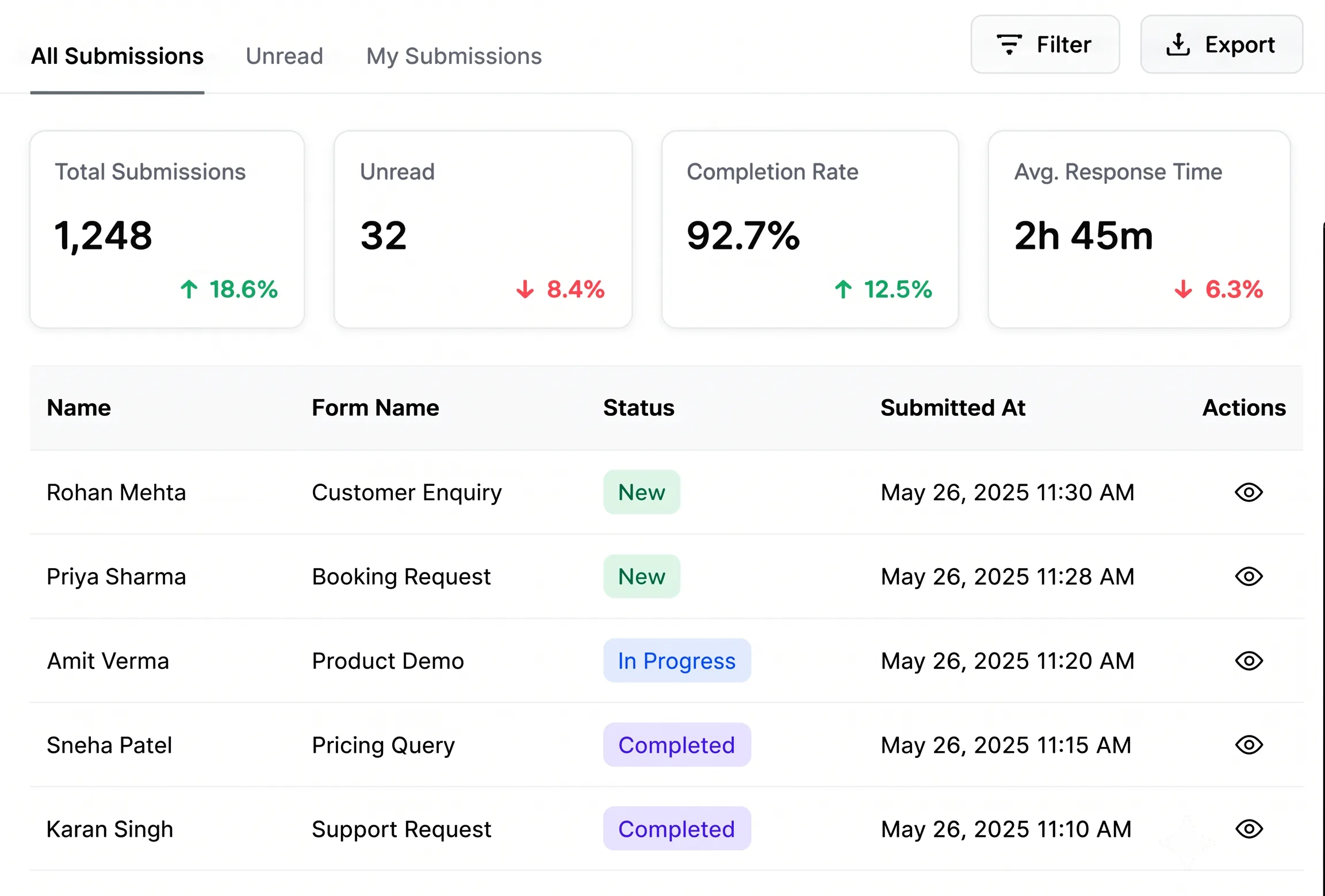
TryowBOT WhatsApp Forms

Turn WhatsApp Conversations Into Completed Action

Create interactive WhatsApp Forms that feel like chat. Let customers enquire, book, order, register and share details without leaving WhatsApp.

Built for lead generation, customer service, commerce, and growth teams.

Interactive WhatsApp Forms for Business

Trusted by Growing Businesses

Helping businesses collect customer details and connect with customers on WhatsApp.
A2C House of Kurtis women's ethnic wear
AARA Homemade Skincare products
Ampere Pro Engineering Technology Pvt Ltd
Avatar Financial Group financial services
Avira Organics natural health food products
CARE Dental Hospital dental care services
Cash Bazzar loan for multiple loan services
CrestLuxe Realty real estate services
Ekatrika Ventures laundry and dry cleaning services
Family Medicals pharmacy and healthcare
kottakkal farook arts and science college education
Maruthi School of banking training and education
Surgical Shop medical equipment and surgical supplies
Yamaha motorcycles and bikes
Royal Enfield motorcycles and bikes
WhatsApp Forms for Customer Data Collection

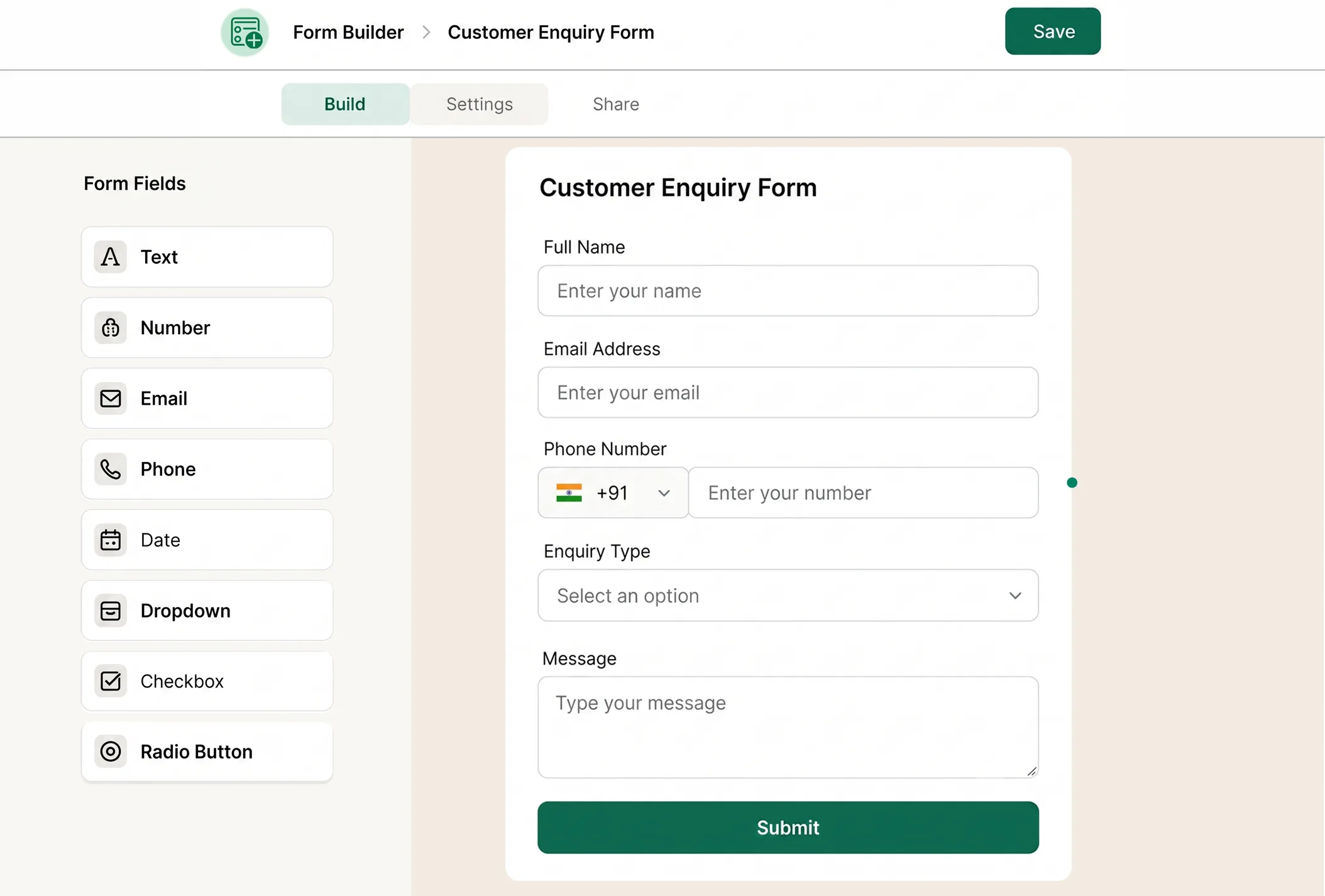
Collect Better Customer Data with WhatsApp Forms

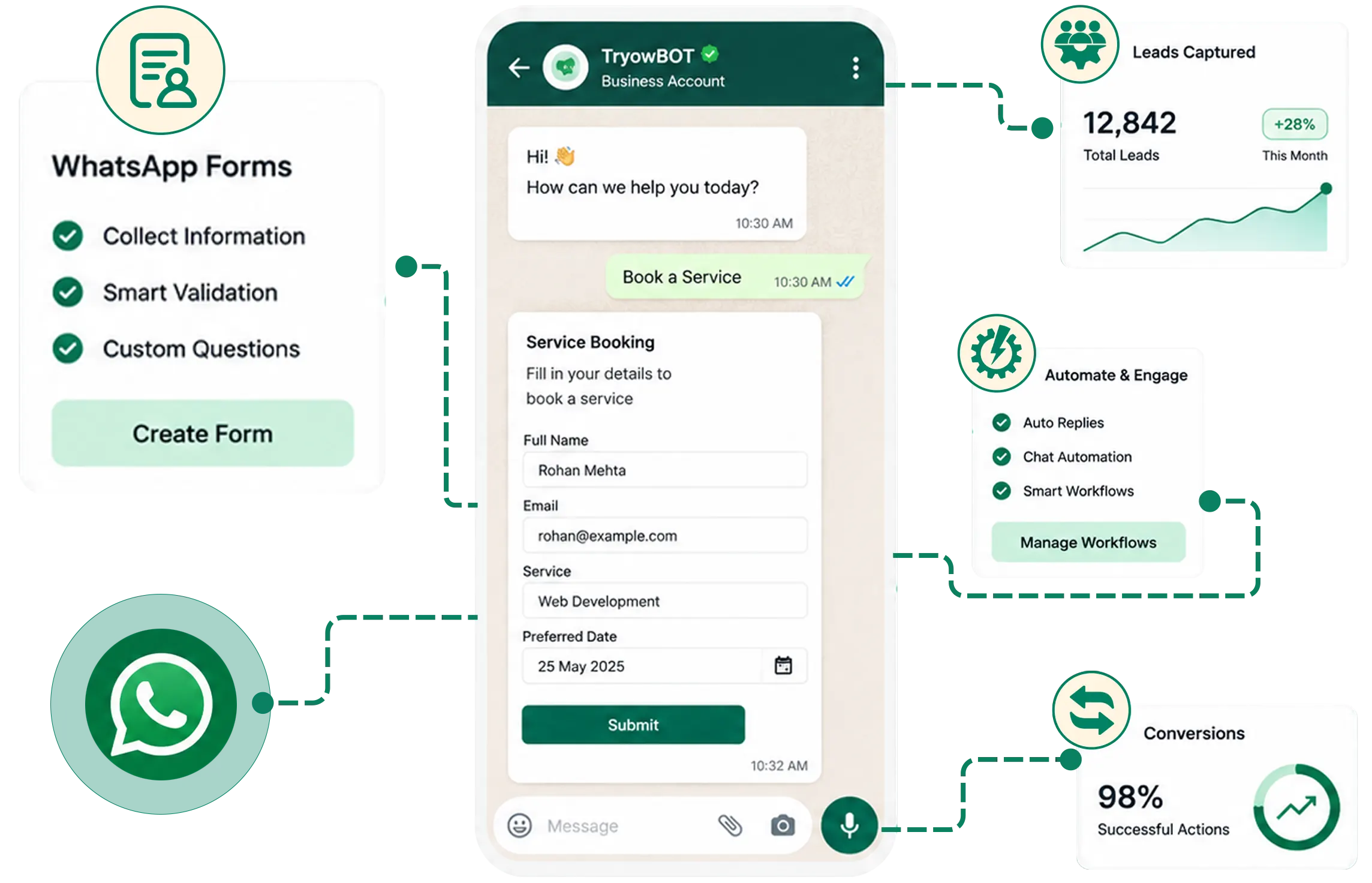
Collect the right customer details without making conversations feel like a form. Get clear, structured responses that your team can easily understand and act on.

Easy Customer Journey with WhatsApp Forms

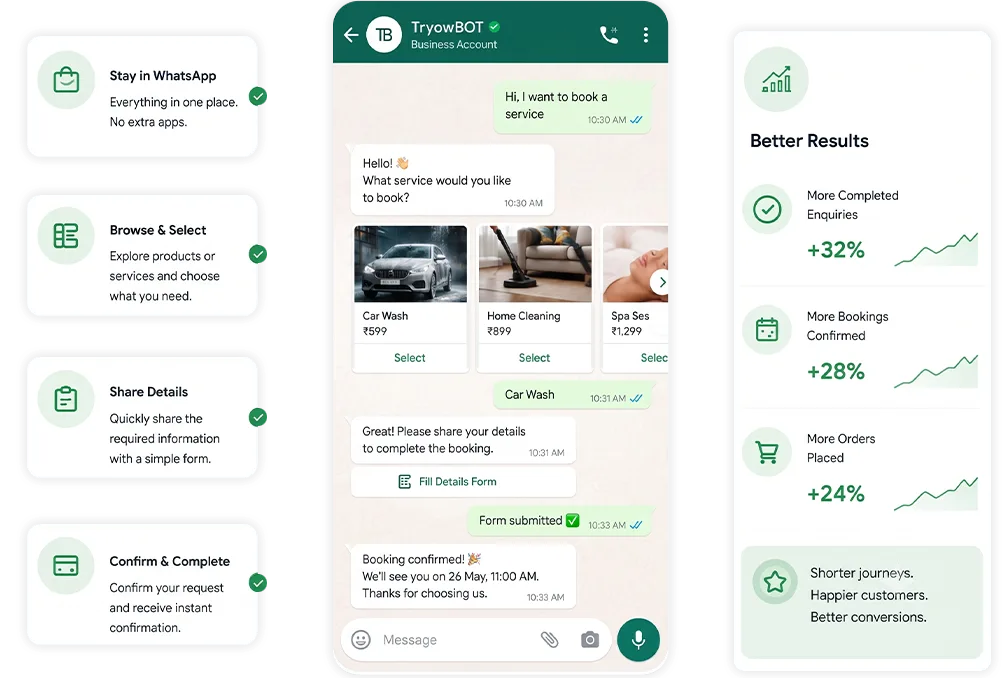
Make Every Customer Journey Easier

Customers stay in the app they already trust. Fewer steps and shorter journeys mean more completed enquiries, bookings, registrations, and orders.

Move Faster After Submission

Move Faster After Submission

No waiting. No manual handoffs. Every submission can instantly notify your team, update your CRM, assign an owner, and trigger the next step.

One Simple Way to Move Customers Forward

Meet customers at the moment they are ready to act

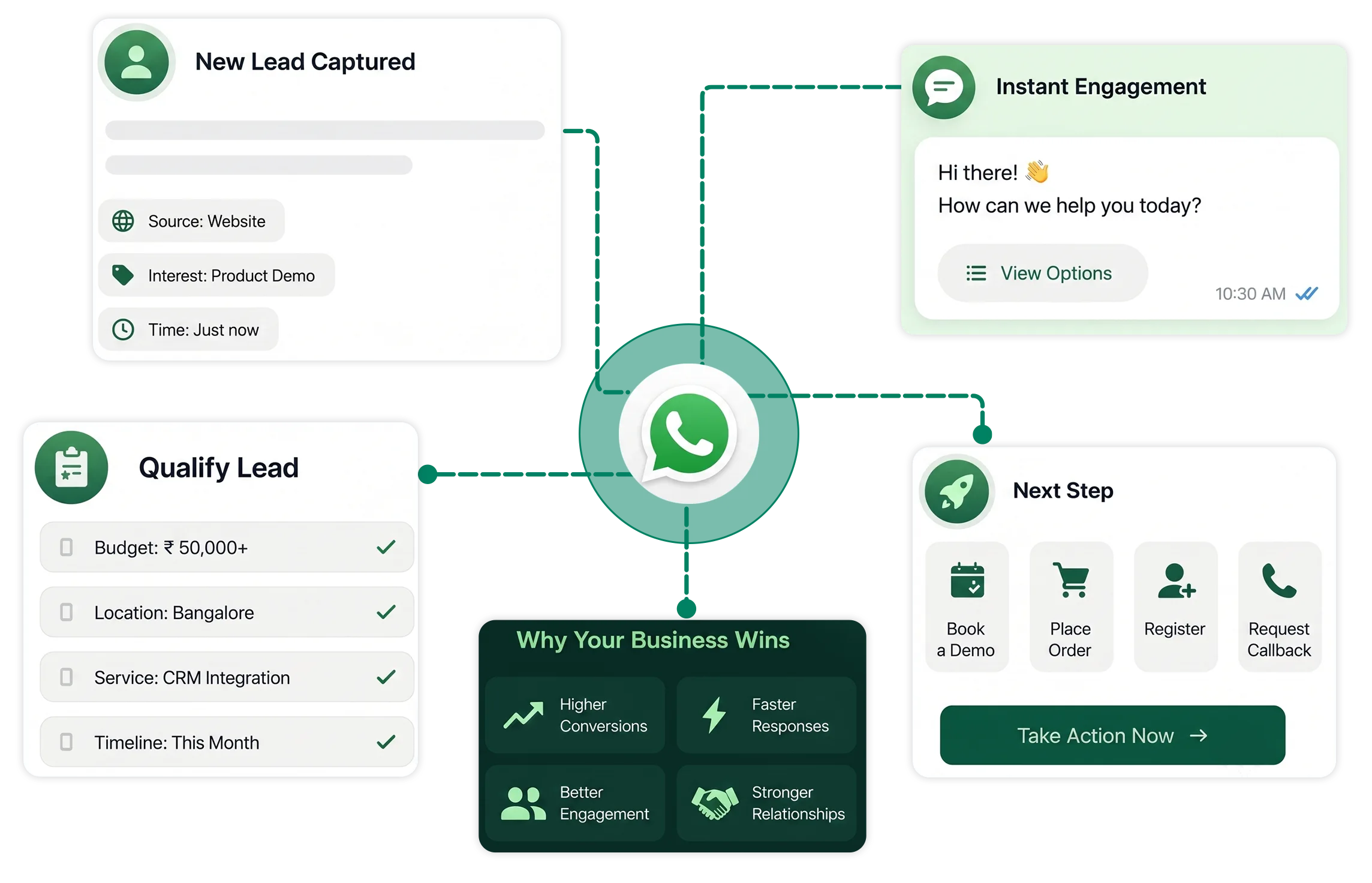
A good form does not feel like paperwork. It feels like a helpful next message. TryowBOT WhatsApp Forms make high-intent moments easier to complete and easier for your team to manage.

Capture a new lead

Ask for the essentials from campaign responses, website chats, and inbound enquiries.

Qualify before the handoff

Collect budget, location, service, or product preferences so your sales team starts with context.

Complete the next step

Let customers select a slot, submit an order, register for an event, or request a callback.

man-upside-down

Every Interaction Happens on WhatsApp:

This can replace separate forms or lightweight web experiences for activities such as:

Lead Generation

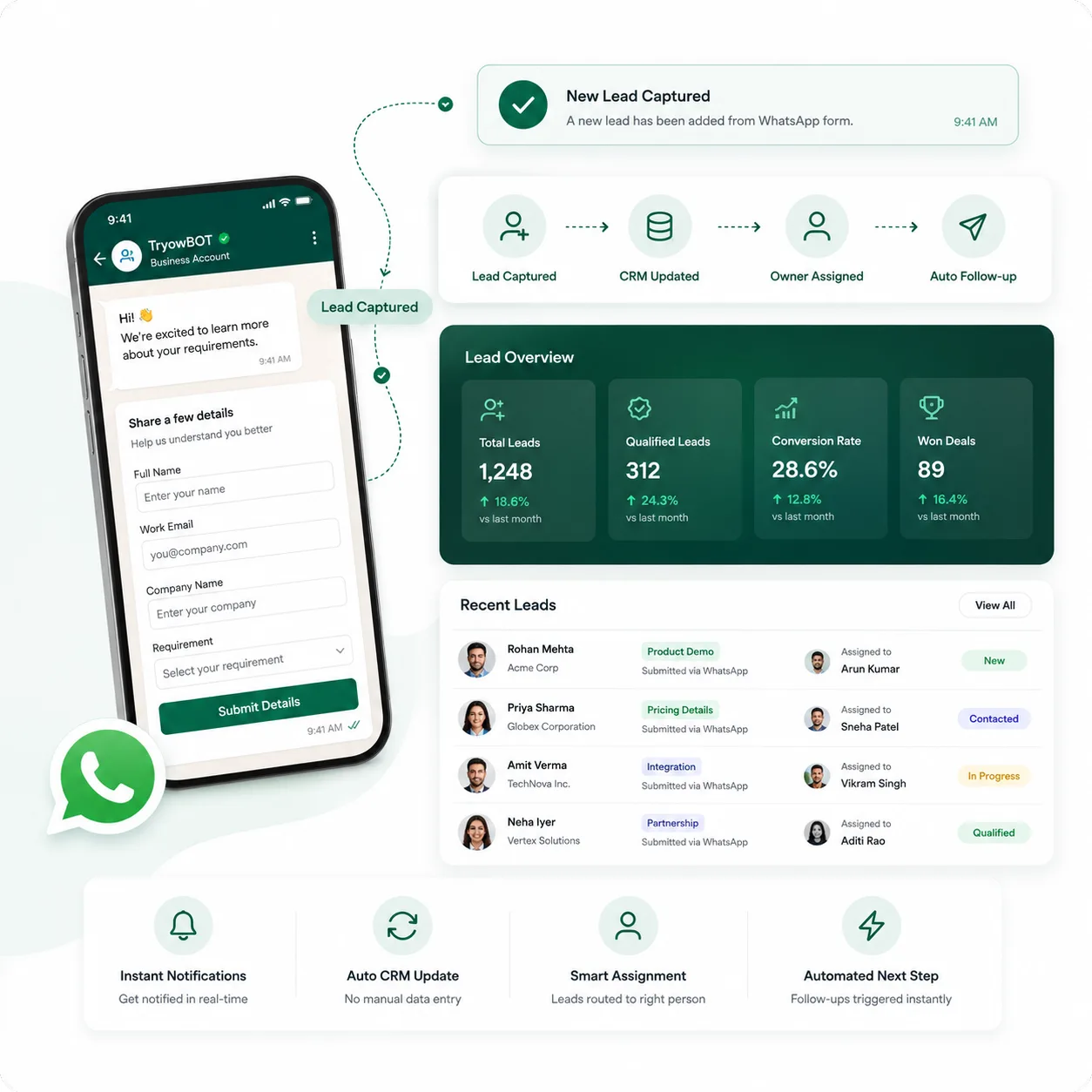
Turn Conversations Into Qualified Leads

Don't just start conversations. Capture the information your sales team actually needs.

Instead of asking customers to click a website link and fill out a long form, let them share their requirements directly inside WhatsApp.
Lead generation
Registration

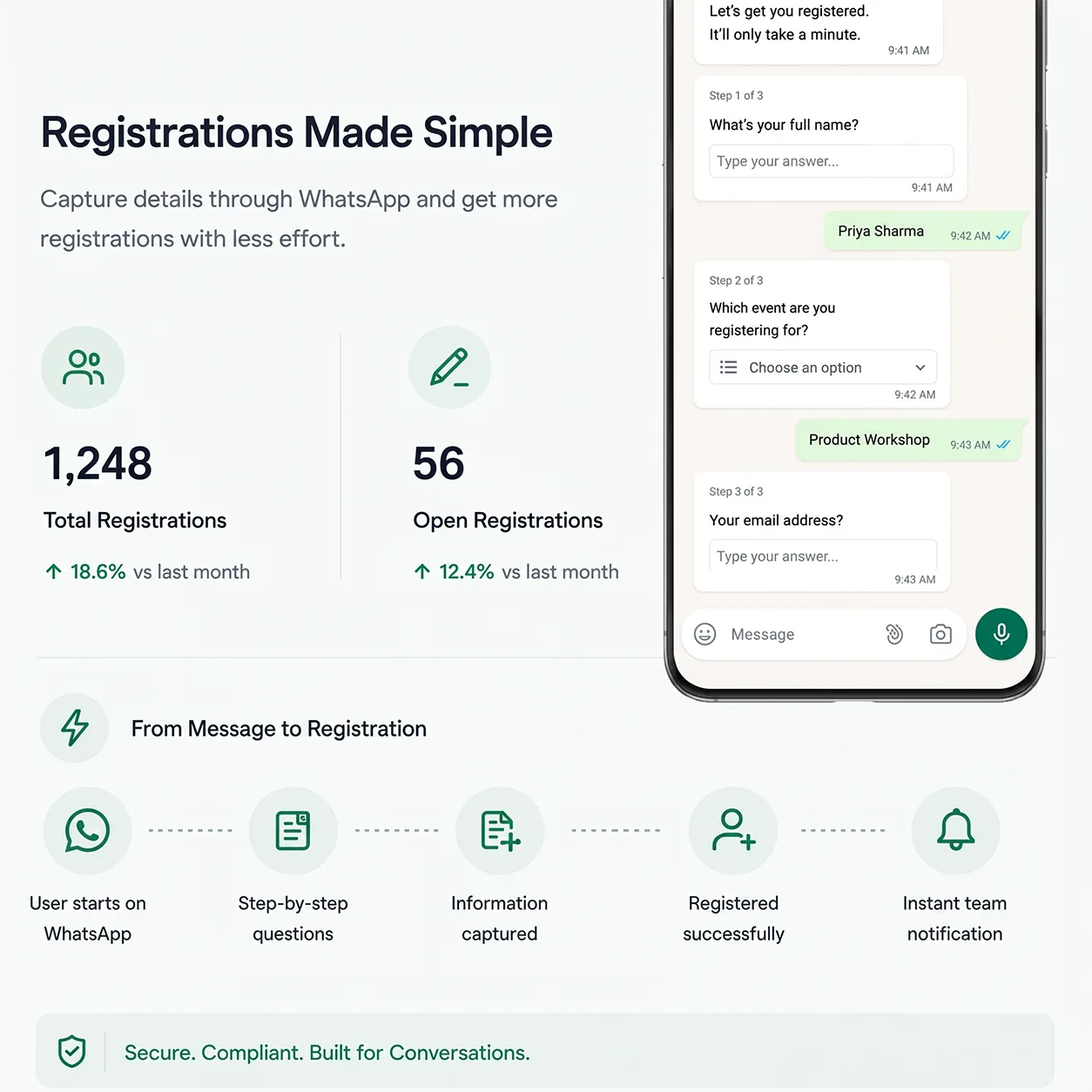
Make Registration as Easy as Sending a Message

Registration shouldn't feel like filling out paperwork.

Whether you're running an event, webinar, workshop, course, membership program, or customer onboarding process, let users register directly through WhatsApp.

Collect the information you need through a simple step-by-step experience.
Registration
Sign Up / Sign In

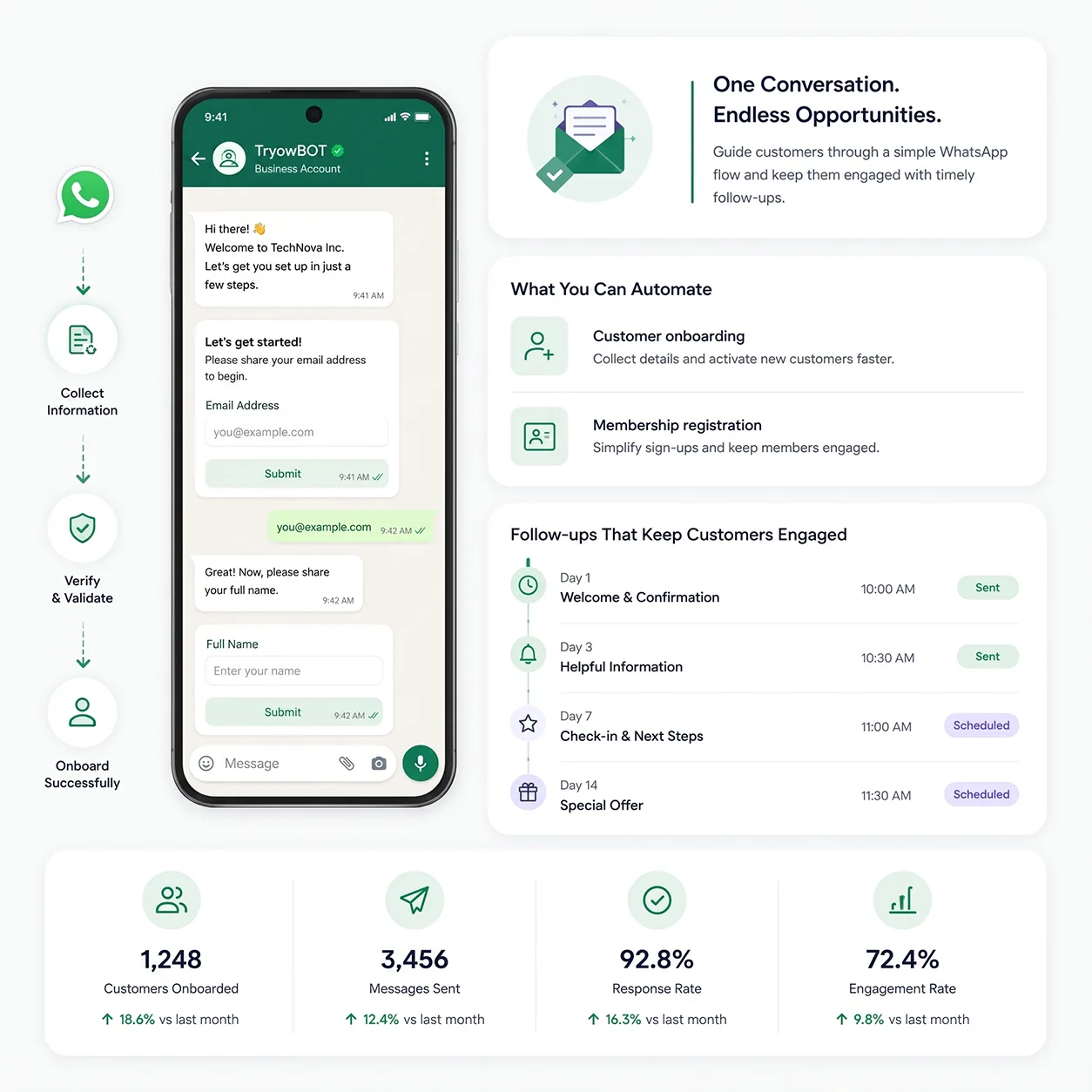
Let Customers Access Your Services Without Leaving WhatsApp

Make onboarding faster by turning WhatsApp into a simple entry point to your customer experience.

Customers can provide the required information, verify their details, and continue their journey without opening another application.

  • Customer onboarding
  • Membership registration
Sign Up / Sign In
Appointment Booking

From "I Need an Appointment" to "You're Booked."

Turn appointment scheduling into a conversation instead of a back-and-forth exchange.

Customers can select the service, location, preferred date, and available time — all through an interactive WhatsApp experience.
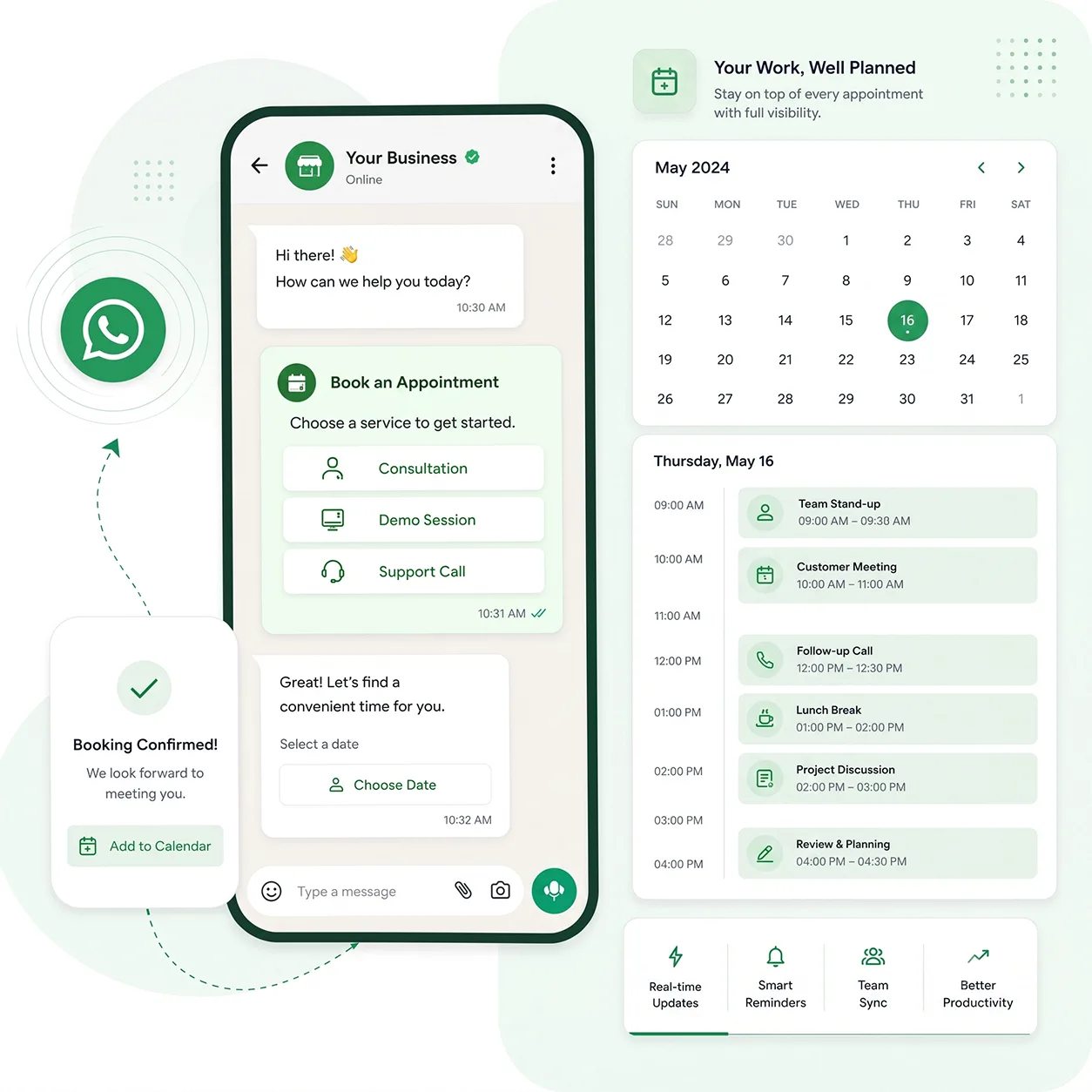
Appointment Booking
Customer Service

Turn Customer Questions Into Guided Experiences

Not every customer request needs a long conversation with an agent.

Give customers a structured way to tell you exactly what they need.
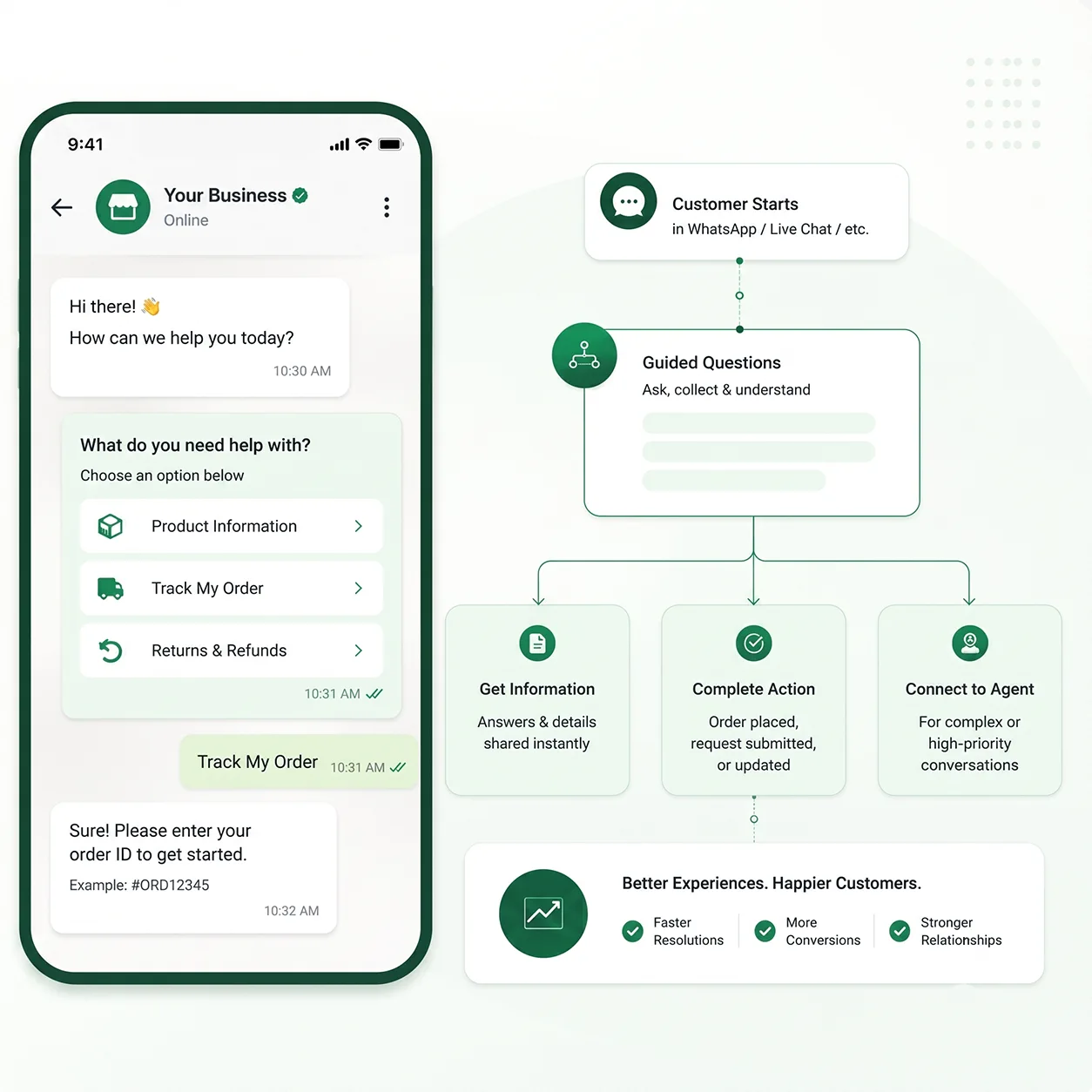
Customer Service
Feedback

Don't Just Ask for Feedback. Make It Effortless.

Customers are more likely to respond when feedback takes seconds instead of minutes.

After a purchase, service, appointment, or support interaction, send a simple WhatsApp feedback experience.
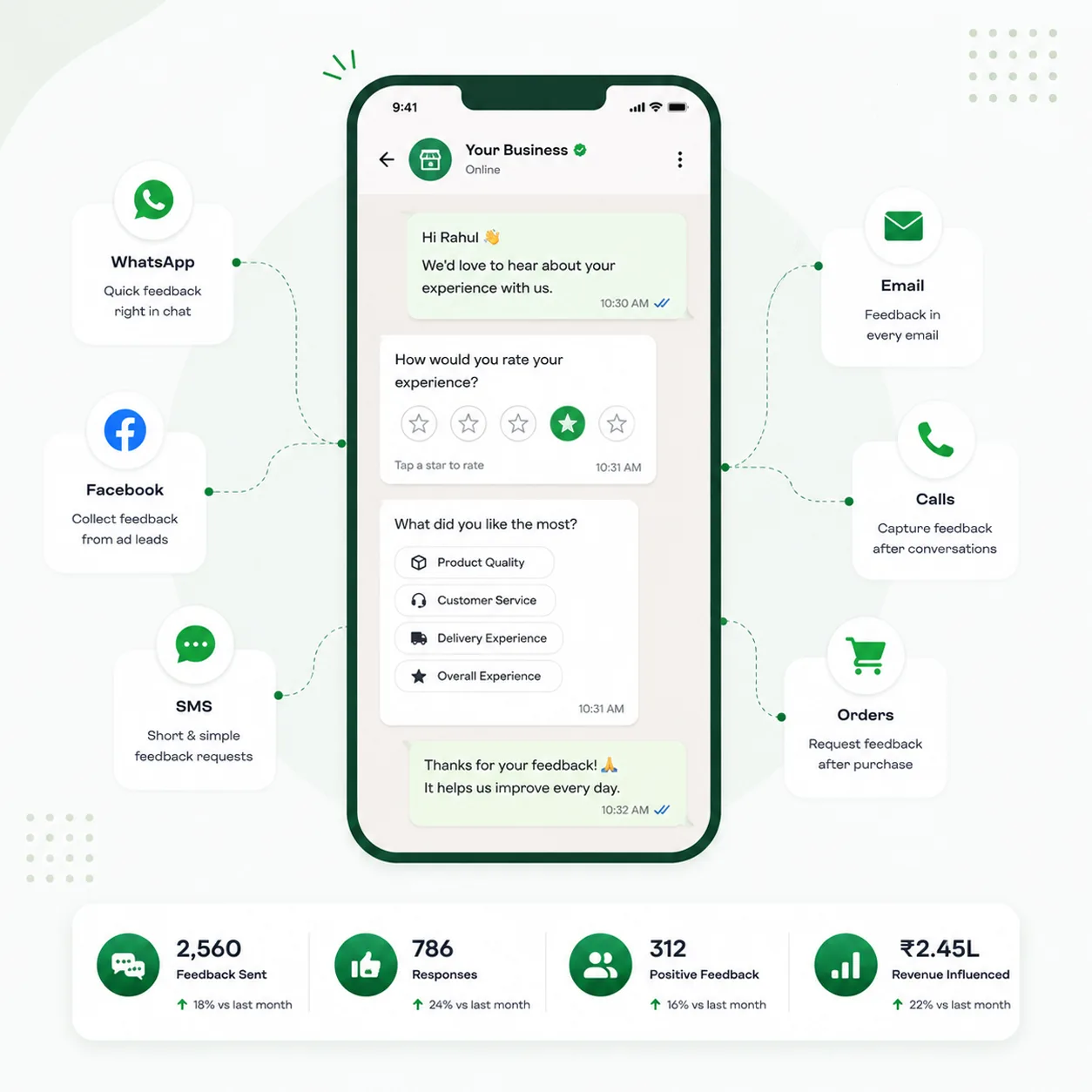
Feedback
Surveys

Get Better Answers Without Making Customers Work for Them

Surveys don't have to mean sending customers to another website.

Use WhatsApp Forms to create short, interactive surveys that feel like part of the conversation.
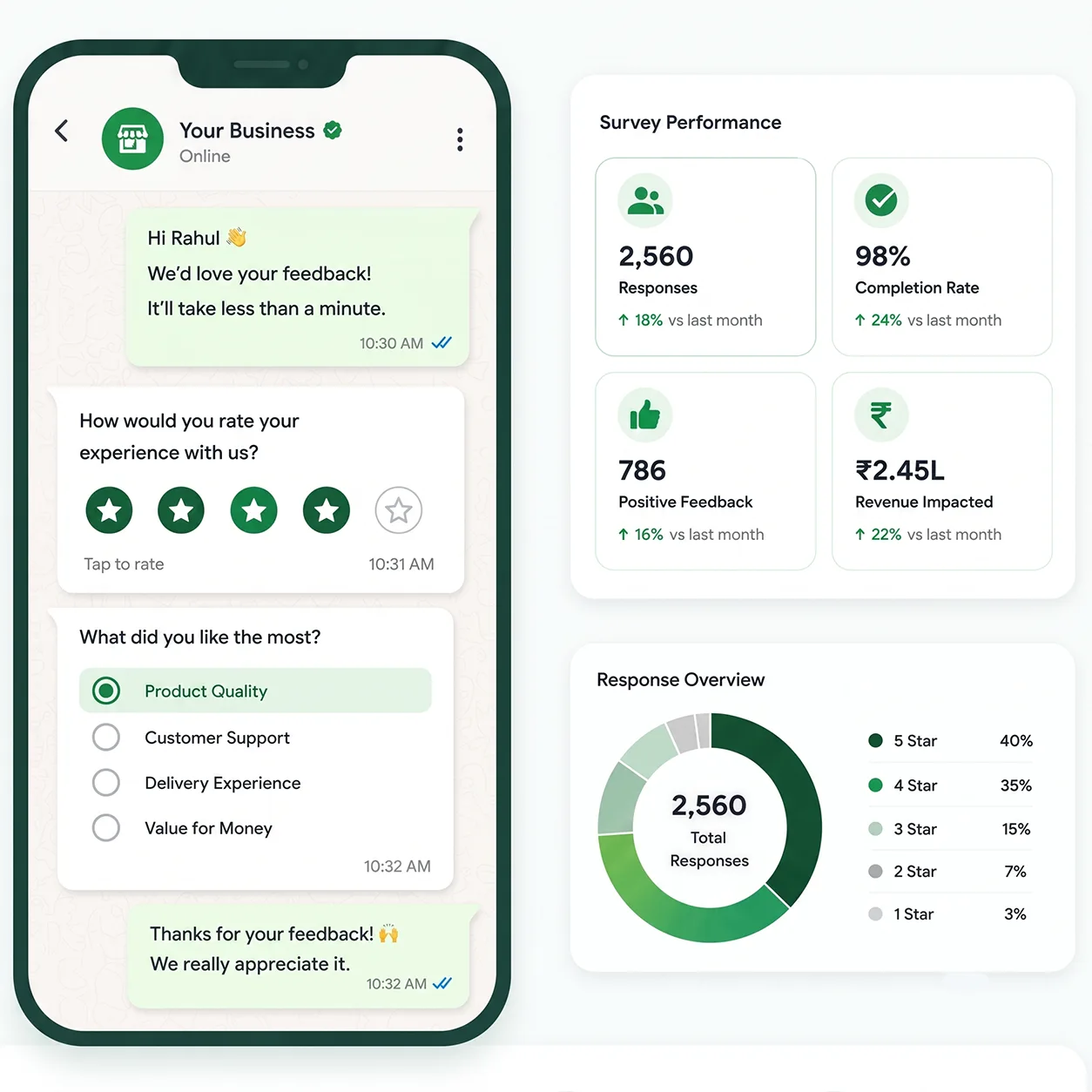
Surveys
Built for business teams

From first question to next best action

Design guided WhatsApp experiences that connect marketing, sales, operations, and support.

Marketing teams

Convert campaign clicks into complete lead profiles with forms tailored to each audience.

Sales teams

Qualify prospects, request documents, and schedule calls before a sales rep joins the conversation.

Service teams

Collect issue details, service preferences, and feedback without forcing customers through long portals.

Integrations

Get more value from your tools

Connect your tools, connect your teams. With powerful integrations already available in our directory, your team's favourite tools are just a click away.

Give Every Customer a Simpler Way Forward

Create interactive WhatsApp Forms that capture better customer data and keep every conversation moving toward action.

Request a TryowBOT Demo

WhatsApp Forms FAQs

  • What are WhatsApp Forms?

    They are interactive forms inside WhatsApp that allow customers to submit details and complete actions such as bookings, orders, registrations, enquiries, and feedback.

  • What can TryowBOT WhatsApp Forms collect?

    You can collect contact details, preferences, service requirements, appointment choices, product selections, survey answers, and other structured information relevant to your workflow.

  • Can submissions trigger follow-up automation?

    Yes. A submission can start a workflow, notify a team, create or update a CRM record, assign an owner, and continue the customer conversation.