














TryowBOT CRM Calendar & Meetings

Every Customer Activity. One Calendar.

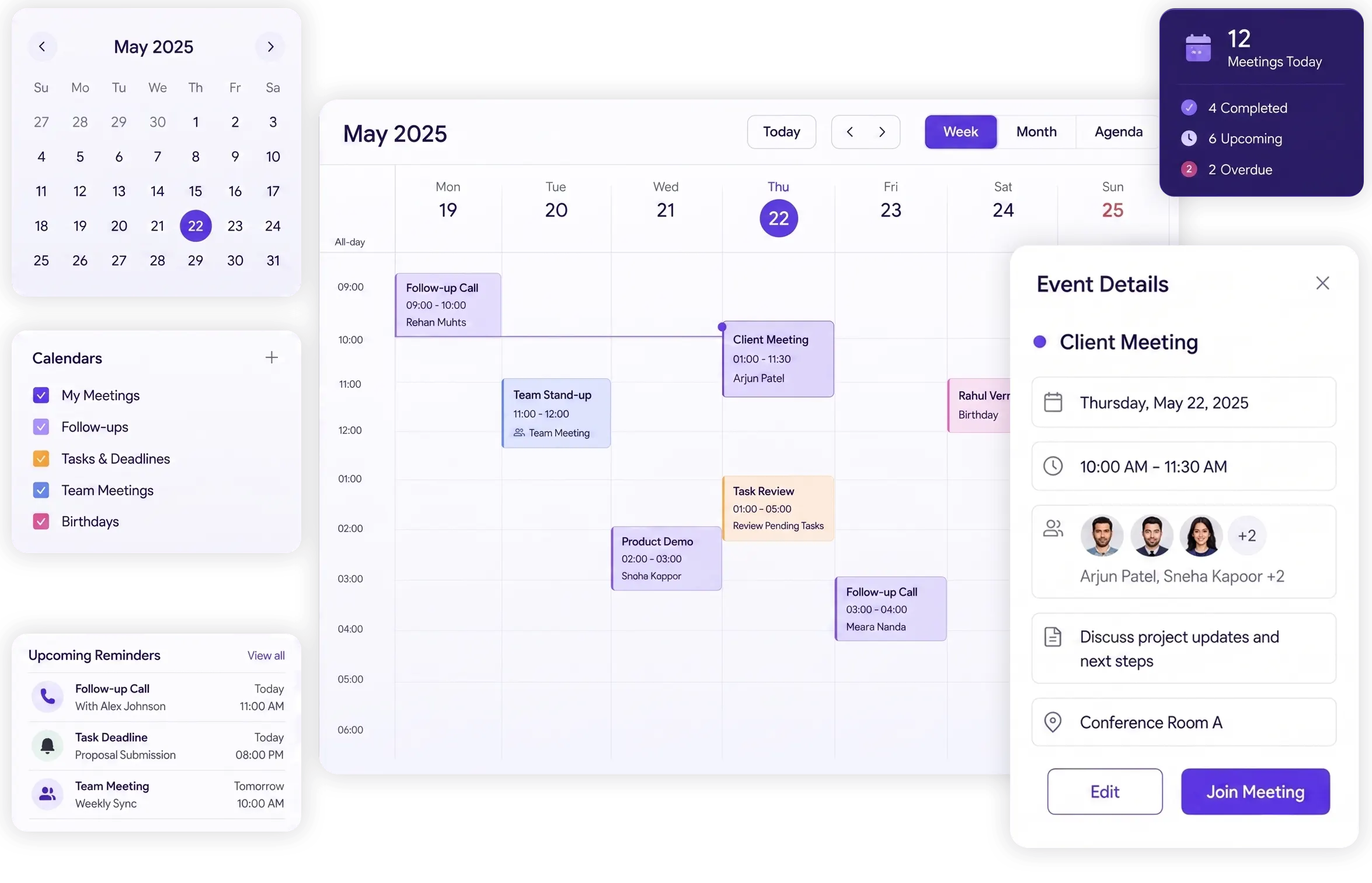
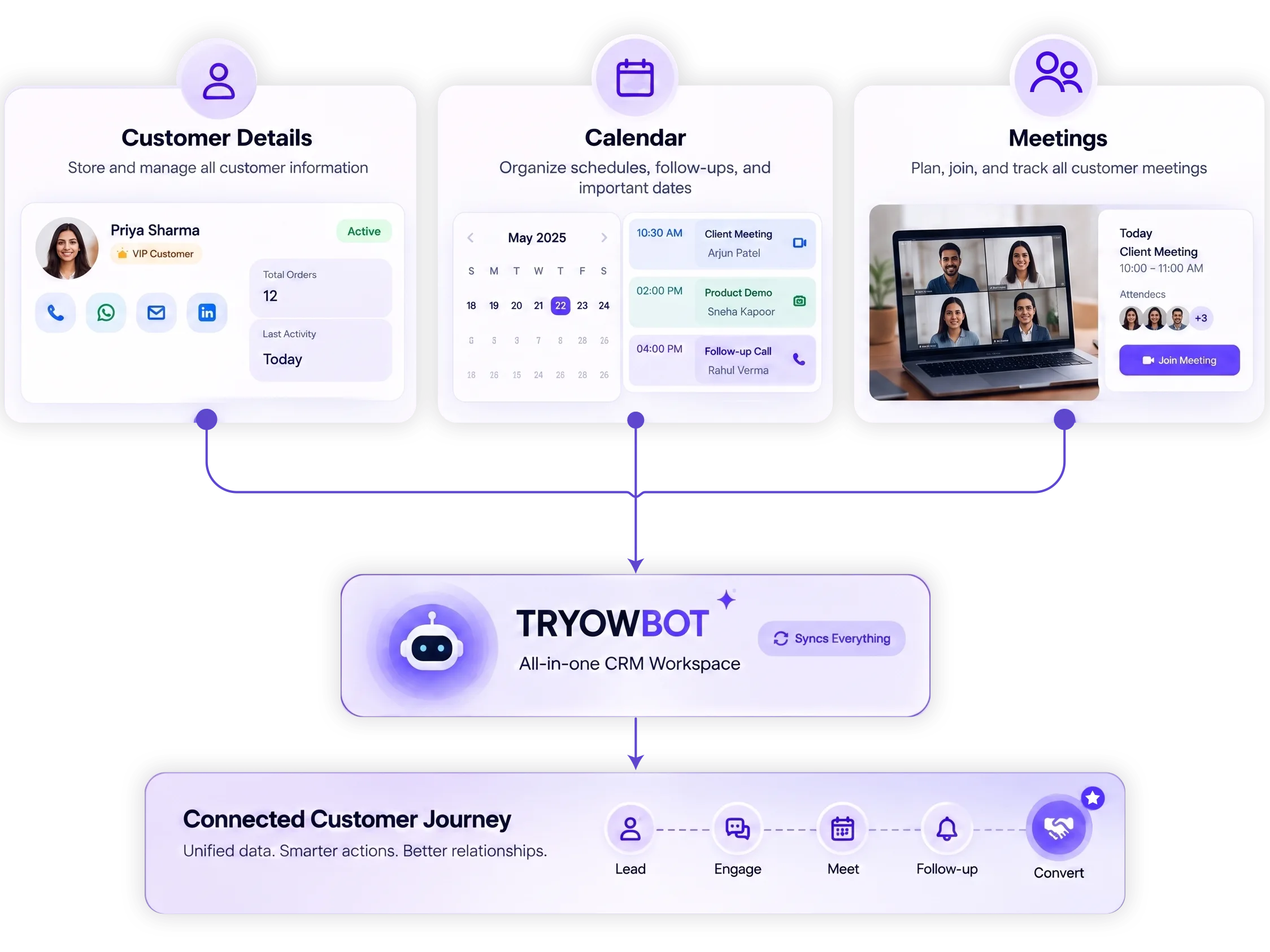
Tryowbot brings customers, meetings, tasks, follow-ups, and daily activities together in one connected Calendar. Your team can see what needs attention, manage customer interactions, and stay on top of every follow-up without switching between separate tools.

hero-mockup

Trusted by Growing Businesses

Helping businesses simplify CRM, sales, and customer management.
a2c
aara
ampere
avatar financial Group
Avira organics
Care Dental Hospital
Cash Bazzar
Crestluxe Realty
Ekatrika
Family Medicals
Kottakal Farook Arts and Science College
Maruthi School of Banking
Shop Surgicals
Yamaha
Royal Enfield
Manage Customer Meetings and Activities in TryowBOT

Keep Customer Meetings, Activities, and Follow-ups Connected

Instead of managing customer details in one place, calendars somewhere else, and meetings separately, TryowBOT brings these activities together. Your team can see customer activities, manage meetings, schedule follow-ups, and keep better visibility of the complete customer journey.

Know What Needs Attention Every Day

See customer activities, overdue work, and upcoming follow-ups without checking different places.

Customer Activity Management

Activity

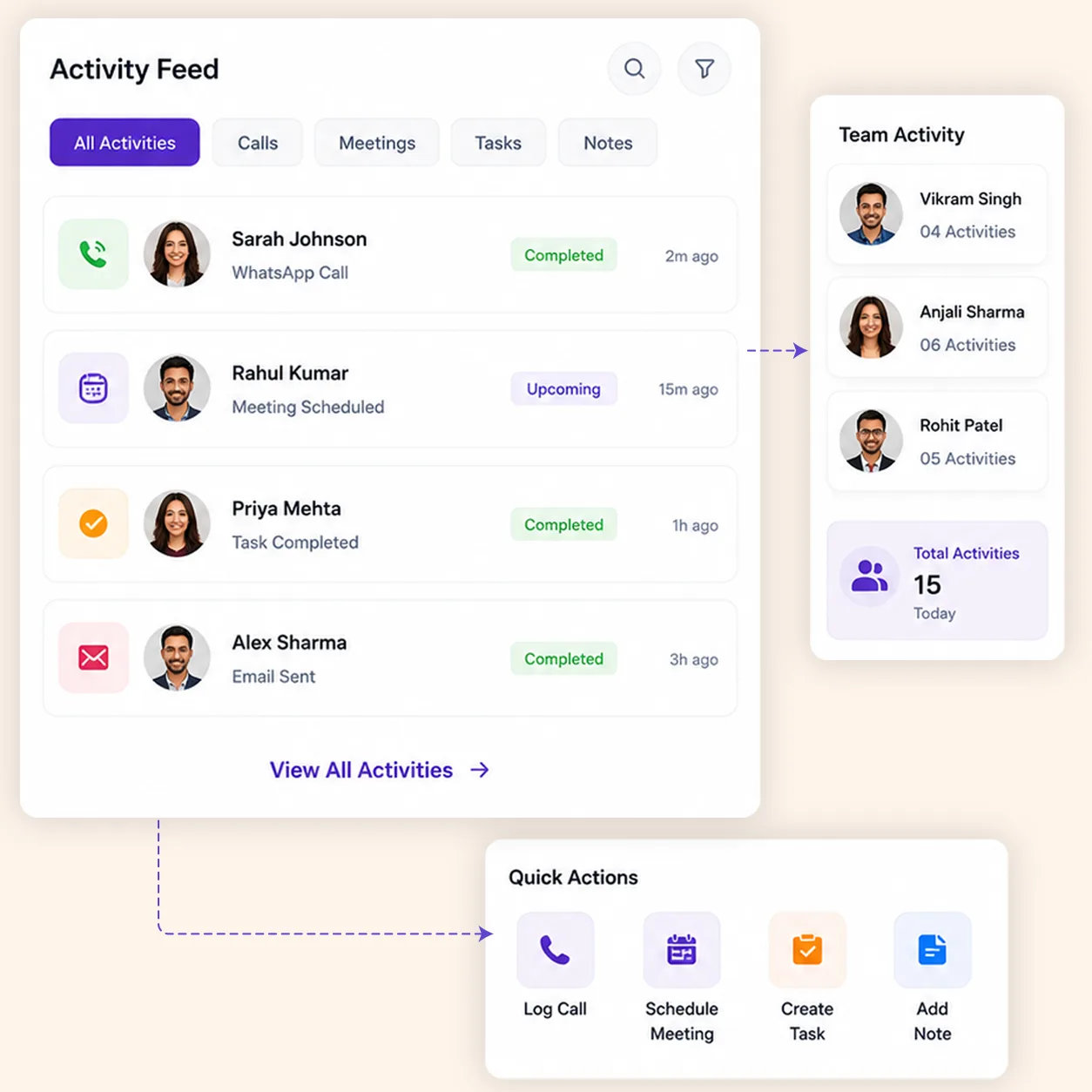
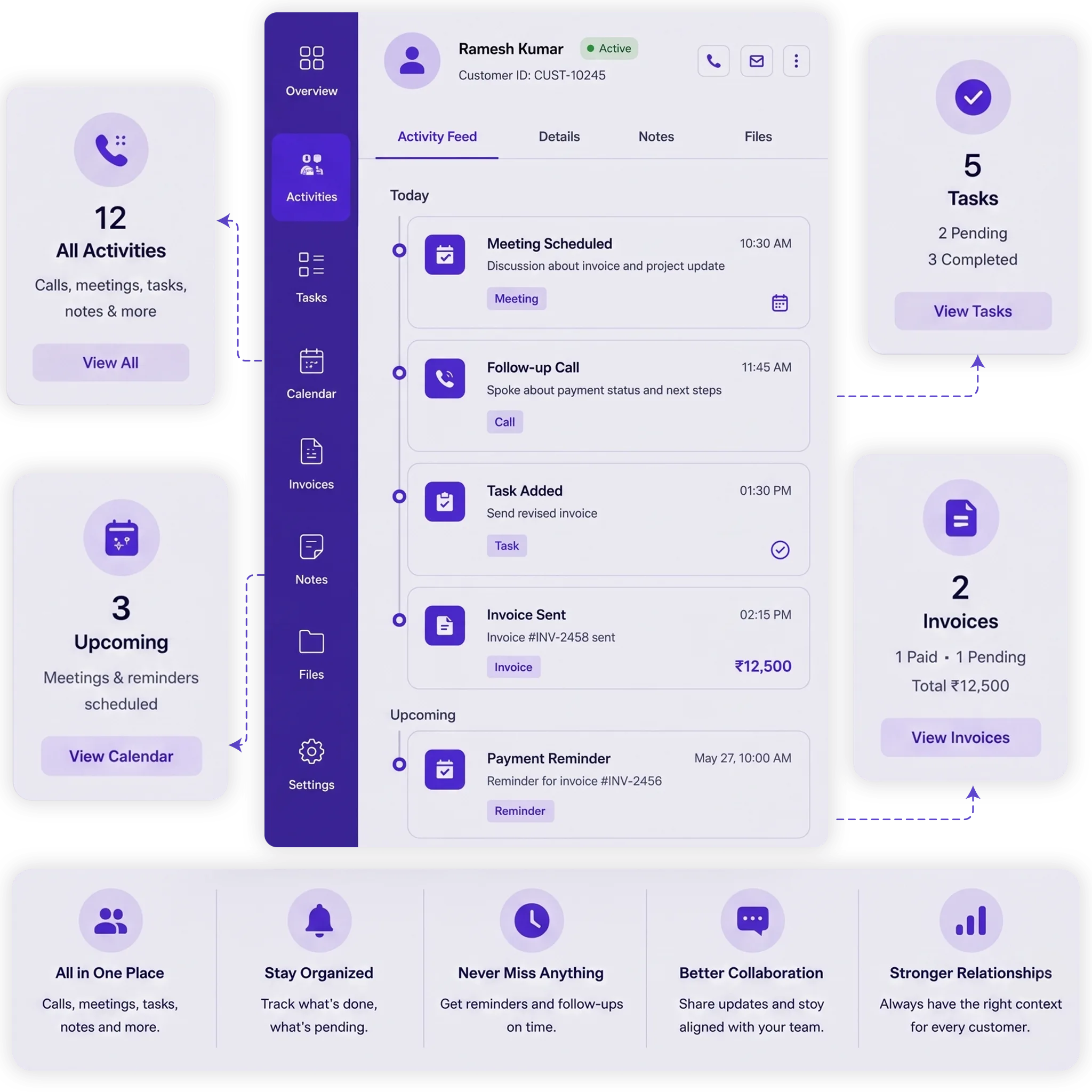
The Activity section gives you a complete view of what is happening with your customers, including calls, meetings, tasks, notes, and other interactions. Your team can track customer activity in one place.

Overdue Customer Activities

Overdue

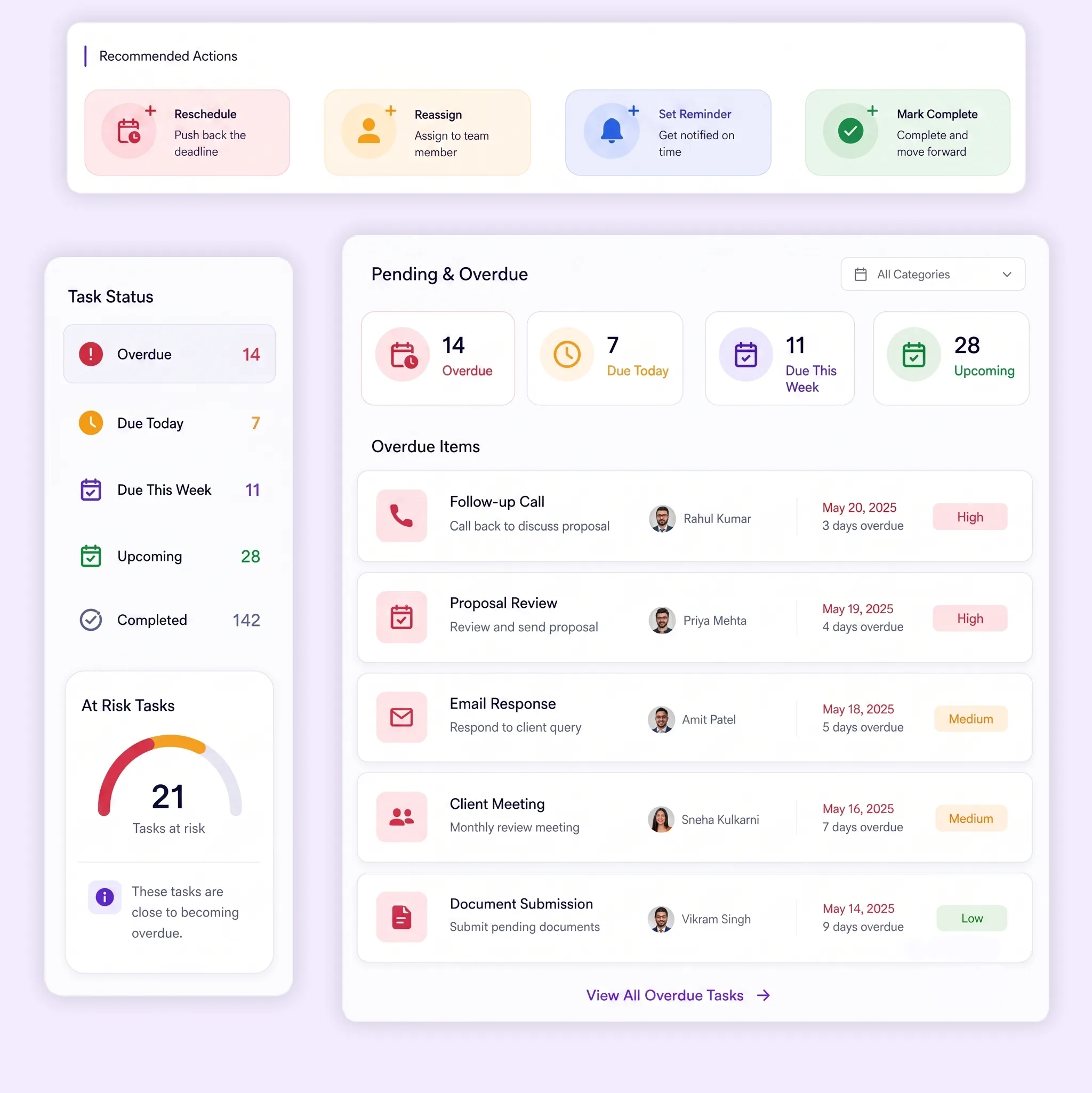
The Overdue section shows tasks and follow-ups that were supposed to be completed but are still pending. Your team can quickly identify delayed work and take action before important customer activities are missed.

Customer Follow-up Management

Follow-ups

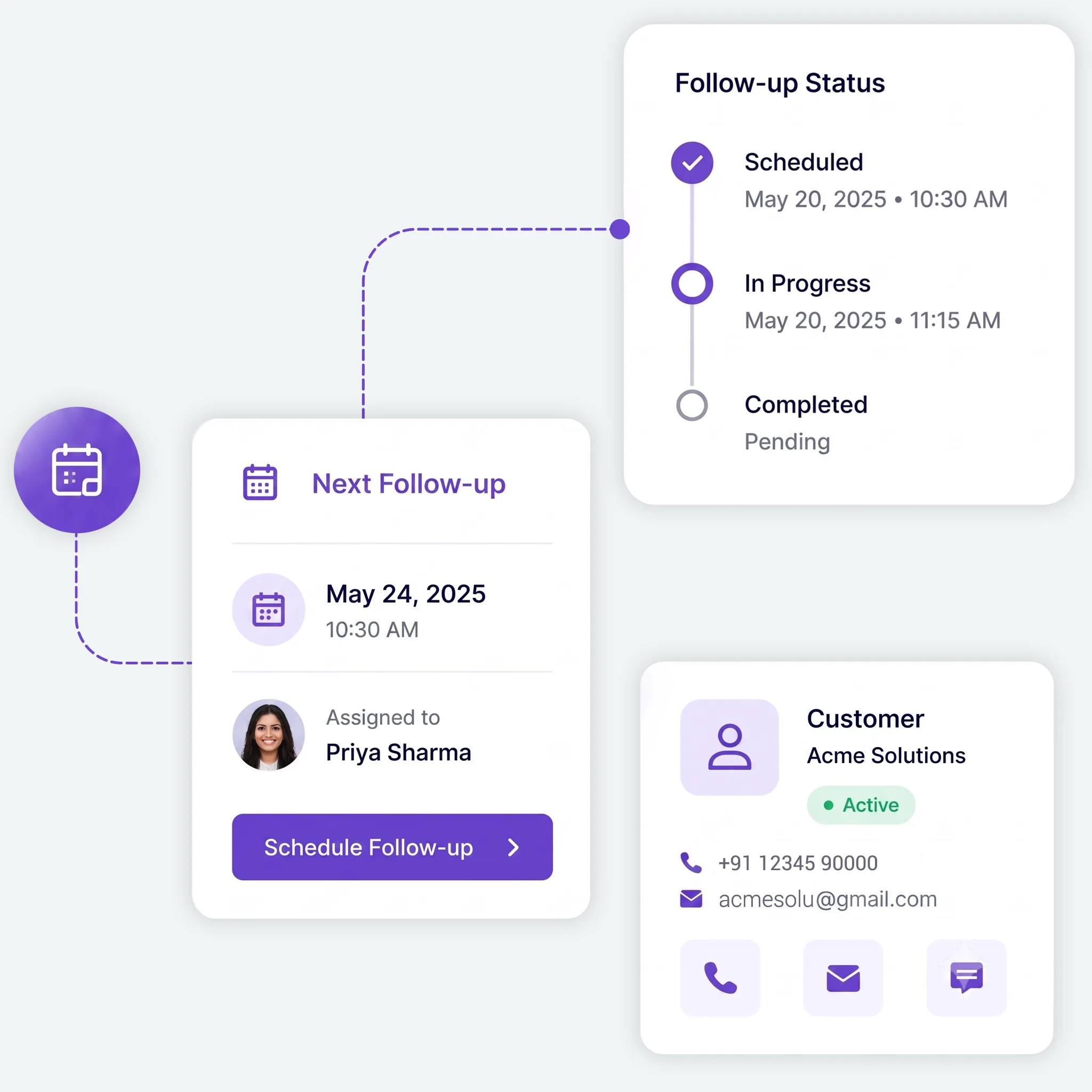
Schedule the next customer follow-up, assign it to a team member, and track it until completion. Your team always knows when the next customer interaction needs to happen.

Schedule and Manage Customer Meetings

Schedule Meetings Without Losing Customer Context

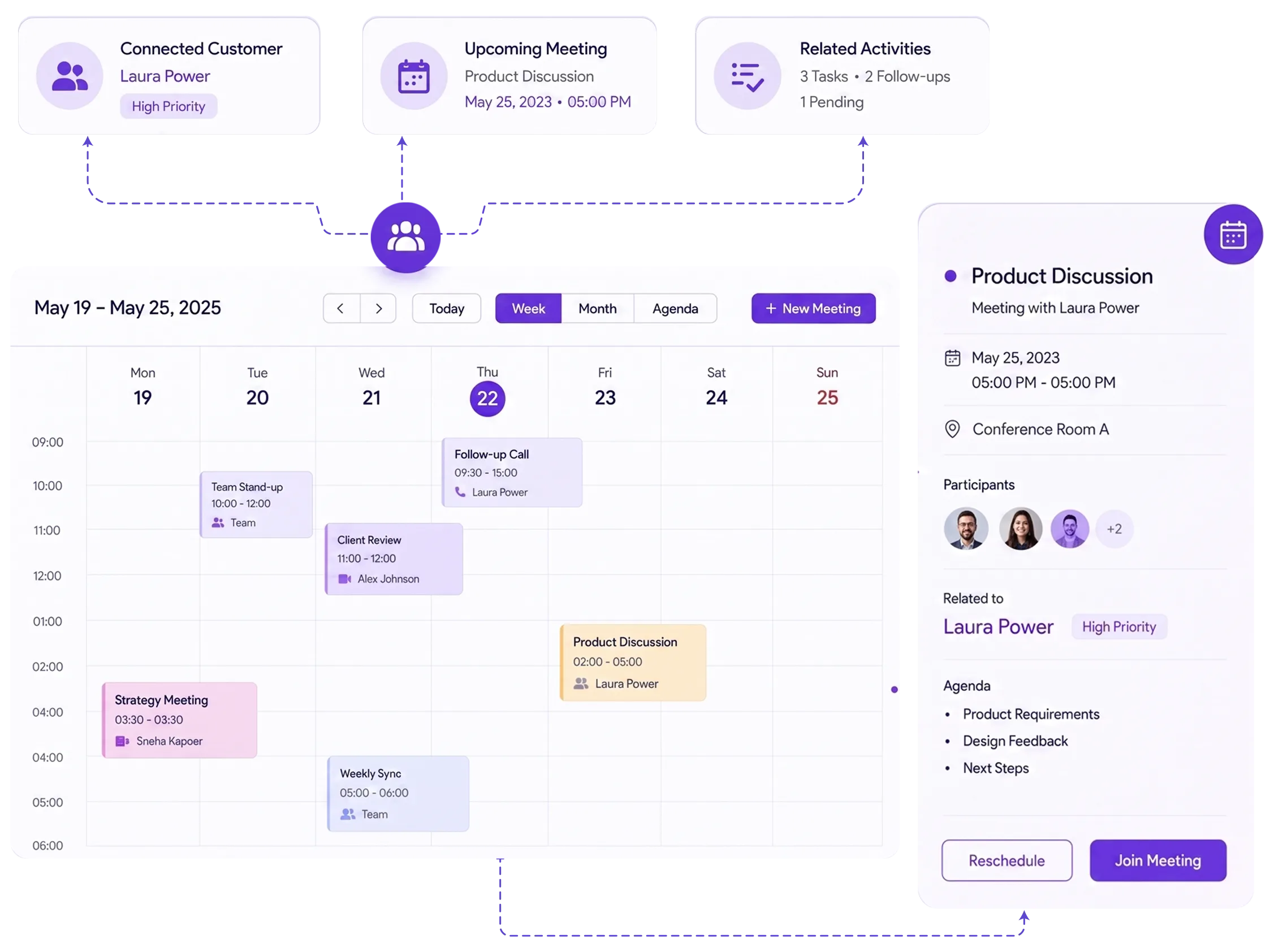
Schedule and manage customer meetings directly from your Calendar while keeping every meeting connected to the right customer. Your team can view meeting details, manage upcoming activities, and prepare for the next customer interaction.

HOW IT WORKS

From Meeting to Follow-up in Four Simple Steps

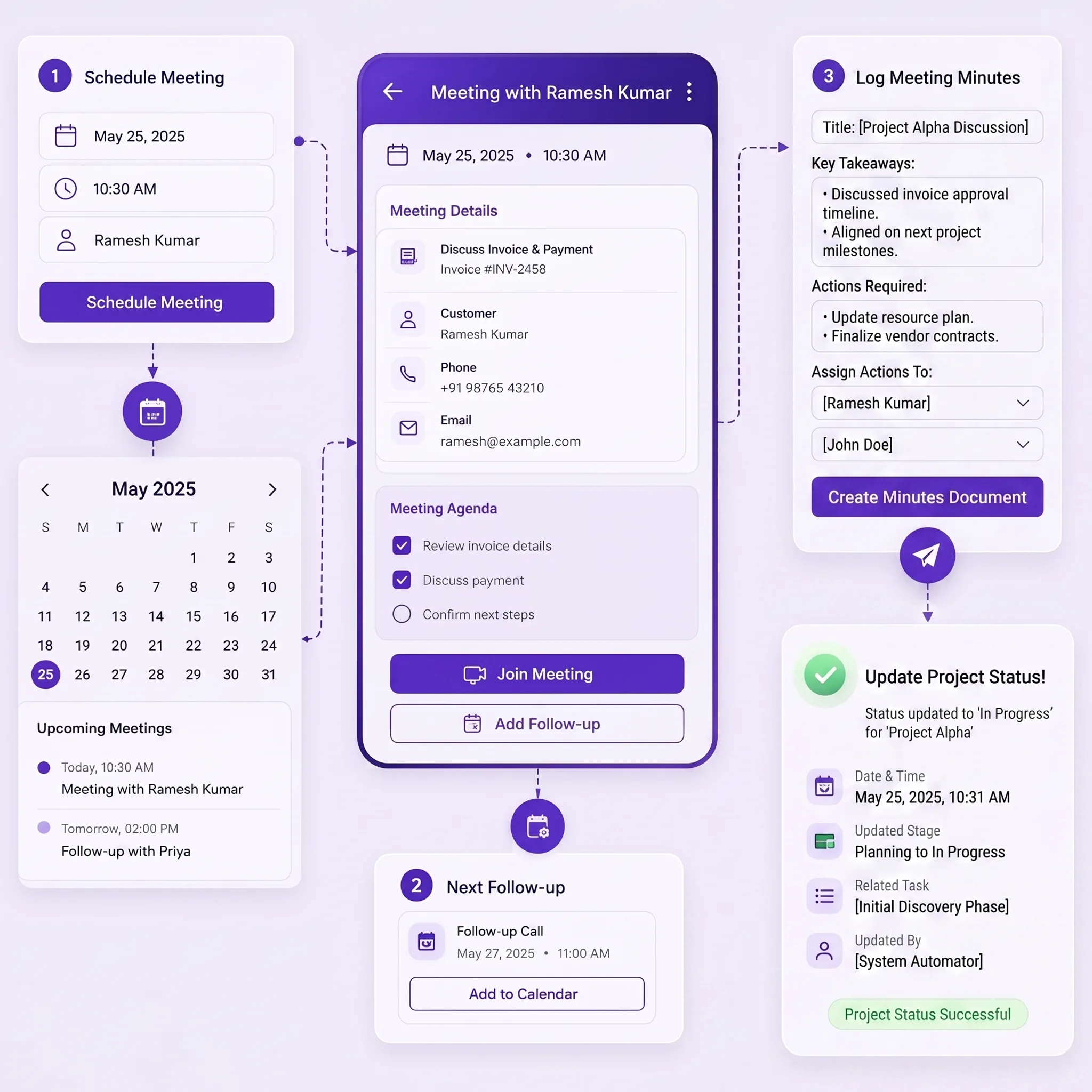
Manage the complete customer meeting workflow from your Calendar, from scheduling the meeting to completing the next follow-up.

01
Schedule the Meeting

Create the meeting, choose the date and time, add meeting details, and assign it to the right team member.

02
Track Meeting Activities

Keep calls, tasks, notes, and other activities connected with the customer for better context.

03
Create the Next Follow-up

Schedule the next follow-up, choose when it should happen, and assign responsibility to a team member.

04
Complete the Follow-up

Track upcoming, pending, and overdue activities until the follow-up is completed.

Create and Share Payment Links in Simple Steps

Manage Customer Activities From the Customer View

Open a customer and manage all related tasks and follow-ups from one place. Your team can complete, edit, or delete tasks whenever needed, while Calendar changes stay updated automatically.

Customer View

Open a customer to see their related tasks and follow-ups. Manage the work without searching through separate screens.

Complete or Update Tasks

Mark tasks as completed, edit task details, or remove activities when they are no longer needed.

Keep Calendar Updated

Changes made to customer activities are reflected on your Calendar, keeping your schedule up to date.

Create Tasks With AI Quick Action

Tell TryowBOT what you need to schedule and mention the customer. AI creates the task and adds it to your Calendar.

WhatsApp Customer Follow-up Notifications

Keep Customers Updated With WhatsApp Notifications

TryowBOT helps you keep customers informed about their upcoming interactions through WhatsApp notifications. Customers can receive updates when follow-ups are scheduled and reminders before the next interaction.

Follow-up Notifications

Notify customers when a new follow-up is scheduled, so they know when the next interaction is planned.

Upcoming Reminders

Send reminders for upcoming follow-ups to help customers stay aware of the next scheduled interaction.

Better Customer Communication

Keep customers informed about planned interactions and help reduce missed follow-ups.

CALENDAR & MEETINGS FEATURES

Everything You Need to Manage Customer Meetings

Keep meetings, activities, tasks, follow-ups, and customer communication connected through one Calendar.

Smart Calendar

View meetings, tasks, follow-ups, and customer activities from your Calendar and plan your day.

Meeting Management

Schedule customer meetings, add meeting details, and keep them connected to the right customer.

Customer Activities

Keep calls, meetings, tasks, notes, and customer interactions organized in one place.

Follow-up Management

Schedule follow-ups, assign responsibility, and track each activity until completion.

Overdue Activities

Quickly identify overdue tasks and follow-ups that still need your team's immediate attention.

AI Quick Action

Tell TryowBOT what to schedule, and AI creates the task and adds it to your Calendar.

Integrations

Get more value from your tools

Connect your tools, connect your teams. With over 200 apps already available in our directory, your team’s favourite tools are just a click away.

Ready to Keep Every Customer Meeting on Track?

Bring customer meetings, activities, tasks, and follow-ups together in one Calendar. Help your team stay organized, avoid missed follow-ups, and keep every customer interaction moving forward.

Book a Demo
Avatar-image Avatar-image Avatar-image Avatar-image
+8
10,000+ Businesses trust TryowBOT

Frequently Asked Questions

  • What is Tryowbot Calendar & Meetings?

    Tryowbot Calendar & Meetings brings customer meetings, tasks, follow-ups, and other activities together in one place. Your team can schedule meetings, track customer activities, and manage follow-ups directly from the Calendar.

  • Can I manage customer meetings from the Calendar?

    Yes. You can schedule and manage customer meetings from your Calendar while keeping the meeting connected to the customer. This helps your team keep customer details and meeting activities together.

  • What customer activities can I track?

    You can track calls, meetings, tasks, notes, follow-ups, and other customer interactions. The Activity section gives your team a clear view of what has happened and what needs attention.

  • Can I schedule and track customer follow-ups?

    Yes. You can schedule the next follow-up, assign it to a team member, and track it until completion. Follow-ups are also reflected on your Calendar so your team knows what needs to happen next.

  • How does Tryowbot help with overdue activities?

    The Overdue section helps you identify tasks and follow-ups that were supposed to be completed but are still pending. Your team can quickly see which activities need attention and take action.

  • Can I manage tasks and follow-ups from the Customer View?

    Yes. From the Customer View, you can manage tasks and follow-ups for an individual customer. You can mark tasks as completed, edit them, or delete them, with changes automatically reflected on your Calendar.

  • Can AI create tasks and schedule them on my Calendar?

    Yes. With AI-powered Quick Action, you can tell Tryowbot what you need to do and mention the customer. AI understands the request, creates the task, schedules it, and adds it directly to your Calendar.

  • Can customers receive WhatsApp follow-up notifications?

    Yes. Tryowbot can send WhatsApp notifications when a new follow-up is scheduled and provide reminders for upcoming follow-ups. This helps keep customers informed about their next interaction.