














TryowBOT Review Request Campaigns

Send Review Requests to Customers on WhatsApp

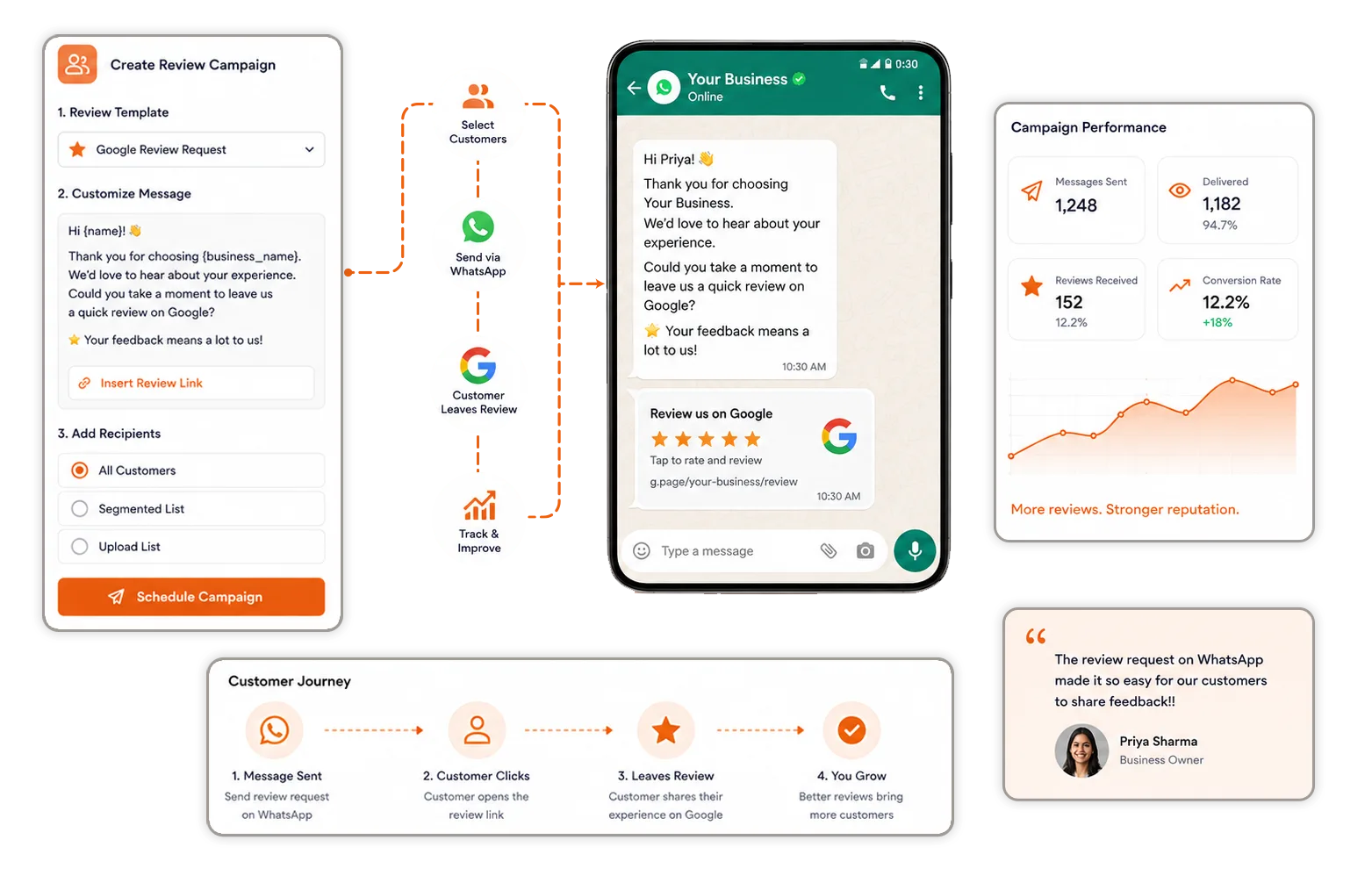
Send review invitations to individual customers or multiple customers using approved WhatsApp templates. Add your review link and make it easy for customers to share their feedback.

Ask Customers for Review Directly on WhatsApp

Trusted by Growing Businesses

Helping businesses turn customer feedback into stronger trust and reputation.
a2c
aara
ampere
avatar financial Group
Avira organics
Care Dental Hospital
Cash Bazzar
Crestluxe Realty
Ekatrika
Family Medicals
Kottakal Farook Arts and Science College
Maruthi School of Banking
Shop Surgicals
Yamaha
Royal Enfield
Ask Customers for Review Directly on WhatsApp
REVIEW REQUEST CAMPAIGNS

Ask Customers for Review Directly on WhatsApp

Review Request Campaigns help you reach customers and ask for feedback after their experience with your business.

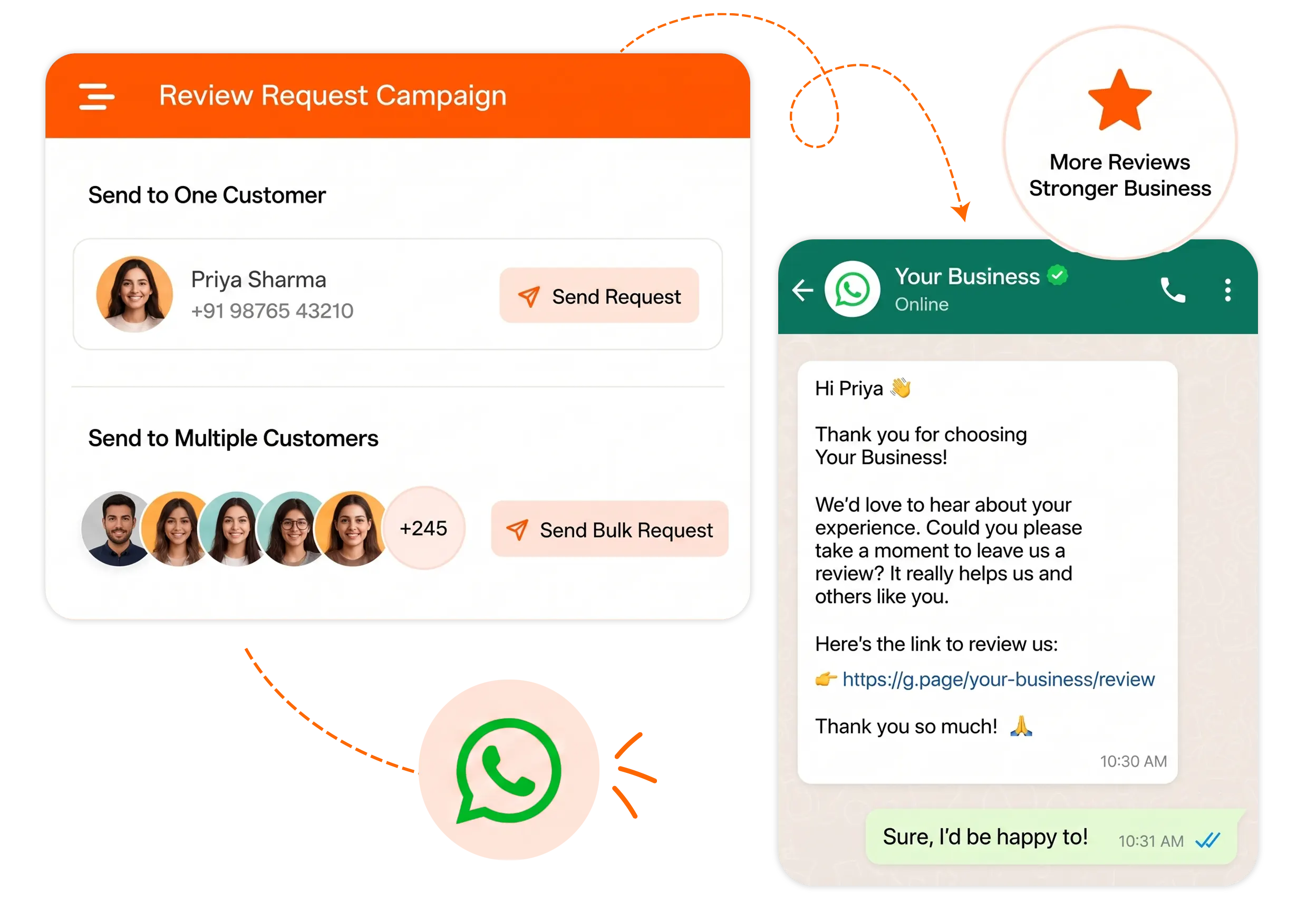
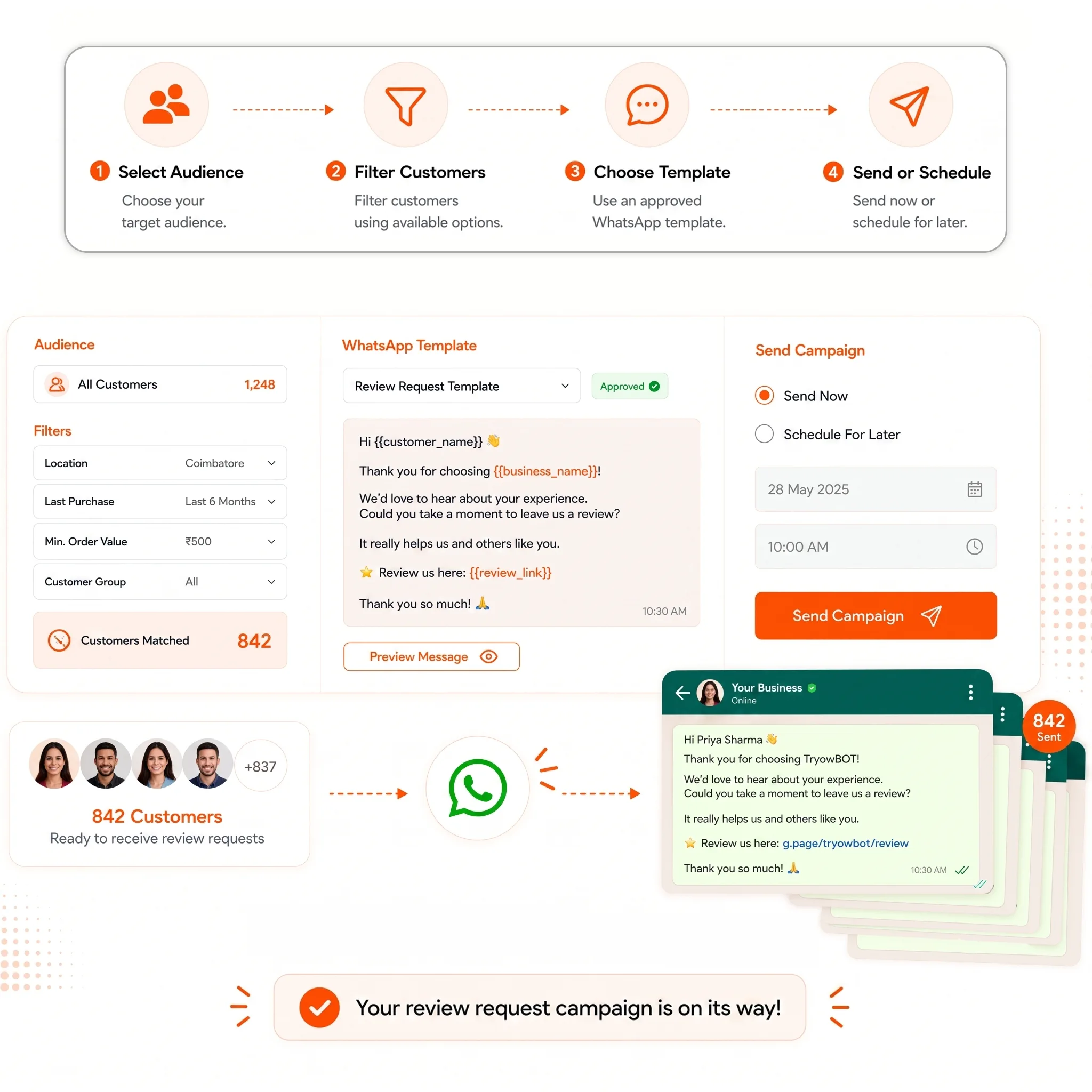
Send a request to one customer or select multiple customers for a bulk campaign using an approved WhatsApp template.

HOW IT WORKS

Send Review Requests in a Few Simple Steps

Create your message, choose your customers, and send a review invitation through WhatsApp.

01
Create a WhatsApp Template

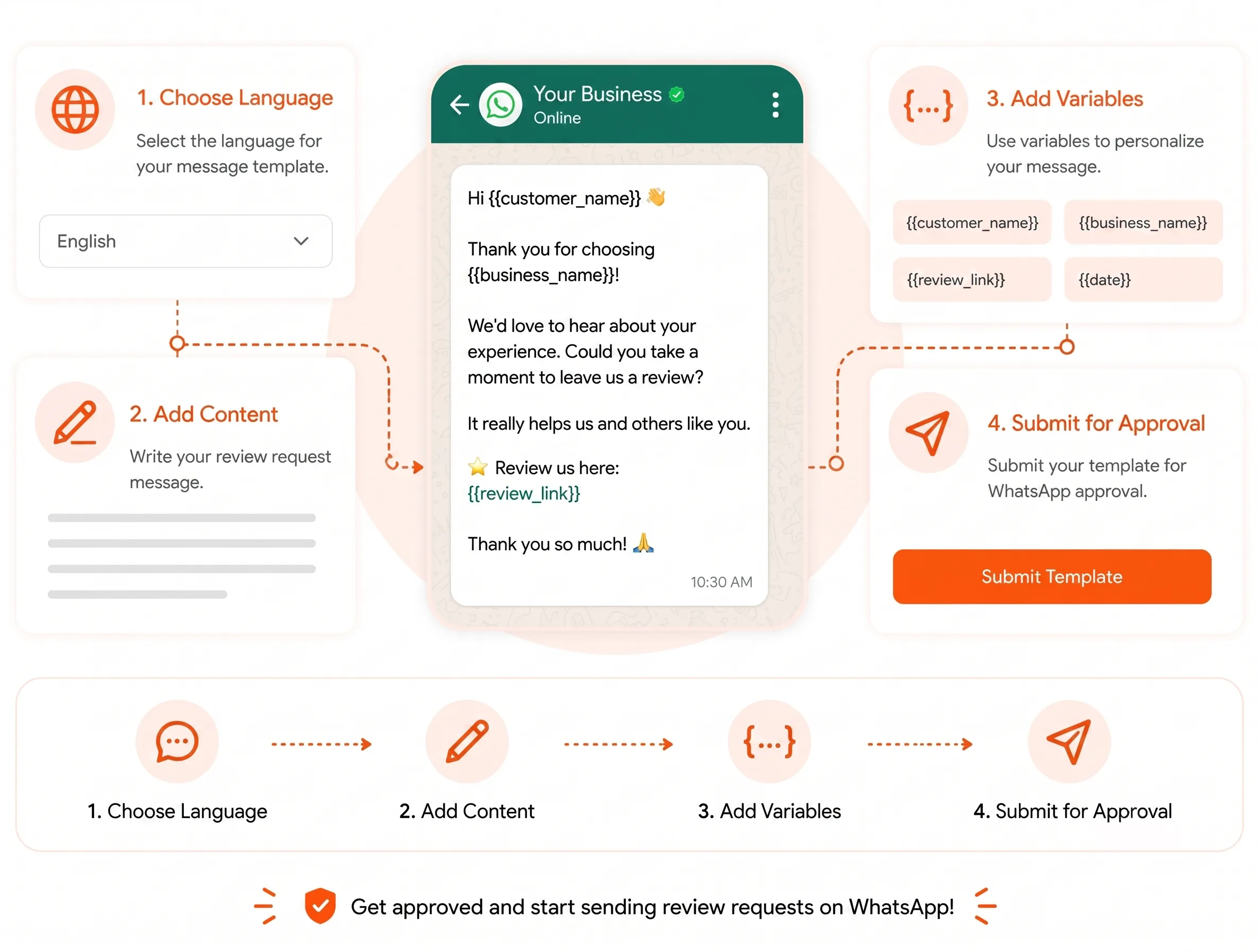
Write your review request, add variables, select the language, and submit the template for approval.

02
Select Your Customers

Choose one customer for an individual request or select multiple customers for a bulk campaign.

03
Add Your Review Link

Map the review link to your WhatsApp template so customers can open the review page directly.

04
Send the Request

Preview your message and send the request immediately or schedule it for later.

WHATSAPP TEMPLATE

Create Your Review Request Template

Create a WhatsApp message that you can use for individual and bulk review requests.

Add customer details, review links, and other variables to personalize your message before submitting it for approval.

  • Choose the message language
  • Add review request content
  • Add template variables
  • Submit for WhatsApp approval
Create Your Review Request Template
Send a Review Invite to One Customer
INDIVIDUAL REVIEW REQUEST

Send a Review Invite to One Customer

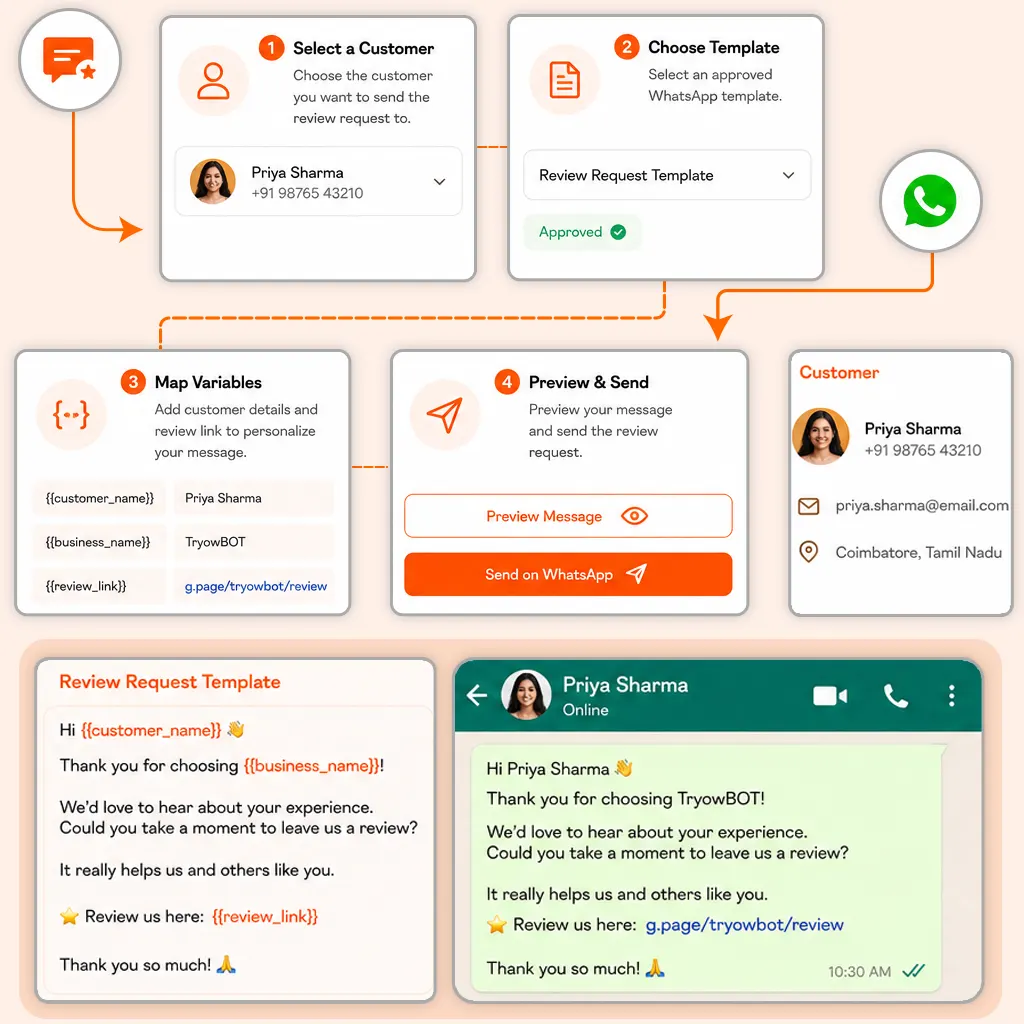
Choose a customer and send a personalized review request using your approved WhatsApp template.

Add the customer details and review link, preview the message, and send the request directly.

  • Select a customer
  • Choose an approved template
  • Map template variables
  • Preview and send
BULK REVIEW REQUEST

Send Review Requests to Multiple Customers

Reach multiple customers with one review request campaign. Select your audience and use an approved WhatsApp template.

Filter your audience, assign the required variables, preview the campaign, and send it immediately or schedule it.

  • Select your target audience
  • Filter customers using available options
  • Use an approved WhatsApp template
  • Send now or schedule for later
 Send Review Requests to Multiple Customers
Check Your Review Request Before Sending
MESSAGE PREVIEW

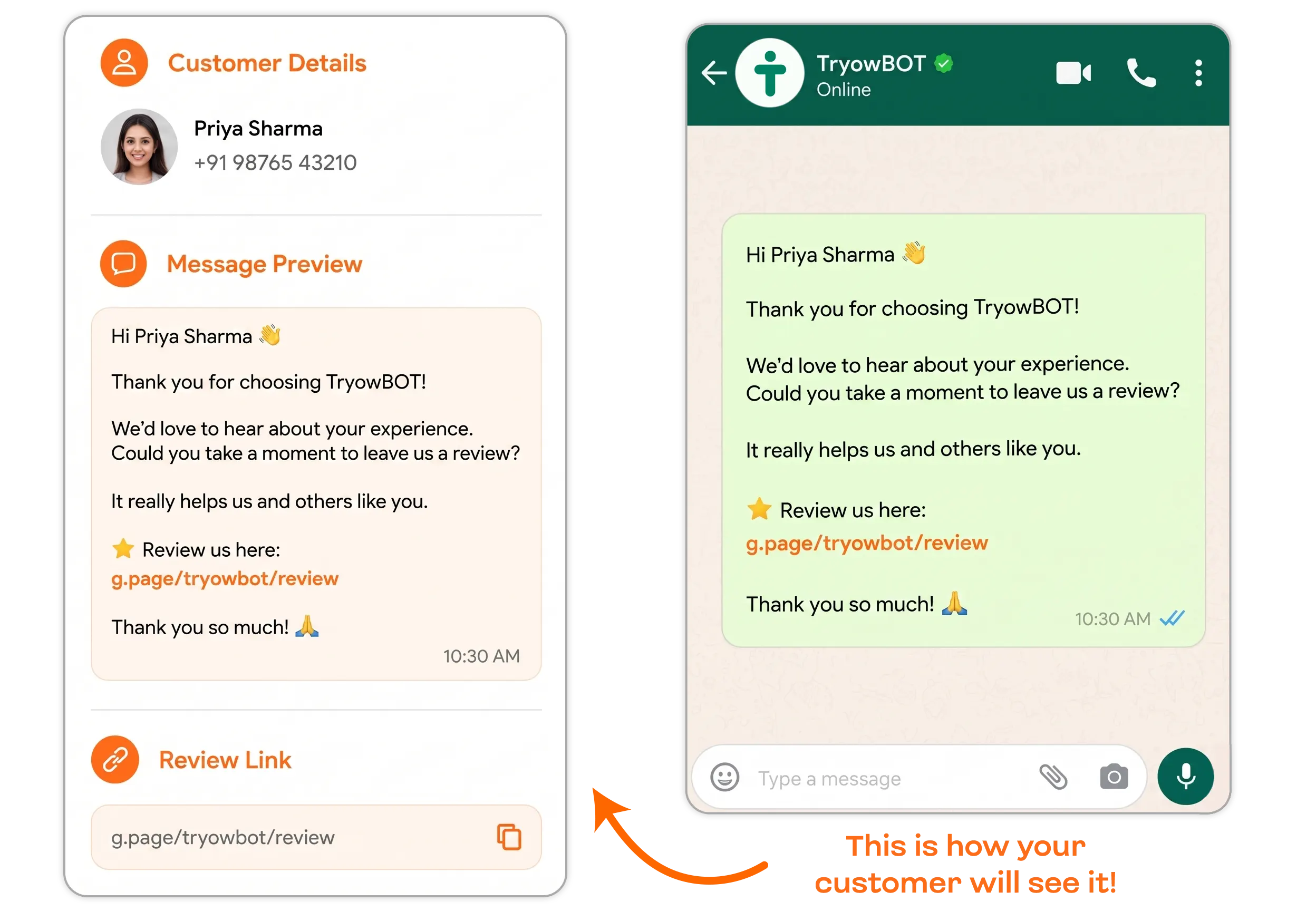
Check Your Review Request Before Sending

See how your WhatsApp review invitation will appear before sending it to customers.

Check the customer details, message content, and review link to make sure everything is ready.

BENEFITS

Make Customer Review Requests Easier

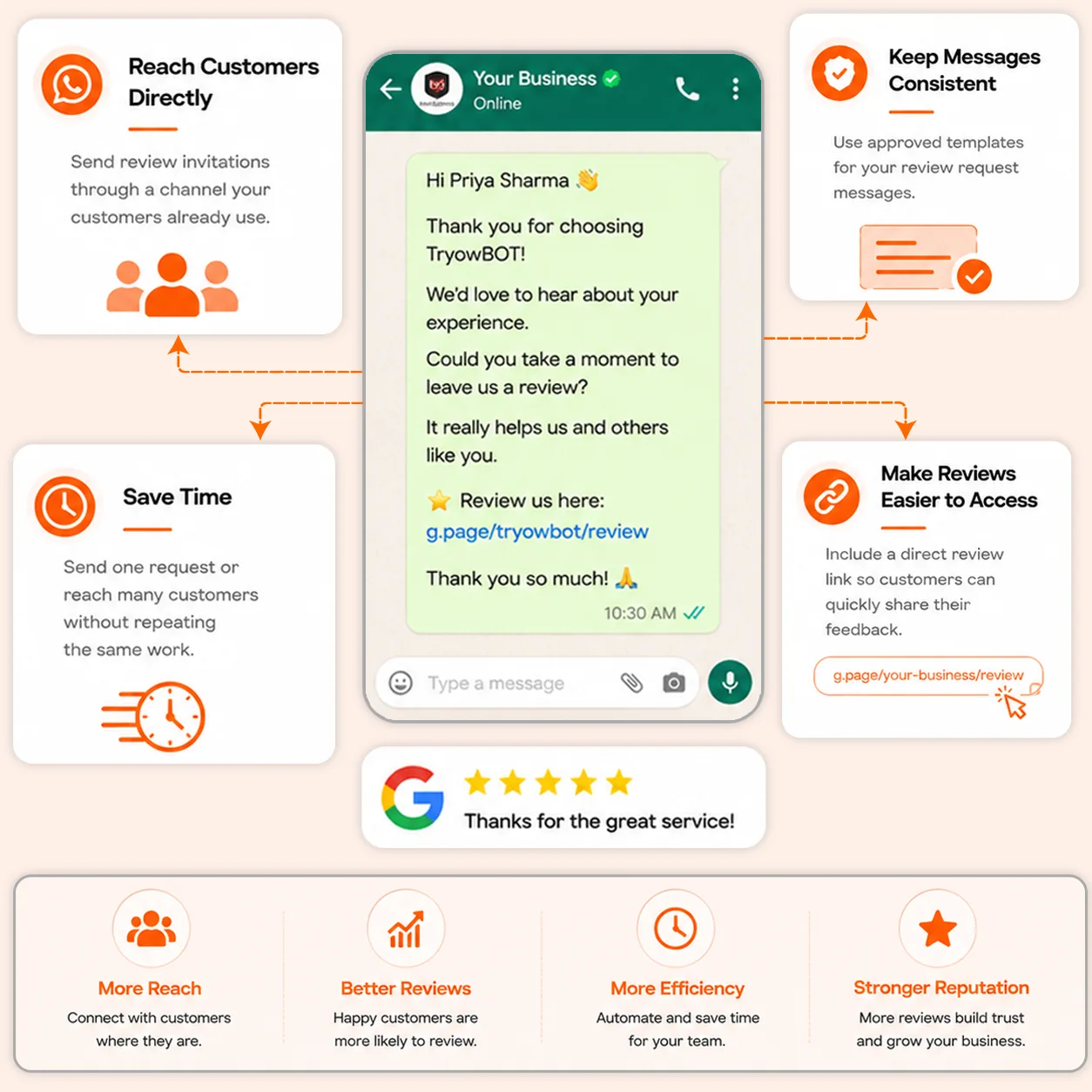
Reach customers through WhatsApp and make the review process simple for your team and customers.

Reach Customers Directly

Send review invitations through a channel your customers already use.

Save Time

Send one request or reach many customers without repeating the same work.

Keep Messages Consistent

Use approved templates for your review request messages.

Make Reviews Easier to Access

Include a direct review link so customers can quickly share their feedback.

Make Customer Review Requests Easier
REVIEW REQUEST FEATURES

Everything You Need to Request Customer Reviews

Create approved WhatsApp messages, reach your customers, and send review invitations from one place.

Approved WhatsApp Templates

Create review request messages and use them after WhatsApp approval.

Individual Review Requests

Send a review invitation directly to a selected customer.

Bulk Review Campaigns

Send review requests to multiple customers through one campaign.

Review Link Mapping

Add your review link to the message using a template variable.

Message Personalization

Use customer details to make each review request more relevant.

Preview Before Sending

Check your completed message before sending it to customers.

Integrations

Get more value from your tools

Connect your tools, connect your teams. With over 200 apps already available in our directory, your team’s favourite tools are just a click away.

Start Collecting More Customer Reviews

Create your review request template and send it to customers through WhatsApp with a direct review link.

Book a Demo
Avatar-image Avatar-image Avatar-image Avatar-image
+8
10,000+ Businesses trust TryowBOT

Frequently Asked Questions