Send text, media, rich cards, carousels and interactive messages directly to your customers through the TryowBOT RCS API.
Connect your application, create the message you need, and deliver it directly to the customer's RCS conversation.
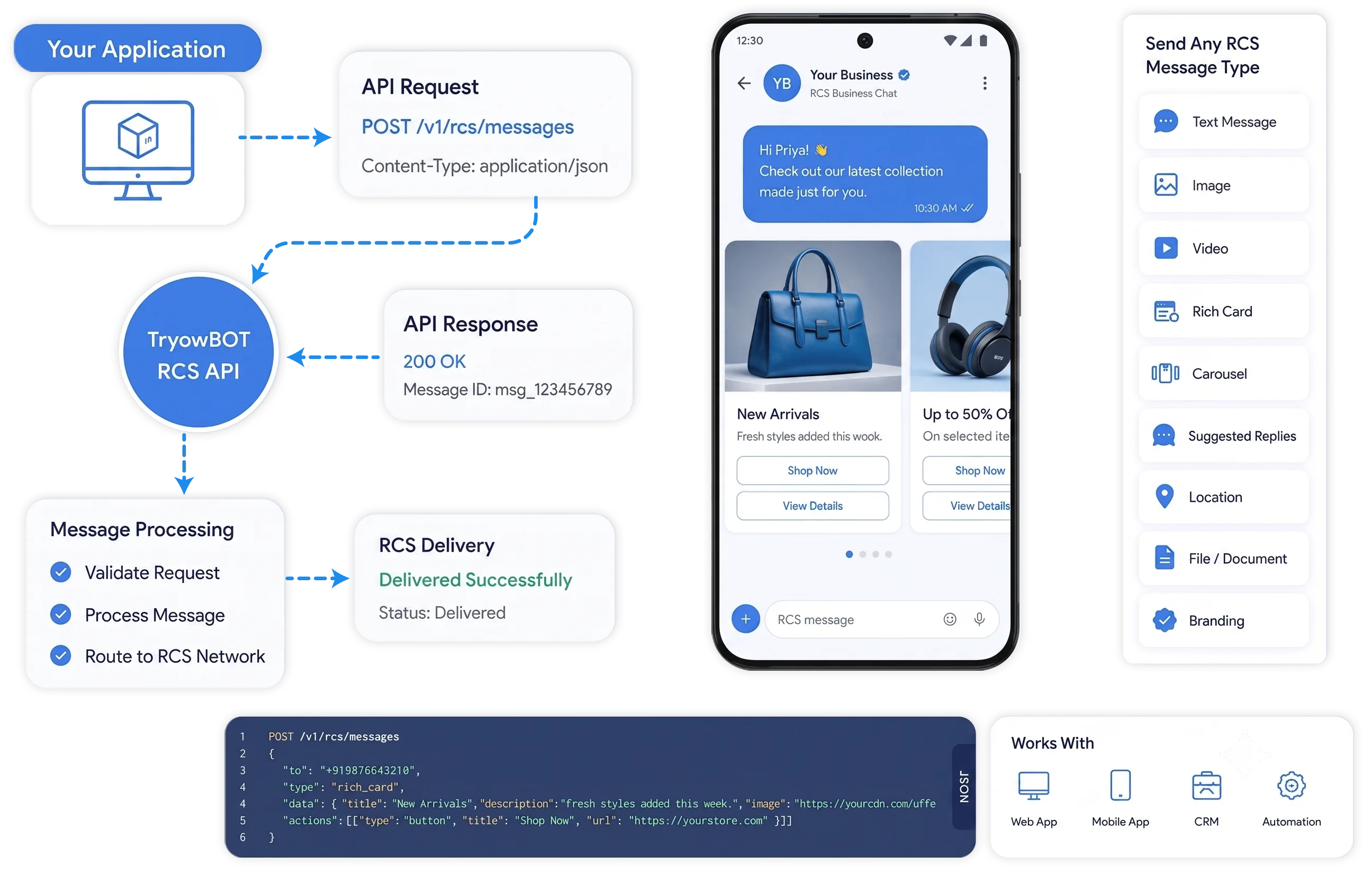















Connect your application to TryowBOT and send RCS messages directly to your customers.
Your CRM, website, app or backend sends the message request.
The API receives your request and prepares the selected RCS message.
The RCS message appears in the customer's supported messaging experience.
Send different RCS message formats through the API based on what your customers need.
Send updates, notifications, confirmations and other text-based customer messages.
Include images, videos and supported files when your message needs more visual content.
Combine media, titles, descriptions and suggested actions in one interactive RCS message.
Show multiple rich cards together for products, services, offers or different customer choices
Give customers quick replies or useful actions directly from the RCS message.
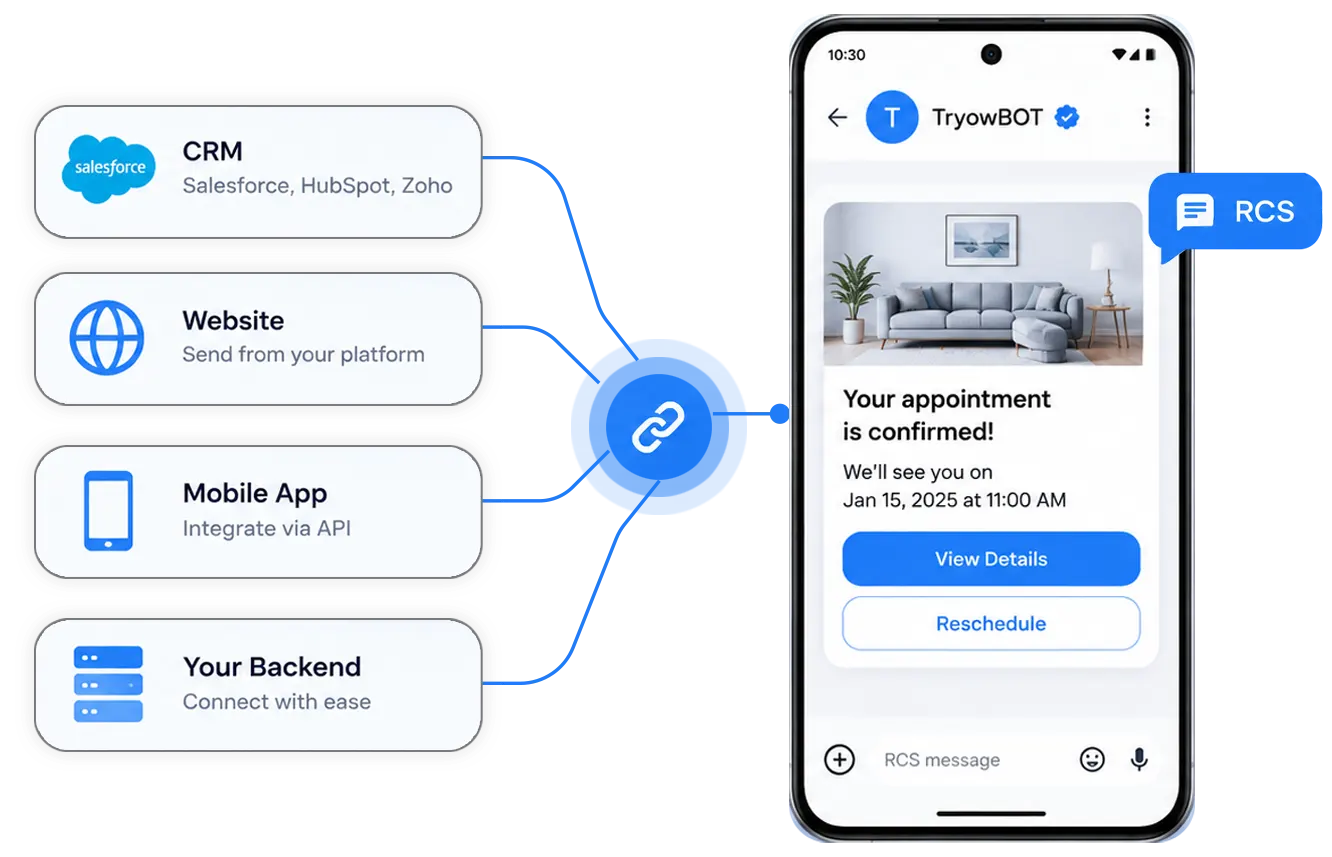
Connect your CRM, website, mobile app or backend to TryowBOT and send RCS messages from the systems you already use.
Keep your existing customer workflows while adding richer messaging to the communication flow.
Build different customer messaging experiences without creating a separate integration for every format.
Send different RCS message formats through one API integration.
Use text, media, cards and carousels when your message needs more than plain text.
Give customers useful replies and actions directly inside the conversation.
Connect RCS with your CRM, website, app or backend.
Connect RCS messaging to the workflows and customer interactions already running in your business.
Send order confirmations, shipping updates, and delivery notifications.
Send appointment details with calendar and location actions.
Give customers direct ways to contact your support team.
Send rich promotions, product messages, and campaign content.
Connect your tools, connect your teams. With over 200 apps already available in our directory, your team’s favourite tools are just a click away.
Explore the API documentation to learn how to create requests, configure message content and send RCS messages through TryowBOT.
Book a Demo



RCS API Message lets your application send RCS messages to customers through an API. You can create different message formats based on your communication needs.
You can use supported RCS formats such as text messages, rich media, rich cards, carousels and suggested replies or actions.
Yes. Rich cards can combine supported media, titles, descriptions and suggested actions into a structured RCS message.
Supported rich media can be included in RCS messages where the RCS client and message format support that media type.
Yes. Carousels can present multiple rich cards together for products, services, offers and other customer choices.
Yes. Supported suggestions can give customers quick responses or actions directly from the RCS conversation.
RCS availability and message behavior can depend on the customer's device, messaging client and supported RCS capabilities.