WhatsApp has become one of the easiest ways for businesses to communicate with customers. People use it to ask about products, check prices, request quotations, compare services, and make purchasing decisions.
For many businesses, WhatsApp is also an important sales channel. Customers feel comfortable sending a message, asking questions, and receiving quick answers instead of waiting for phone calls or emails.
But what happens when your business starts receiving hundreds of WhatsApp enquiries every day?
If you have five, ten, or even twenty sales agents, managing all customer conversations through one WhatsApp Business account can quickly become difficult.
One sales agent might reply to a customer while another agent is already handling the same enquiry. Some messages may remain unanswered, important leads may be forgotten, and managers may struggle to understand which agent is handling which customer.
Giving every sales agent a separate WhatsApp number is not always the right solution either. Customers may become confused about which number to contact, and your business may lose control over customer conversations.
So, how can multiple sales agents use one WhatsApp Business number without creating confusion?
The answer is a WhatsApp Shared Team Inbox powered by the official WhatsApp Business Platform (API).
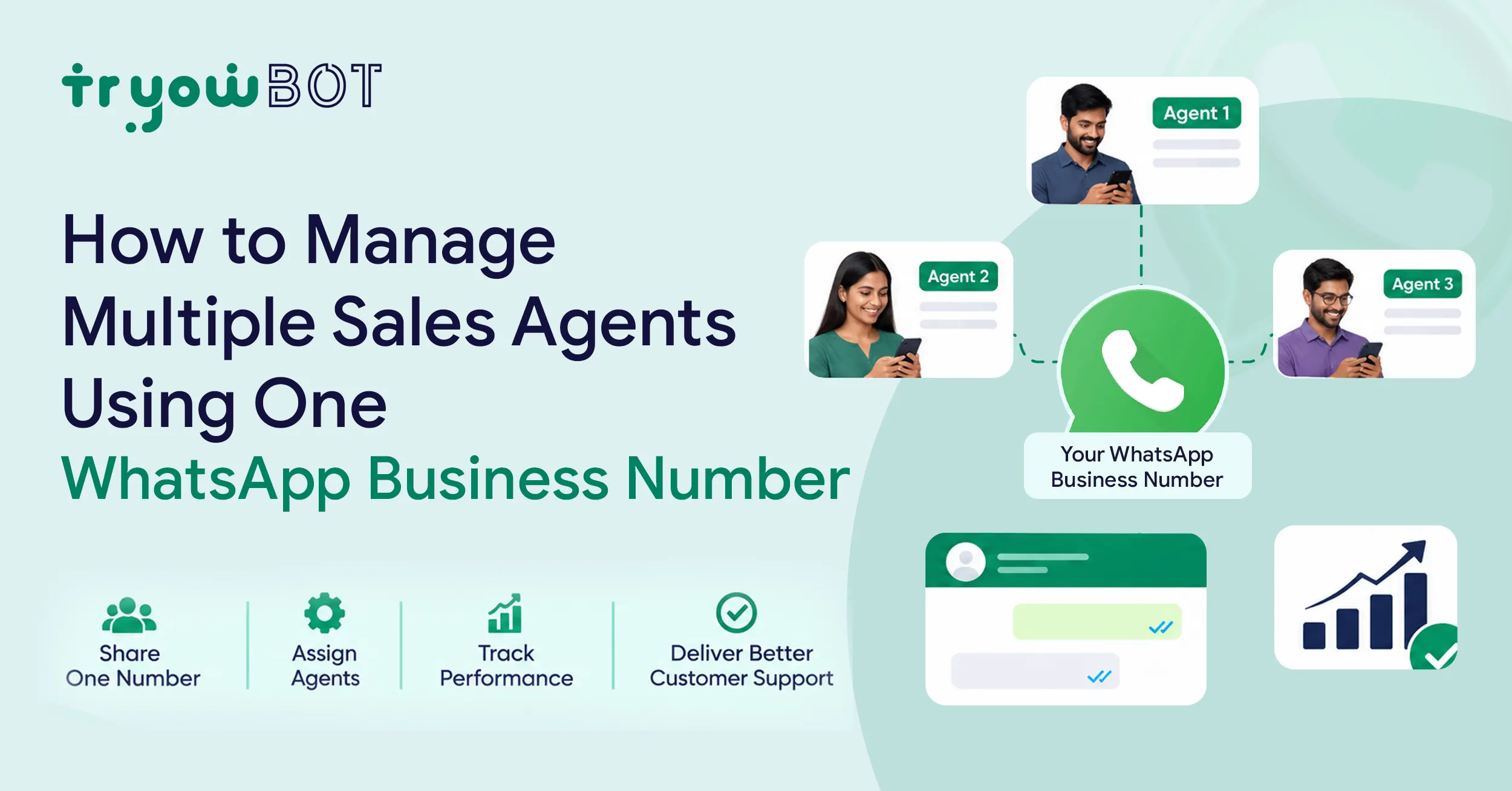
With a shared inbox solution like TryowBOT, your entire sales team can manage customer conversations from one business number, assign chats to individual agents, collaborate with team members, and keep every customer interaction organized.
In this blog, let's understand how it works and how your business can manage multiple sales agents more efficiently using a single WhatsApp Business number.
Why Do Businesses Need Multiple Sales Agents on One WhatsApp Number?
Imagine you run a real estate company.
Your business advertises properties on Google, Facebook, Instagram, and other platforms. Interested customers click your WhatsApp link and start sending enquiries.
Initially, one person may be able to handle all these messages.
But as your business grows, the number of enquiries increases. You hire more sales agents to handle customer conversations and convert enquiries into sales.
Now you have a team of ten sales agents, but customers still contact your business through one WhatsApp number.
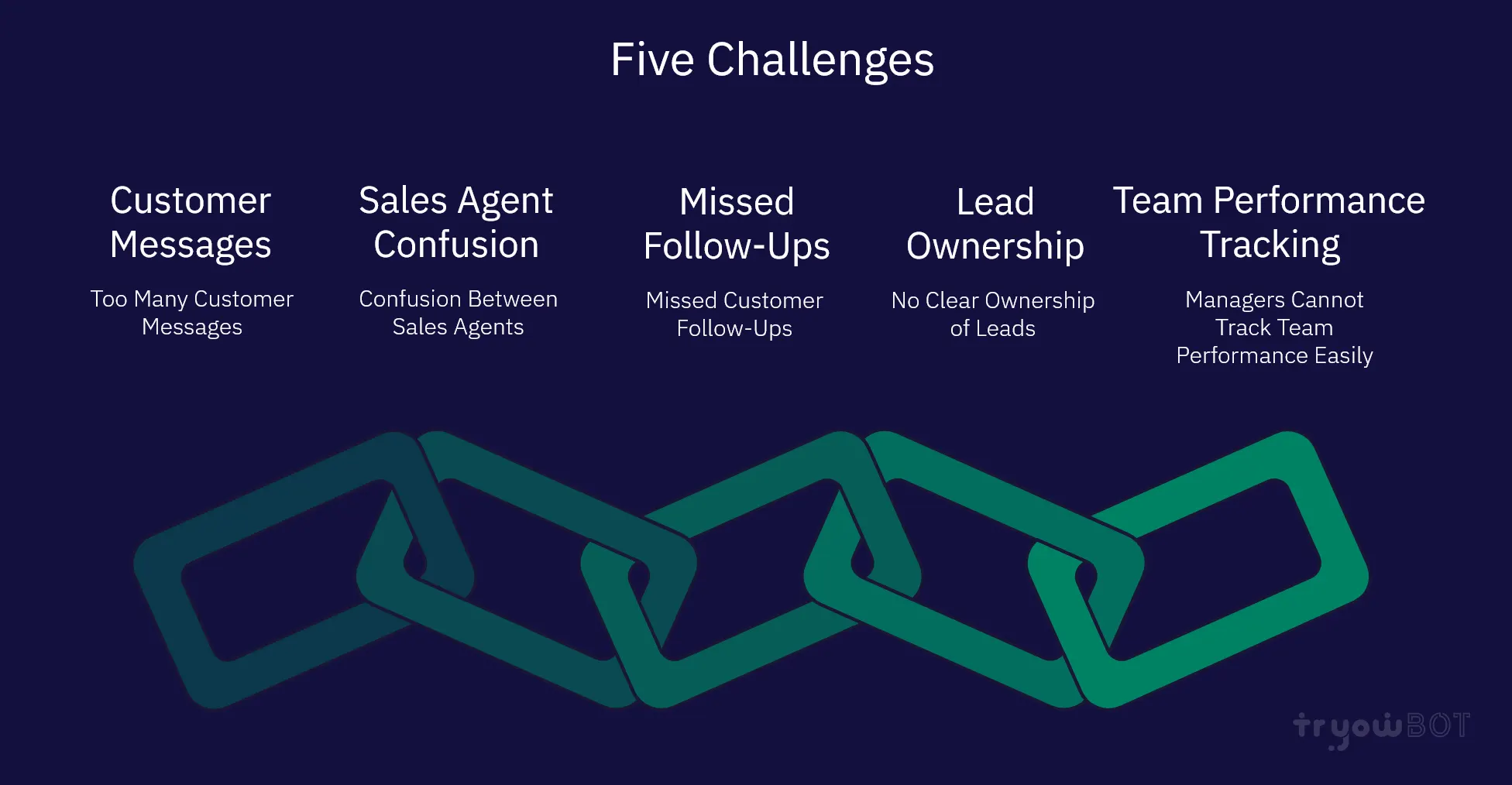
This creates several challenges.
1. Too Many Customer Messages
When multiple customers send messages at the same time, one person cannot respond to everyone.
Some customers may receive quick replies, while others may have to wait for hours.
In sales, delayed responses can affect customer interest. A customer who does not receive a timely answer may contact another business.
2. Confusion Between Sales Agents
When several agents share access to the same WhatsApp account without a proper system, it becomes difficult to understand who is handling each customer.
For example:
- Agent A replies to a customer asking about pricing.
- Agent B sees the same message and sends another reply.
- Agent C calls the customer without knowing that Agent A has already discussed the requirements.
This creates an unprofessional customer experience.
3. Missed Customer Follow-Ups
Not every customer makes a purchase immediately.
Some customers need time to compare products, discuss pricing, get approval, or understand the available options.
Sales agents must follow up with these customers regularly.
Without a proper tracking system, agents may forget to contact interested customers again. As a result, valuable sales opportunities can be lost.
4. No Clear Ownership of Leads
When all sales agents use the same WhatsApp account without conversation assignment, nobody knows who is responsible for a particular lead.
If a customer sends another message after two days, any available agent might respond without understanding the previous conversation.
This makes the sales process difficult to manage.
5. Managers Cannot Track Team Performance Easily
Sales managers need to understand how their team is performing.
They may want to know:
- How many customer enquiries did each agent handle?
- How quickly are agents responding?
- How many leads are still waiting for a response?
- Which customers need follow-ups?
- Which sales opportunities are moving towards conversion?
Managing everything manually through individual WhatsApp accounts makes it difficult to get a clear picture.
These problems can be solved by bringing all customer conversations into one centralized WhatsApp team inbox.
What Is a WhatsApp Shared Inbox?
A WhatsApp Shared Inbox is a centralized platform that allows multiple team members to access and manage customer conversations from one WhatsApp Business number.
Instead of using separate phones or sharing one WhatsApp login, every sales agent can access the business conversations through their own authorized team account.
All incoming customer messages appear in one common dashboard.
From there, conversations can be assigned to specific sales agents, tracked, and managed without losing important customer information.
For example, imagine your company has five sales agents:
- Agent 1 – Handles new product enquiries.
- Agent 2 – Handles pricing and quotations.
- Agent 3 – Handles existing customers.
- Agent 4 – Handles high-value leads.
- Agent 5 – Handles follow-ups and pending enquiries.
All five agents can work from the same WhatsApp Business number while managing their assigned conversations.
Customers do not need to save five different phone numbers. They can continue chatting with your business through one familiar WhatsApp contact.
This makes communication easier for customers and more organized for your sales team.
How to Manage Multiple Sales Agents Using One WhatsApp Business Number
Now let's look at how you can set up and manage a sales team using one WhatsApp number.
Step 1: Connect Your WhatsApp Business Number
The first step is to connect your business phone number to an official WhatsApp Business Platform solution.
The regular WhatsApp Business App is designed mainly for smaller businesses and has limitations when it comes to managing larger teams and complex sales workflows.
For businesses with multiple sales agents, the WhatsApp Business Platform (API) provides a better foundation.
Using a platform like TryowBOT, you can connect your WhatsApp Business number to a centralized team inbox.
Once connected, your team can manage customer conversations through a shared dashboard instead of depending on one person's phone.
Step 2: Add Your Sales Team Members
After connecting your WhatsApp number, the next step is to add your sales agents to the platform.
You can invite the team members who need access to customer conversations.
For example, if your company has eight sales agents, you can provide each agent with their own authorized login.
Each team member can access the shared inbox and manage the conversations assigned to them.
This also helps maintain better control over customer communication because agents do not need to share the same WhatsApp account credentials.
Your sales manager can coordinate the team while individual agents focus on their assigned customers.
Step 3: Assign Customer Chats to Individual Sales Agents
This is one of the most important features of a WhatsApp Shared Inbox.
Whenever a new customer sends a WhatsApp message, the conversation can be assigned to a specific sales agent.
For example:
A customer visits your website and sends a message asking about your product.
The new enquiry appears in your shared WhatsApp inbox.
Your manager or an automated assignment workflow can assign that conversation to Agent 1.
Now Agent 1 becomes responsible for handling that customer.
If the same customer sends another message tomorrow, the conversation history remains available, allowing the assigned agent to continue from where the previous discussion ended.
This prevents multiple agents from replying to the same customer unnecessarily.
It also makes every sales agent accountable for their assigned leads.
Step 4: Use Automatic Lead Distribution
If your business receives a large number of enquiries every day, assigning every conversation manually can take a lot of time.
Automatic lead distribution can make this process easier.
Instead of manually selecting an agent for every new enquiry, you can configure an assignment workflow based on your team's requirements.
One useful approach is round-robin assignment.
In a round-robin system, new enquiries are distributed among available sales agents in sequence.
For example:
- First enquiry goes to Agent 1.
- Second enquiry goes to Agent 2.
- Third enquiry goes to Agent 3.
- Fourth enquiry goes to Agent 4.
- Fifth enquiry goes to Agent 1 again.
This helps distribute incoming leads more evenly across the sales team.
You can also organize assignments based on business requirements, such as product category, sales territory, or enquiry type, depending on your platform configuration.
Automatic assignment reduces manual work and helps prevent new enquiries from remaining unassigned.
Step 5: Keep All Customer Conversations Organized
When multiple sales agents handle hundreds of conversations, organization becomes extremely important.
Your team should be able to quickly identify:
- New customer enquiries.
- Conversations assigned to them.
- Customers waiting for a response.
- Ongoing sales discussions.
- Customers who need follow-ups.
- Completed conversations.
A shared inbox helps bring these conversations together in one place.
Agents can understand which chats they need to work on instead of searching through different phones or personal WhatsApp accounts.
This makes daily sales activities much easier to manage.
Step 6: Allow Team Members to Collaborate
Sometimes, a sales agent may need help from another team member.
For example, a customer might ask a technical question that the sales agent cannot answer.
Instead of asking the customer to contact another number, the agent can coordinate internally with the relevant team member.
A shared team inbox can support internal notes and team collaboration, depending on the available configuration.
For example:
Customer: "Does this product support integration with our existing software?"
Sales Agent: Needs technical clarification.
The agent can add an internal note asking the technical team to confirm the integration details.
The customer-facing conversation remains organized, while the team can work together to provide an accurate response.
This is especially useful for businesses selling complex products or services.
Step 7: Make Sure Every Customer Receives a Follow-Up
Following up is one of the most important activities in sales.
Many customers do not make a purchase during their first conversation.
They may say:
- "I will discuss this with my manager."
- "Please send me the quotation."
- "I will get back to you tomorrow."
- "I need some time to decide."
These customers should not be forgotten.
With a structured WhatsApp workflow, sales agents can track pending conversations and schedule follow-up activities.
For example:
A customer requests a quotation on Monday.
The sales agent sends the quotation and schedules a follow-up for Wednesday.
On Wednesday, the agent receives a reminder to contact the customer.
This simple process helps sales teams stay connected with interested customers and reduces the chances of missing potential opportunities.
You can also use WhatsApp automation to trigger configured follow-up messages and reminders where appropriate.
Step 8: Track Sales Agent Performance
Managing multiple sales agents is not just about giving them access to WhatsApp.
Managers also need to understand how effectively the team is handling customer enquiries.
Performance tracking can help answer important questions:
- Which agents are handling the most conversations?
- How many enquiries are waiting for a response?
- Are customers receiving timely replies?
- Which leads require attention?
- How effectively is the team managing customer conversations?
With shared inbox visibility and connected CRM or analytics tools, managers can get a better understanding of team activities.
This helps identify areas where agents need additional support or training.
It also makes it easier to improve the overall sales process.
How a WhatsApp Shared Inbox Works in a Real Business
Let's understand this with a simple example.
Imagine you operate an online furniture business.
Your company receives around 100 customer enquiries every day through WhatsApp.
Customers ask questions about sofas, beds, dining tables, prices, delivery charges, and product availability.
You have four sales agents handling these enquiries.
Without a shared inbox, all agents may struggle to manage incoming messages and follow-ups.
With a shared WhatsApp inbox, the process becomes much simpler.
Example: Customer Enquiry Management
Step 1: Customer sends a message
A customer visits your website and clicks the WhatsApp button.
They send:
"Hi, I am interested in buying a 3-seater sofa. Can you share the available designs and prices?"
Step 2: The message reaches the shared inbox
The enquiry appears in your centralized WhatsApp dashboard.
Step 3: The conversation is assigned
The manager or assignment workflow assigns the enquiry to Agent 2, who handles sofa enquiries.
Step 4: The sales agent responds
Agent 2 replies with product details, images, pricing, and available options.
Step 5: The customer asks additional questions
The customer asks about delivery charges and available colours.
Agent 2 continues the conversation using the same chat.
Step 6: The agent schedules a follow-up
The customer says they will confirm their decision after discussing it with their family.
Agent 2 schedules a follow-up reminder.
Step 7: The sale moves forward
The agent contacts the customer at the right time and continues the discussion.
Throughout this process, the customer communicates with just one WhatsApp Business number.
The sales team manages everything through the shared inbox.
This is how businesses can make WhatsApp communication more organized without creating multiple customer-facing numbers.
WhatsApp Business App vs WhatsApp Business API for Multiple Sales Agents
Many businesses start with the regular WhatsApp Business App because it is simple and easy to use.
However, when the business grows and more employees need to manage customer conversations, a more advanced solution may be necessary.
Here is a simple comparison.
| FeatureWhatsApp Business AppWhatsApp Business Platform (API) | ||
| Multiple team members | Limited linked-device access | Supports multi-agent access through a team inbox |
| Shared inbox | Limited | Yes, through a platform |
| Chat assignment | No advanced team assignment | Supported through inbox solutions |
| Team collaboration | Limited | Internal notes and collaboration tools |
| Automated workflows | Basic | Advanced automation options |
| Chatbots | Limited | Supports chatbot integrations |
| CRM integration | Limited | Supports integrations |
| Sales team management | Basic | More suitable for growing teams |
| Reporting | Basic insights | Advanced reporting through connected platforms |
Which option should you choose?
If you are a small business owner managing a limited number of conversations yourself, the regular WhatsApp Business App may be enough.
However, if you have multiple sales agents, receive a high volume of enquiries, or need proper lead assignment and follow-up management, the WhatsApp Business Platform with a shared inbox is a better option.
Common Mistakes to Avoid When Managing Multiple Sales Agents
Even with the right technology, businesses should follow a few basic practices to manage their sales teams effectively.
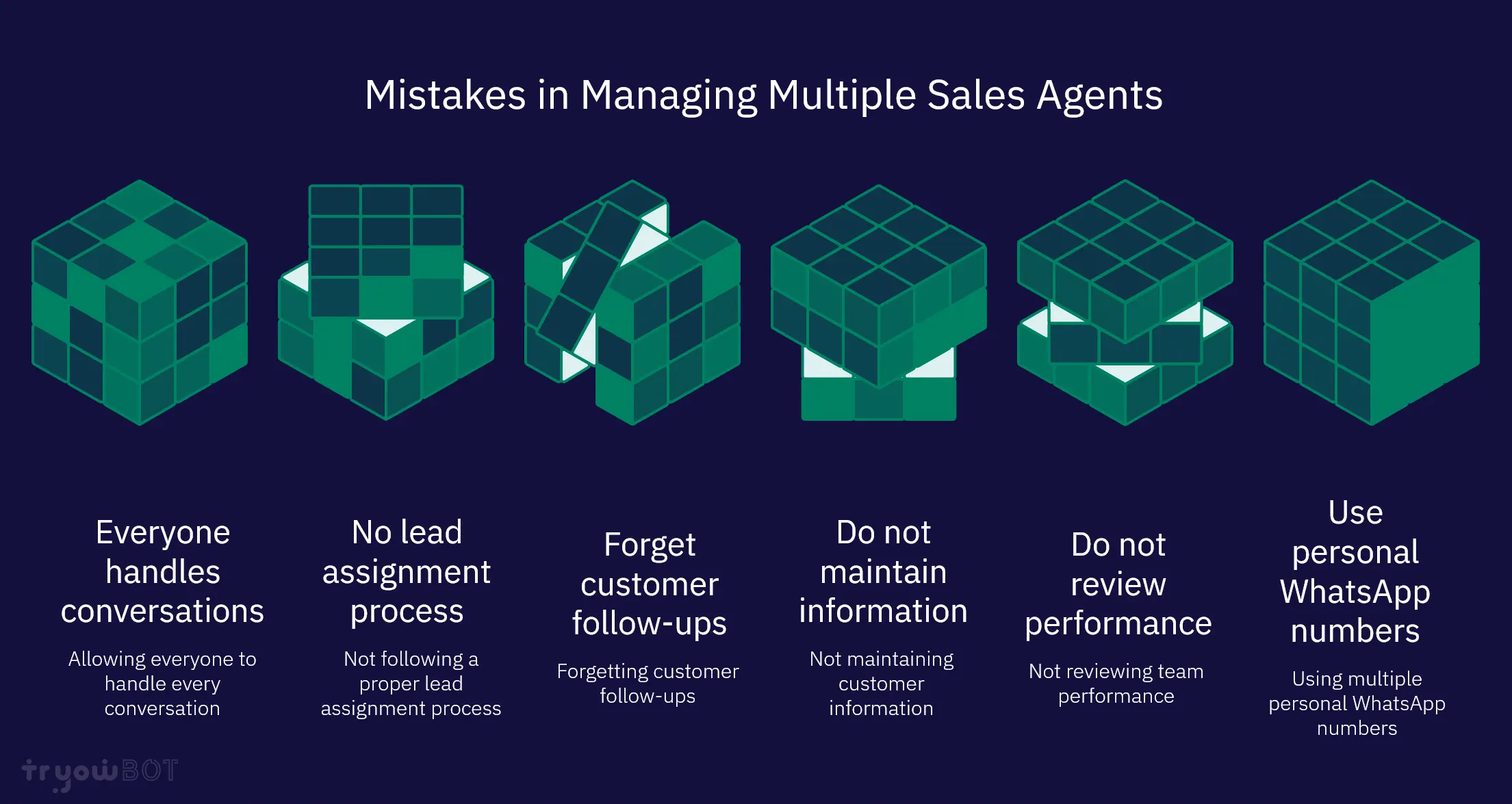
1. Allowing Everyone to Handle Every Conversation
Giving every agent access to all conversations without clear ownership can create confusion.
Assign responsibility for each customer conversation so that agents know exactly which leads they need to handle.
2. Not Following a Proper Lead Assignment Process
New enquiries should not remain unassigned for long periods.
Use manual or automated assignment rules to make sure incoming messages reach the right sales agents.
3. Forgetting Customer Follow-Ups
Sending one reply is not always enough to convert a customer.
Create a proper follow-up process and remind agents about pending customer conversations.
4. Not Maintaining Customer Information
Sales agents should understand the customer's requirements, previous discussions, and purchase interests.
Keep important customer information organized and connected to the relevant conversations.
5. Not Reviewing Team Performance
Managers should regularly review how their team handles enquiries.
Look for unanswered messages, delayed responses, pending follow-ups, and areas where agents need help.
6. Using Multiple Personal WhatsApp Numbers
When every agent communicates with customers through a personal number, customer information can become scattered.
Using one official business number with a shared team inbox gives your business better control and continuity over customer conversations.
How TryowBOT Helps You Manage Multiple Sales Agents From One WhatsApp Number
Managing a growing sales team requires more than just a messaging application.
You need a system that helps your team receive enquiries, assign conversations, collaborate, and follow up with customers without losing important information.
This is where TryowBOT can help.
TryowBOT provides a WhatsApp Shared Team Inbox that allows multiple sales representatives to manage customer conversations from one centralized business number.
Instead of switching between different WhatsApp accounts, your team can work together through a single dashboard.
Here are some of the ways TryowBOT helps your sales team.
1. One WhatsApp Number for Your Entire Sales Team
Connect your business WhatsApp number and allow multiple authorized team members to manage customer conversations through one shared workspace.
Your customers can continue contacting your business through the same familiar WhatsApp number.
2. Easy Chat Assignment
Assign incoming customer conversations to the right sales representatives.
Every agent can focus on their assigned conversations, reducing confusion and unnecessary duplicate replies.
3. Better Team Collaboration
Your sales and support teams can work together around customer conversations.
Internal notes and shared conversation context help team members coordinate without disturbing the customer-facing discussion.
4. Organized Customer Conversations
Manage incoming messages, assigned conversations, and pending enquiries from one centralized inbox.
Your team can understand which conversations need attention and continue customer discussions with better context.
5. Automated Customer Communication
TryowBOT also provides WhatsApp automation capabilities.
Businesses can configure automated welcome messages, common replies, lead qualification workflows, notifications, and follow-up processes based on their requirements.
This reduces repetitive manual work and gives sales agents more time to focus on actual customer discussions.
6. Connect WhatsApp With Your CRM
Customer conversations become more valuable when they are connected to your sales and customer management process.
TryowBOT supports CRM integrations and business workflows that help businesses organize customer information and manage leads more effectively.
Your sales team can work with better customer context instead of depending on scattered chat histories.
7. Manage More Customer Enquiries Efficiently
As your business grows, the number of incoming enquiries can increase significantly.
A shared team inbox, conversation assignment, and automation help your business handle customer communication in a more structured way.
Instead of increasing manual work every time your enquiry volume grows, you can build a better communication process for your team.
With TryowBOT, you can bring your sales team together, manage customer conversations from one WhatsApp Business number, and create a more organized sales communication process.
Which Businesses Can Benefit From a WhatsApp Shared Inbox?
A WhatsApp Shared Inbox is useful for almost any business that receives customer enquiries through WhatsApp.
Here are a few examples.
Real Estate Businesses
Real estate companies often have multiple agents handling property enquiries.
One customer may be interested in an apartment, while another may be looking for a commercial property.
With a shared inbox, enquiries can be assigned to the right property sales agents. Agents can share property details, arrange site visits, and follow up with interested buyers.
Educational Institutions
Schools, colleges, and training institutes receive enquiries about admissions, courses, fees, and eligibility.
A shared WhatsApp inbox helps admission teams manage these enquiries and assign conversations to the appropriate counsellors.
E-commerce Businesses
Online stores receive questions about product availability, pricing, orders, shipping, and returns.
A shared inbox helps sales and customer support teams manage these conversations from one business number.
Automobile Dealerships
Car and bike dealerships receive enquiries about models, prices, test drives, financing, and vehicle availability.
Different sales representatives can manage different customer conversations through one centralized inbox.
Healthcare and Clinics
Healthcare organizations may receive appointment enquiries, service questions, and general patient communication.
A shared inbox helps authorized team members manage incoming conversations and direct enquiries to the appropriate department while following applicable privacy requirements.
B2B and Manufacturing Companies
B2B companies often receive enquiries about product specifications, bulk orders, quotations, and distribution.
A shared WhatsApp inbox allows sales representatives to handle these enquiries and coordinate with internal departments.
Frequently Asked Questions (FAQs)
1. Can multiple sales agents use one WhatsApp Business number?
Yes. Multiple sales agents can manage conversations using one WhatsApp Business number through the official WhatsApp Business Platform and a shared inbox solution.
Each agent can access the conversations through their own authorized login, making it easier to manage customer communication.
2. Do all sales agents need separate WhatsApp numbers?
No. When you use a WhatsApp Shared Inbox, your sales agents do not need individual customer-facing WhatsApp numbers.
They can manage customer conversations through one shared business number using their individual team accounts.
3. Can I assign different customer chats to different sales agents?
Yes. A shared inbox solution like TryowBOT supports conversation assignment.
You can assign specific customer conversations to individual sales representatives so that every enquiry has clear ownership.
4. Can two sales agents reply to the same customer?
Technically, multiple agents may have access to the same shared inbox, but businesses should follow a clear chat assignment process to avoid duplicate replies.
Assigning conversations to specific agents helps maintain organized communication.
5. Can I monitor what my sales agents are doing on WhatsApp?
A shared inbox gives managers better visibility into team conversations and assigned enquiries.
Depending on the platform's reporting and analytics features, managers can review agent activities and conversation performance.
6. Can I automatically distribute WhatsApp leads among sales agents?
Yes. Automated assignment workflows can distribute incoming conversations among sales agents.
For example, a round-robin workflow can distribute new enquiries across your team in sequence.
7. Can sales agents access previous customer conversations?
Yes. A shared inbox maintains conversation history so that authorized team members can understand previous discussions and continue the conversation with the right context.
Access to conversations can depend on the platform's permissions and configuration.
8. Is WhatsApp Business API required for multiple sales agents?
For businesses that need a proper multi-agent shared inbox, conversation assignment, and advanced automation, the official WhatsApp Business Platform (API) is the recommended approach.
A third-party team inbox solution can provide the dashboard and collaboration tools needed to manage multiple agents.
9. Can I use one WhatsApp number for both sales and customer support?
Yes. You can use one business number to receive both sales and support enquiries.
A shared inbox allows you to organize conversations and assign them to the appropriate team members or departments.
10. How does TryowBOT help manage multiple sales agents?
TryowBOT provides a centralized WhatsApp Shared Team Inbox where multiple agents can access customer conversations, assign chats, collaborate, and manage follow-ups.
It also provides automation and CRM integration capabilities to help businesses organize their sales communication.
Final Thoughts
Managing multiple sales agents through one WhatsApp Business number does not have to be complicated.
The real challenge is not having too many agents or too many customer messages. It is managing those conversations without proper organization, ownership, and follow-up processes.
A WhatsApp Shared Inbox solves this problem by bringing your entire team into one centralized workspace.
Your business can use one WhatsApp number, assign customer conversations to individual agents, maintain customer history, coordinate between team members, and manage follow-ups more effectively.
If your business is growing and your sales team is struggling to manage customer enquiries through individual WhatsApp accounts, it may be time to move to a more organized solution.
TryowBOT helps businesses manage multiple sales agents through one WhatsApp Business number with a shared team inbox, chat assignment, team collaboration, and WhatsApp automation.
Bring your sales team together and make every customer conversation count.
Ready to manage your entire sales team from one WhatsApp number?
Explore TryowBOT and discover a smarter way to manage your WhatsApp customer conversations.
Visit: https://tryowbot.com/whatsapp/whatsapp-shared-inbox
Get started with TryowBOT today!