WhatsApp Business vs WhatsApp Business API – Which is Best?
Introduction
WhatsApp has become an essential tool for businesses to communicate with customers. However, the question many businesses get is: should I use WhatsApp Business, or WhatsApp Business API?
Whilst both are tools for businesses to communicate with customers, they are designed for different types of businesses.
WhatsApp Business App is a great tool for smaller businesses that have limited interactions with customers. Whereas WhatsApp Business API is a tool for businesses that require automation, multiple people, integrations and higher volumes of communications.
In this article we will give you the breakdown of both WhatsApp Business and WhatsApp Business API including what they are, what they can do, any costs and limitations and how you can decide which is best.
What is WhatsApp Business?
WhatsApp Business is a free mobile application for small businesses. The app can be downloaded onto a mobile device and includes many tools for businesses to communicate with their customers.
With WhatsApp Business businesses can include:
- Business Profile – Add your business details such as name, description, address, website etc.
- Product Catalogue – Showcase your products/services.
- Quick Replies – Create quick replies for common responses.
- Labels – Sort and categorise customer conversations.
- Away Messages – Set automatic messages whilst away.
- Greeting Messages – Automatic greeting messages for new customers.
Overall, this option suits businesses that have a small amount of people manually communicating with customers.
What is WhatsApp Business API?
WhatsApp Business API is not a mobile application but a business interface. This allows you to send and receive messages via WhatsApp using software and business platforms.
Businesses can use this via a WhatsApp Business Solution Provider or can integrate it into their own software.
WhatsApp Business API can include:
- Multiple People – Multiple people can be used to manage conversations.
- Chatbots – Automatically respond to customers.
- Automated Notifications – Automatically send eligible order updates.
- Bulk Messaging – Send approved template messages.
- CRM Integration – Integrate with your CRM.
- API Integration – Integrate with your websites, apps, ERP etc.
- Analytics – Track message sending.
This is a great option for businesses looking to have more advanced communications.
WhatsApp Business vs WhatsApp Business API – Key Differences
Whilst both allow businesses to communicate with customers via WhatsApp, there are some key differences.
Comparison Table
| Feature Business App Business API | ||
| Cost | Free | Pay per message + Provider Cost |
| Team Size | Very Limited | Multiple Agents |
| Automation | Quick Replies | Chatbots & Workflows |
| Bulk Messaging | Not Designed | Yes (Approved Templates) |
| CRM Integration | Not really | Yes |
| Setup Time | Minutes | Verification needed + Provider |
WhatsApp Business vs WhatsApp Business API – Costs
One of the biggest differences between the two options is the cost.
WhatsApp Business App
WhatsApp Business App is free to download and use. There are no additional costs for using this app as a WhatsApp Business Platform.
However, you will have to pay for your usual internet/mobile data.
WhatsApp Business API
WhatsApp Business API will have costs using the Meta messaging model and may have costs from your chosen provider.
Depending on your chosen provider and services you may incur:
- Meta Message Charges
- Provider Subscription / Platform Fees
- Chatbot & Automation
- CRM / API Integration
- Taxes
Tip: When deciding between WhatsApp Business vs WhatsApp Business API don’t just look at the initial costs. Think about how much time you will save with automation, how many people you will need and what integrations you will require.
Key Features of WhatsApp Business
The WhatsApp Business App has been created to make communicating with customers simple.
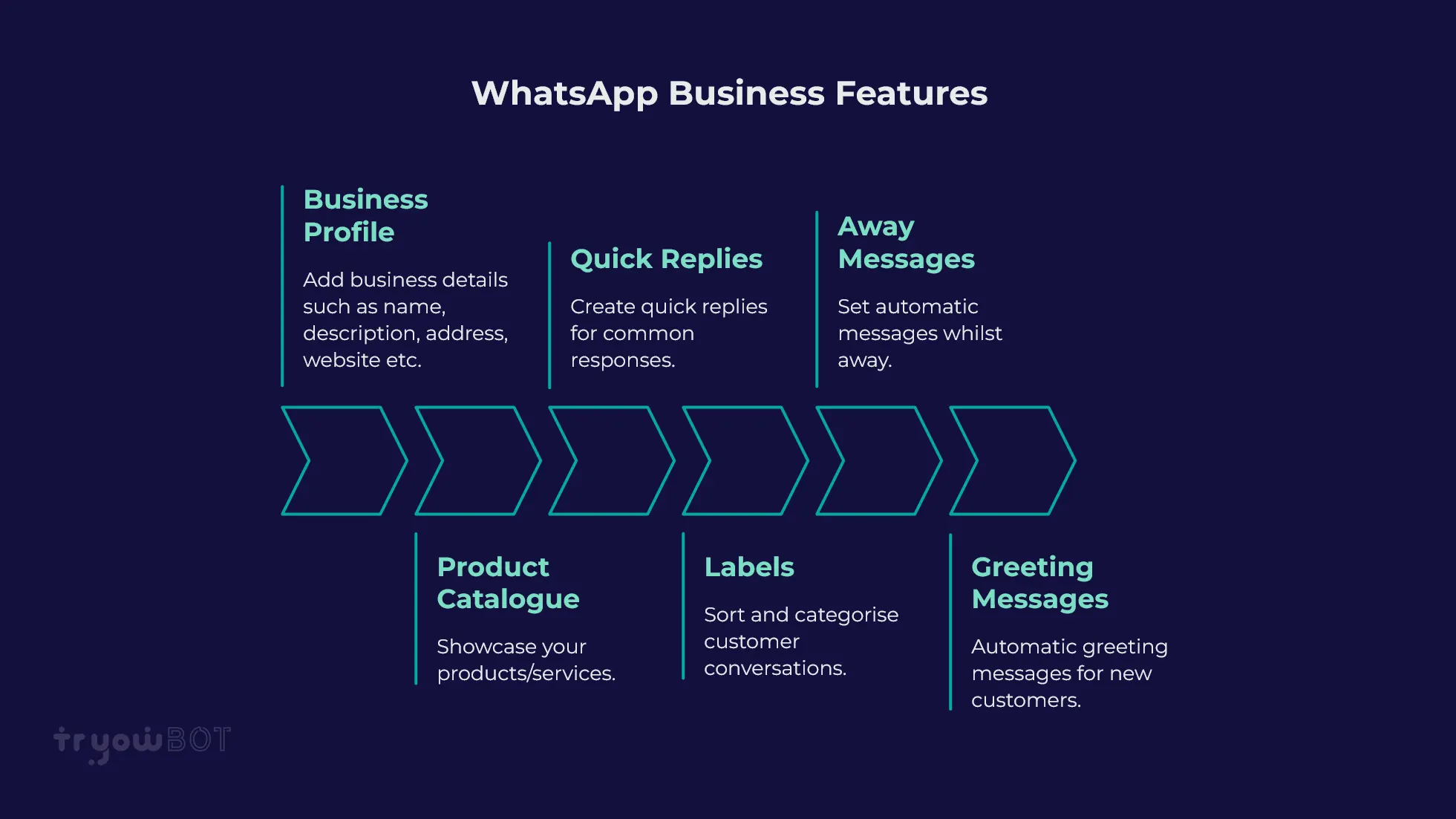
- Business Profile – Give basic business details to customers.
- Product Catalogue – Showcase your products/services.
- Quick Replies – Reply to common questions quickly.
- Labels – Sort customer conversations.
- Greeting / Away Messages – Send basic automatic messages.
- Manual Support – Communicate with customers directly.
These features suit small businesses.
Key Features of WhatsApp Business API
WhatsApp Business API offers more advanced features.
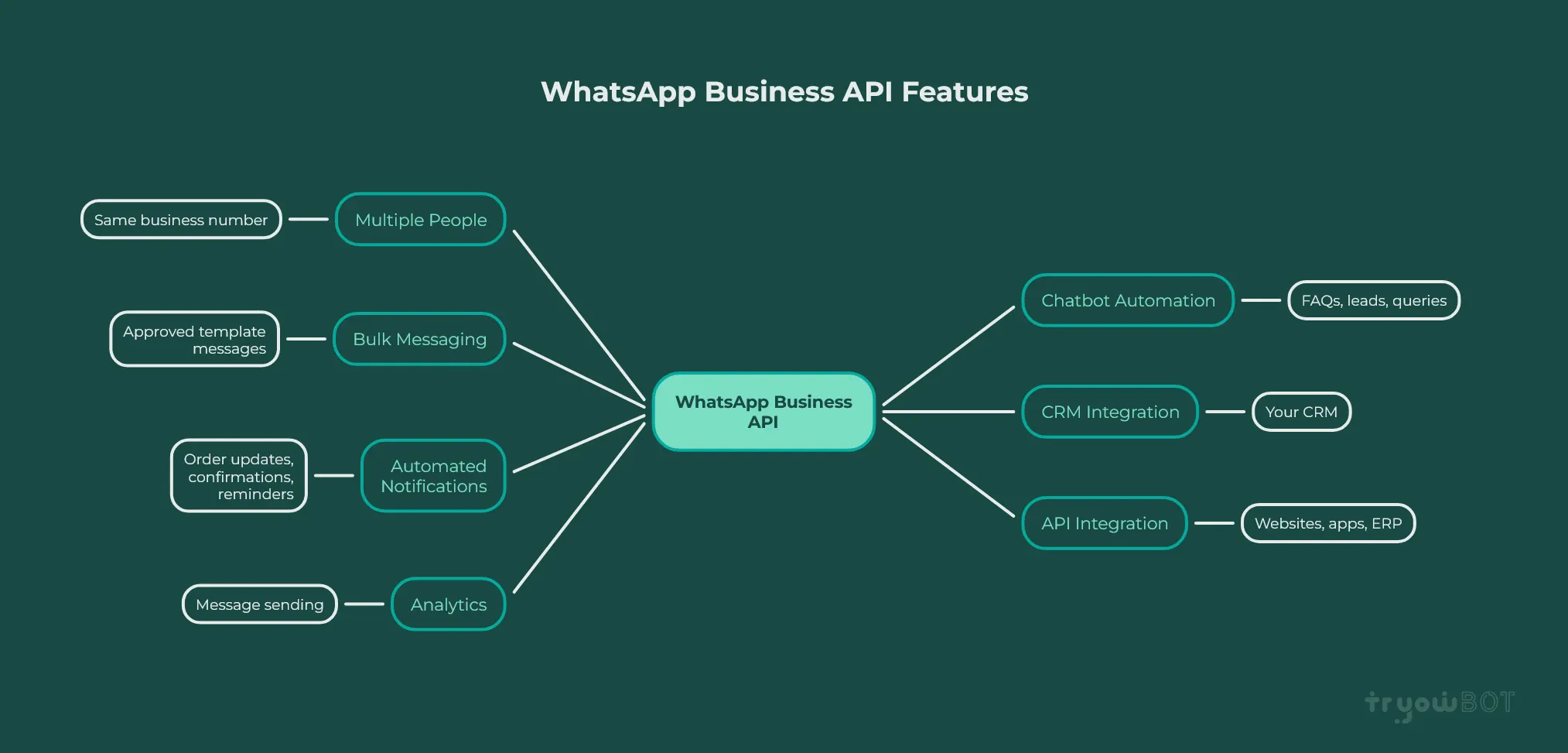
- Multiple People – Multiple people can communicate with customers using the same business number.
- Chatbot Automation – Automate FAQs, qualifying leads, customer queries.
- Bulk Messaging – Send approved template messages.
- CRM Integration – Integrate with your CRM.
- Automated Notifications – Send eligible order updates, booking confirmation, reminders.
- API Integration – Integrate with your websites, apps, ERP etc.
- Analytics – Track message sending.
WhatsApp Business vs WhatsApp Business API – Which is Best?
It really depends on the size of your business and how you communicate.
Use WhatsApp Business if:
- You have a small business.
- Only 1-2 people communicating with customers.
- A small amount of chats per day.
- Mainly manually replying to customers.
- You don’t need advanced automation.
- No CRM or software integration.
For example, if you have a local shop, freelancer, home business or small service provider then the WhatsApp Business App will likely be enough.
Use WhatsApp Business API if:
- Multiple employees need to reply to customers.
- A high volume of WhatsApp messages.
- Automate customer replies.
- Require chatbots and workflows.
- Send approved bulk messages.
- Require CRM integration.
- Automate notifications / reminders.
- Want all customer communications in one place with reports.
For example, if you run an e-commerce business, education institution, hospital, financial service, travel company or growing sales team then the WhatsApp Business API could be helpful.
Can You Switch from WhatsApp Business to WhatsApp Business API?
Yes! You can switch from the WhatsApp Business App to WhatsApp Business Platform/API. However, you will need to follow Meta’s current onboarding rules.
Before switching, you should plan how you are going to switch.
- Ensure you have backups in place for any important customer and conversation data.
- Plan how you are going to switch with your chosen provider.
- Ensure you know what phone numbers you will need.
- Prepare your approved messaging templates.
- Inform your team.
- Set up your CRM, chatbot, automation and other integrations.
- Test your setup.
Depending on your current account setup you may have different requirements when switching.
Common Business Uses
Both can be beneficial for businesses, but the WhatsApp Business API offers more advanced features for higher volume requirements.
Businesses use WhatsApp for:
- Customer Support – Reply to customer queries.
- Lead Generation – Capture leads.
- Order Updates – Send order updates.
- Appointment Reminders – Send reminders.
- Marketing Campaigns – Send approved marketing campaigns.
- Product Communication – Send product details, catalogues and offers.
- Customer Feedback – Ask for reviews.
- Automated Follow Up – Send eligible reminders.
Why Businesses Switch to WhatsApp Business API
Many businesses will start off using the WhatsApp Business App as it is simple and free to use.
As the business grows they may require more communications:
- More customers contacting them.
- Multiple employees needing access.
- Manually replying taking too long.
- Customers expecting quicker replies.
- Automated notifications.
- Larger marketing campaigns.
- CRM integration.
When these requirements come up, the WhatsApp Business API can offer more automation and scalability.
The Truth – Which is better?
There is no one answer to this question.
The WhatsApp Business App isn’t a downgrade of the WhatsApp Business API, it is just designed differently.
If you are efficiently managing your customer communications with the WhatsApp Business App then there is no reason to switch. However, if your business has grown past manually managing conversations and you require multiple people, automation, CRM integration, bulk messaging or automated notifications then the WhatsApp Business API may be a better option.
Choose whichever solution fits with your current requirements.
Why Choose TryowBOT for WhatsApp Business API?
If you need automation, multiple people, bulk messaging and CRM capabilities then TryowBOT offers a centralised solution.
With TryowBOT businesses can:
- Manage conversations with a Shared Team Inbox.
- Send Approved WhatsApp Broadcast Campaigns.
- Create Personalised Dynamic Broadcasts.
- Create Automated Customer Workflows.
- Manage WhatsApp Templates.
- Integrate with business apps.
- Capture Leads with CRM.
- Track customer communications and sales.
This makes it ideal for businesses looking to go beyond simple WhatsApp communications and add automation.
Conclusion
Whether you choose WhatsApp Business or WhatsApp Business API will depend on the size of your business, volume of communications, team size and automation requirements. WhatsApp Business App is a great option for small businesses with limited customer conversations.
WhatsApp Business API is a better option for growing businesses that need multiple people, automation, approved bulk messaging, CRM integration and scalable customer communications.
Don’t choose the WhatsApp Business API just because it looks more advanced / professional. If your current requirements are being met by the WhatsApp Business App then keep using it. However, if your customer conversations, team size and processes have grown beyond what the WhatsApp Business App can offer then the WhatsApp Business API can help you manage your communications more efficiently. Choose whichever option fits with your current requirements.