WhatsApp Business API for Bulk Messaging: Complete Business Guide
Introduction
The WhatsApp Business API can help businesses in 2026 send bulk messages. This can help a range of businesses such as startups, SMEs, retailers and enterprises to communicate with customers quickly, increase engagement and manage their marketing campaigns effectively.
You can send approved messages to a number of opted-in customers using WhatsApp Business API platforms.
With the ability to send bulk messages, you can easily communicate with customers about promotions, new product launches, orders, appointments and more.
This blog will help you understand all aspects of WhatsApp Business API including pricing, features, integration, use cases and best practices.
What is WhatsApp Business API for Bulk Messaging?
WhatsApp Business API allows businesses to send messages to multiple customers via Meta’s WhatsApp Business Platform. Unlike the standard WhatsApp Business App, the API provides advanced messaging features to help manage large volumes of customer communications.
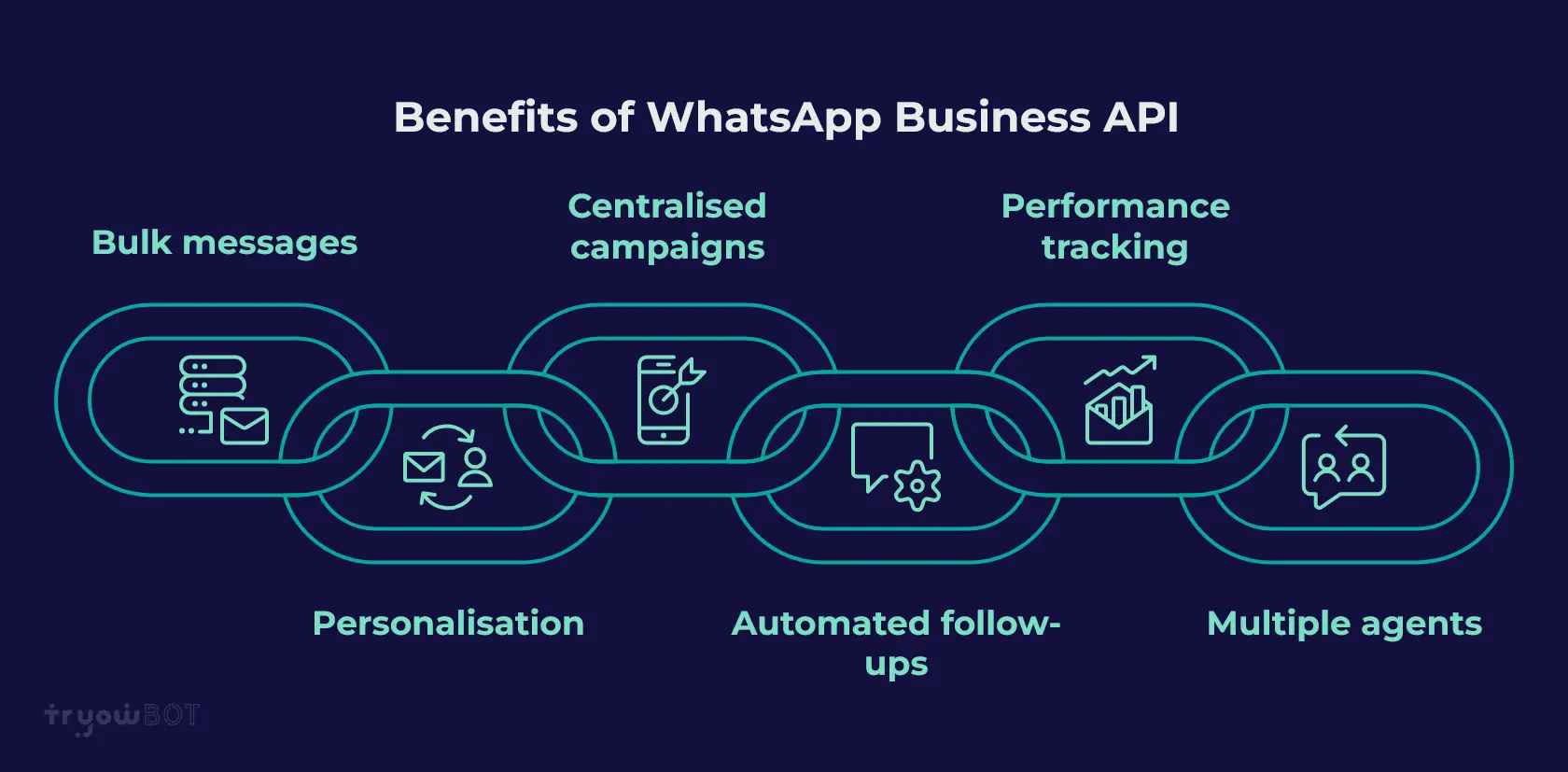
Benefits of using WhatsApp Business API:
- Send bulk template messages to opted-in customers.
- Add personalisation using customer names.
- Centralise marketing campaigns.
- Automate notifications and follow-ups.
- Track messages and campaign performance.
- Allow multiple agents to manage customer conversations.
You can use bulk messaging to market, provide customer support, and send transactional messages.
Note: Bulk messages should follow Meta’s WhatsApp Business Platform guidelines. Ensure you have consent from customers and use approved templates for business-initiated messages.
WhatsApp Business API Bulk Messaging Pricing (2026)
Meta charges for messages sent via the WhatsApp Business Platform. The cost depends on factors such as the country of the recipient, message category and applicable pricing guidelines.
Types of Messages
- Marketing Messages: Promotions, discounts, new products and sales.
- Utility Messages: Order confirmations, payments, bookings and delivery updates.
- Authentication Messages: OTPs and verification messages.
- Service Messages: Customer service responses within the customer service window.
Additional Costs to Consider
- Subscription costs from your WhatsApp Business API provider.
- Additional costs for chatbots and advanced automation features.
- Costs to integrate WhatsApp with a CRM.
- Applicable taxes such as GST.
Tip: Compare Meta message charges and provider fees when choosing a WhatsApp bulk messaging platform. Always check the latest pricing guidelines for your target countries.
Key Features of WhatsApp Business API for Bulk Messaging
Here are some key features that can help businesses manage their bulk messaging campaigns:
- Bulk Campaigns: Send approved messages using WhatsApp templates to a number of opted-in customers.
- Personalisation: Add customer names, order numbers, booking details and other relevant information.
- Message Templates: Create marketing, utility and authentication templates.
- Scheduling: Schedule campaigns for the appropriate date and time.
- Media: Send images, videos, documents and other supported media.
- Segments: Sort customers by location, tags, interests, purchases and other attributes.
- Chatbots & Automation: Automate customer queries, FAQs and follow-ups.
- Analytics: Track messages sent, delivered, read, failed and overall campaign performance.
WhatsApp Bulk Messaging Integration
To set up bulk messaging using the WhatsApp Business API, follow the steps below:
- Choose a suitable WhatsApp Business API provider that offers broadcasting, campaign management and automation.
- Create a Meta Business Portfolio and complete business verification.
- Link your business phone number to the WhatsApp Business Platform.
- Upload your contacts and ensure you have received opt-in from customers.
- Create your templates and submit business-initiated templates for approval.
- Choose your target audience, add personalisation and set up your bulk messaging campaign.
- Send or schedule your campaign and check the analytics.
Once you’ve set up your integration, you can manage your bulk messages more effectively and organise customer communications from a central platform.
Use Cases for WhatsApp Business API for Bulk Messaging
Many businesses use WhatsApp bulk messaging for customer communication. Here are some common use cases:
- Marketing: Promote offers, seasonal discounts, new products and announcements.
- E-Commerce: Provide order confirmations, shipping updates and delivery notifications.
- Appointments: Remind customers about appointments, consultations and bookings.
- Education: Provide admission updates, class schedules, exam updates and event reminders.
- Banking: Send eligible payment updates, transaction notifications and account updates.
- Events: Invite customers to webinars and provide confirmation and event updates.
- Feedback: Ask customers for reviews and feedback.
Best Practices for WhatsApp Bulk Messaging
When sending bulk messages, it’s important to follow best practices to keep customers engaged and maintain good account quality.
- Only send messages to customers who have given you permission.
- Use approved templates for business-initiated messages.
- Use segmentation to send relevant messages.
- Don’t over-message your customers.
- Use personalisation where appropriate.
- Monitor your account quality and messaging performance.
- Always follow Meta’s WhatsApp Business Platform guidelines.
Following these best practices can help improve campaign performance and build better customer relationships.
Why Businesses Should Use WhatsApp Business API for Bulk Messaging
Using the WhatsApp Business API can help you reach a large number of opted-in customers. It can save time, improve engagement and automate order updates, reminders and follow-ups.
Businesses can manage their marketing campaigns more effectively, track campaign performance and organise customer communication from a central platform.
By using the right strategies and platform, WhatsApp can play an important role in customer communication and business growth.
Conclusion
The WhatsApp Business API can be an effective way to reach customers, automate notifications and manage marketing campaigns.
With the ability to send bulk messages, businesses can send promotions, product announcements, order updates and appointment reminders to opted-in customers.
However, it’s important to follow best practices by obtaining customer permission, sending relevant messages, using approved templates and following Meta’s guidelines.
Choosing the right WhatsApp Business API provider can help businesses manage their campaigns with features such as bulk broadcasting, segmentation, chatbot automation and campaign analytics.
If you want to streamline your WhatsApp campaigns, TryowBOT can help you manage your WhatsApp broadcasts, dynamic messages, automation and CRM activities.
Start using the WhatsApp Business API to organise and improve your customer communications.