














TryowBOT WhatsApp QR Code Generator

Create Your WhatsApp QR Code in Seconds

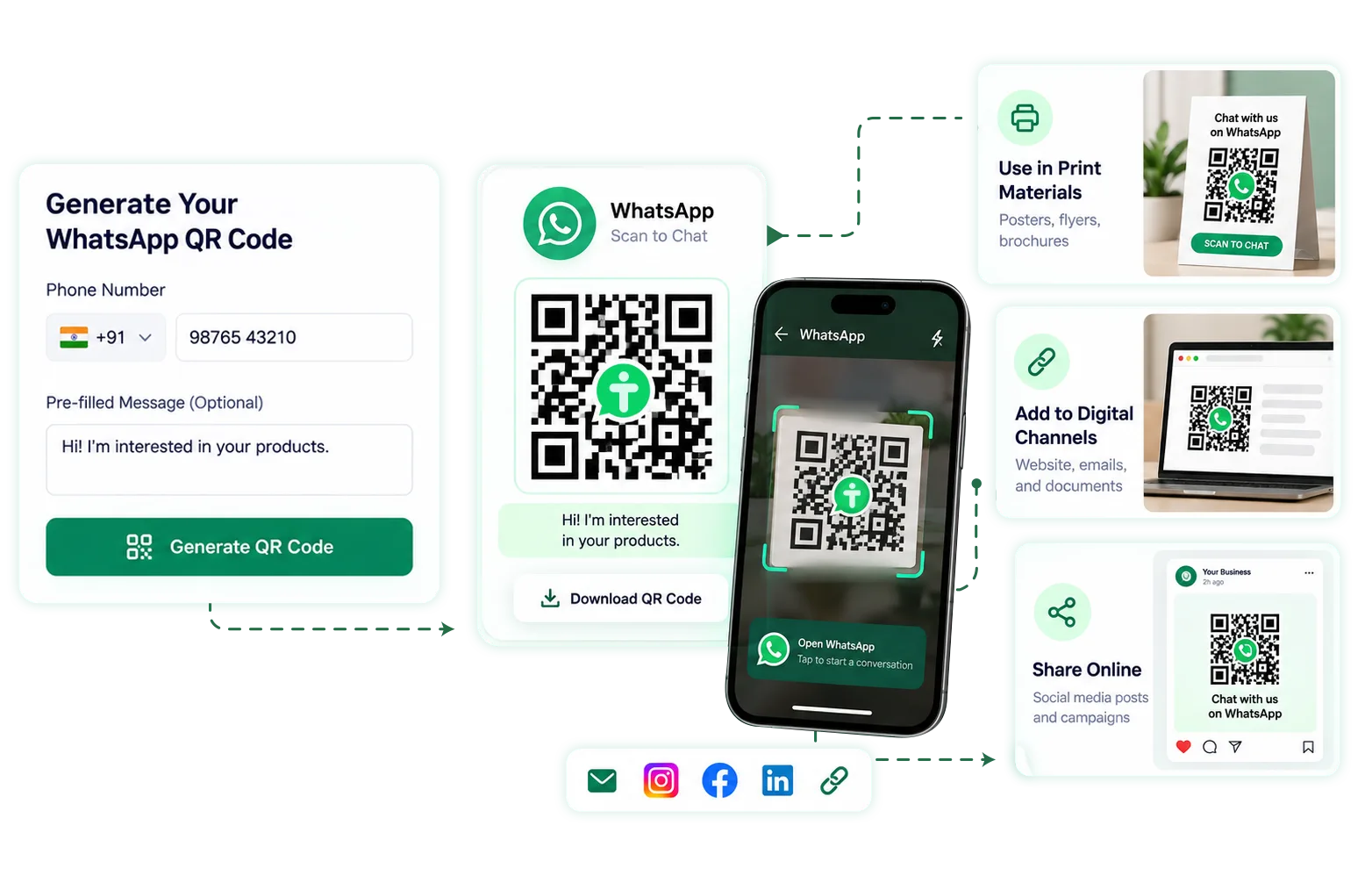
Create a WhatsApp QR code that lets customers start a conversation by simply scanning it. Add your WhatsApp number, include a pre-filled message, and share your QR code online or offline.

Create Your WhatsApp QR Code in Seconds

Trusted by Growing Businesses

Helping businesses connect with customers through WhatsApp.
A2C House of Kurtis women's ethnic wear
AARA Homemade Skincare products
Ampere Pro Engineering Technology Pvt Ltd
Avatar Financial Group financial services
Avira Organics natural health food products
CARE Dental Hospital dental care services
Cash Bazzar loan for multiple loan services
CrestLuxe Realty real estate services
Ekatrika Ventures laundry and dry cleaning services
Family Medicals pharmacy and healthcare
kottakkal farook arts and science college education
Maruthi School of banking training and education
Surgical Shop medical equipment and surgical supplies
Yamaha motorcycles and bikes
Royal Enfield motorcycles and bikes
Make WhatsApp Access Simple with a QR Code

Make WhatsApp Access Simple with a QR Code

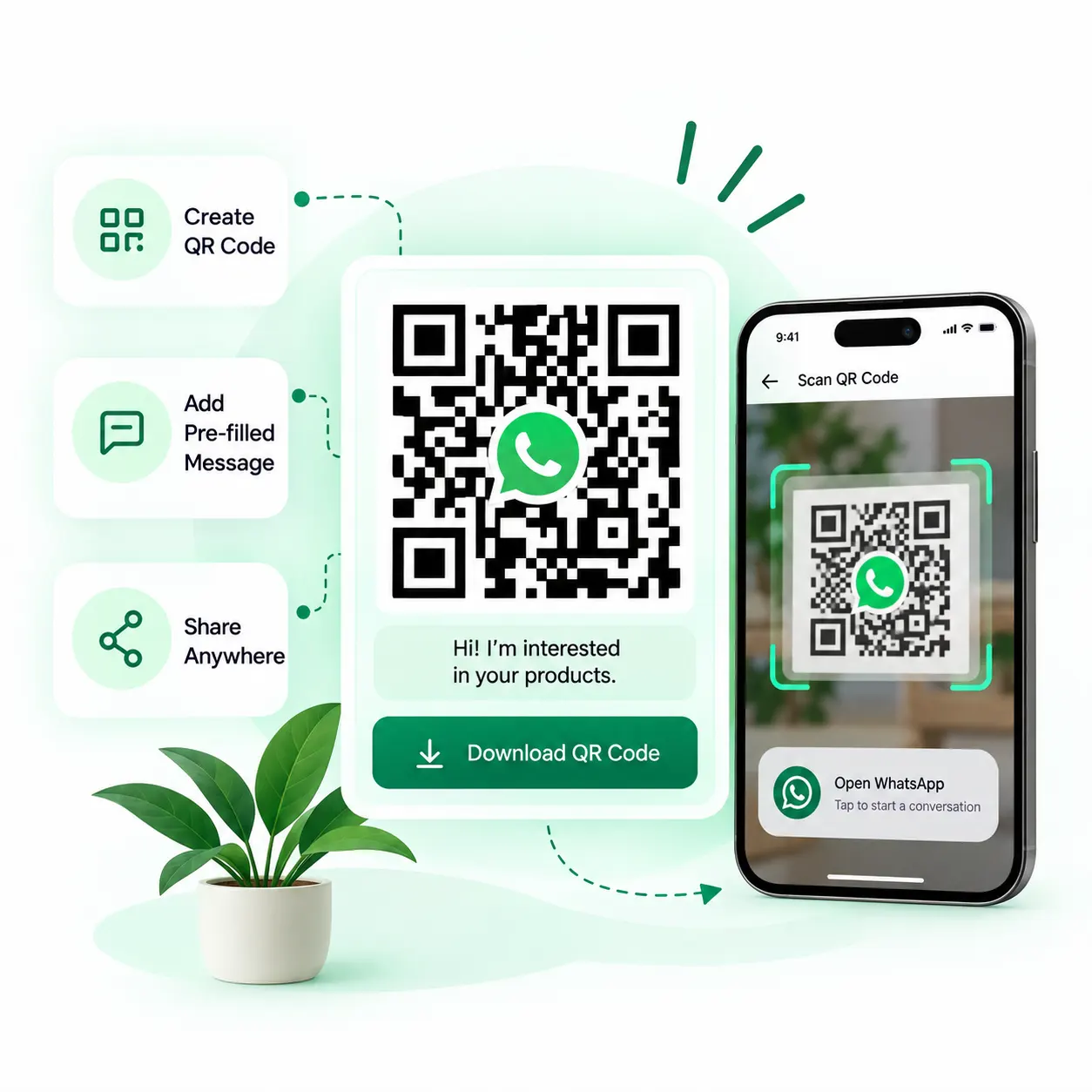
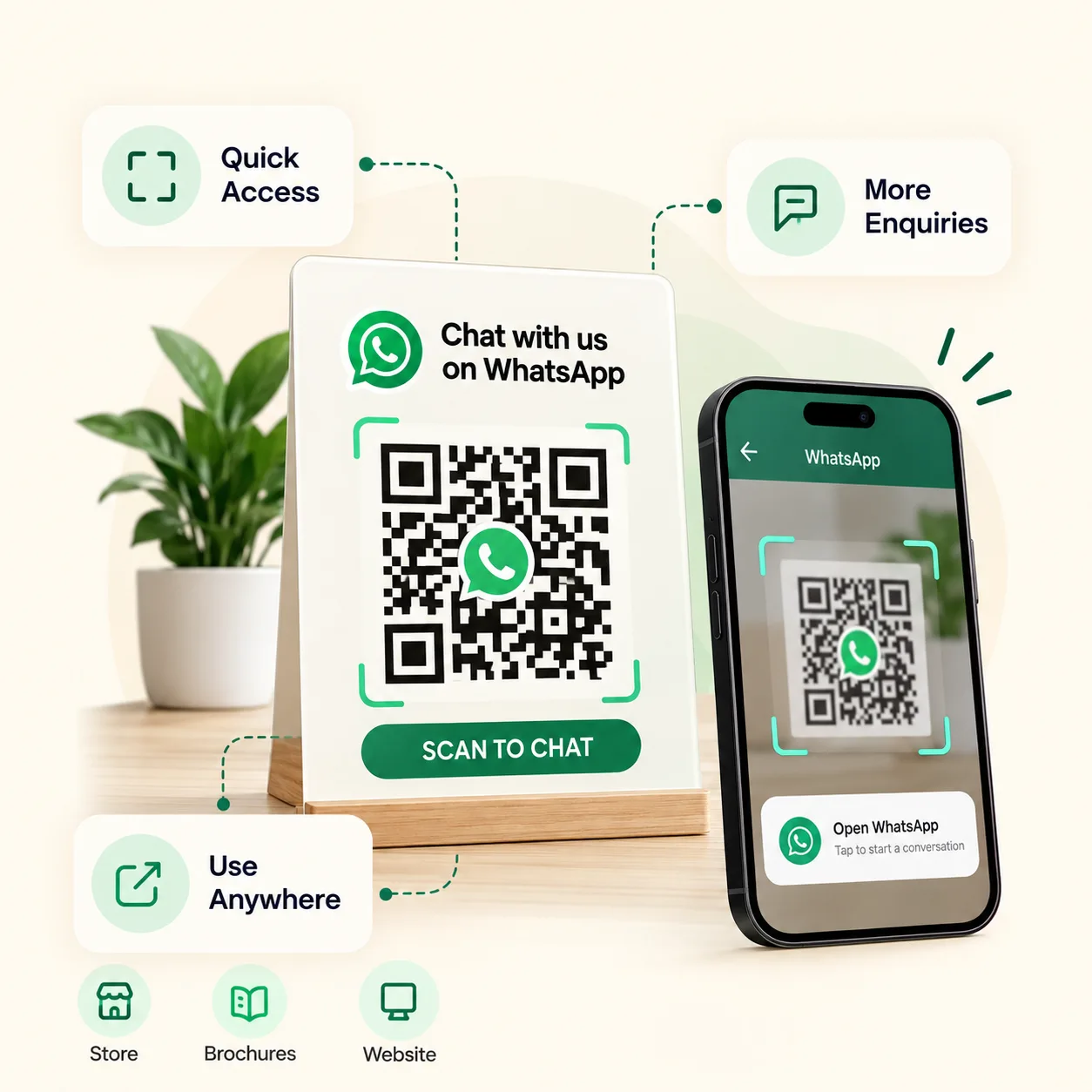
Create a WhatsApp QR code that lets customers quickly open your chat by scanning it. Add your WhatsApp number and a pre-filled message, then share the QR code across digital and physical customer touchpoints.

Create WhatsApp QR Codes

Generate a QR code using your WhatsApp number and create a direct path to your customer chat.

Add Pre-Filled Messages

Add a ready-to-use message so customers can start conversations with the right context.

Share Your QR Code Anywhere

Add your QR code to websites, business cards, packaging, posters, and promotional materials.

USE YOUR QR CODE ANYWHERE

Put Your WhatsApp QR Code Where Customers See It

Connect customers to WhatsApp across digital channels, physical spaces, and everyday business touchpoints.

Website & Landing Pages

Add your QR code to websites, landing pages, and contact sections for quick access.

Stores & Counters

Display your QR code at counters, reception areas, and customer service points.

Product Packaging

Print your QR code on packaging so customers can quickly contact your business.

Business Cards & Flyers

Add your QR code to business cards, brochures, flyers, and promotional materials.

HOW IT WORKS

Create a WhatsApp QR Code in 3 Simple Steps

Generate your QR code and make it easier for customers to connect with your business.

STEP 01

Enter Your Number

Enter your WhatsApp number with the country code to create your direct chat QR code.

STEP 02

Add Your Message

Add a pre-filled message customers can use when they open your WhatsApp chat.

STEP 03

Generate & Download

Generate your QR code, download it, and place it wherever customers can scan it.

WHY USE A WHATSAPP QR CODE?

Make It Easier for Customers to Start a Conversation

Give customers a simple way to reach your business through WhatsApp. A QR code removes extra steps and makes your WhatsApp chat accessible across digital and physical touchpoints.

Quick Customer Access
Let customers scan and open your WhatsApp chat without manually entering your number.
More WhatsApp Enquiries
Give interested customers a direct and convenient way to contact your business.
WhatsApp QR Code Generator Benefits
COMPARISON

From Sharing Your Number to Scanning a QR Code

See how a WhatsApp QR code makes it easier for customers to start a conversation compared with manually using your WhatsApp number.

WITHOUT A WHATSAPP QR CODE

More Steps to
Start a Chat

Customer needs your WhatsApp number
Number may need to be copied manually
Customer searches for your contact
Chat needs to be opened manually
Message needs to be typed manually
Less convenient for offline touchpoints
WITH A WHATSAPP QR CODE

Scan and
Start the Chat

Customer scans your QR code
WhatsApp chat opens directly
No need to manually enter your number
Pre-filled message can be included
Easy to use across digital and print materials
Simple access from physical customer touchpoints
POWERFUL FEATURES

Make WhatsApp Conversations Easier to Start

Create WhatsApp QR Codes

Generate a QR code that opens your chat directly when customers scan it.

Add Pre-Filled Messages

Add a ready-to-use message that helps to begin conversations with context.

Share Your QR Code Anywhere

Place your QR code across websites, packaging, print materials, and campaigns.

Start Chats Faster

Remove extra steps and give customers a direct path to your WhatsApp chat.

Mobile-Friendly Access

Let customers scan your QR code from their phones and open WhatsApp instantly.

Encourage More Enquiries

Make it easier for interested customers to contact your business through WhatsApp.

Integrations

Get more value from your tools

Connect your tools, connect your teams. With over 200 apps already available in our directory, your team’s favourite tools are just a click away.

Your WhatsApp QR Code Is Ready to Share

Add your QR code to websites, packaging, business cards, flyers, and other places where customers can find your business.

Book a Demo
+8
10,000+ Businesses trust TryowBOT

Frequently Asked Questions

  • What is a WhatsApp QR code generator?

    A WhatsApp QR code generator creates a QR code that opens a WhatsApp chat with your number when someone scans it. You can also add a pre-filled message so the customer starts the conversation with the right context.

  • How does a WhatsApp QR code work?

    The QR code stores a WhatsApp chat link (wa.me) that contains your phone number and, optionally, a message. When a customer scans it with their phone camera, WhatsApp opens a chat with your number and shows the message ready to send.

  • How do I create a WhatsApp QR code?

    Enter your WhatsApp number with the country code, add an optional pre-filled message, click Generate QR code, then download the image and place it where customers can scan it.

  • Can I add a pre-filled message to my WhatsApp QR code?

    Yes. The message appears in the chat box when the customer opens the chat, and they only need to tap send. Keep it short and specific, for example the product name or the reason for contacting you.

  • What phone number format should I use?

    Use the full international format: the country code followed by the number, with no plus sign, spaces, dashes or leading zeros. For an Indian number, that is 91 followed by the 10-digit number.

  • Where can I use my WhatsApp QR code?

    You can use your QR code on websites, landing pages, business cards, flyers, product packaging, store counters, posters and promotional materials.

  • Do customers need to save my WhatsApp number?

    No. Customers can scan the QR code and open your WhatsApp chat directly without saving your number first.

  • Can I download my WhatsApp QR code?

    Yes. After you generate the QR code, you can download it as a PNG image and use it on your website, in print or on packaging. Test-scan it with a phone before you print.

  • Does a WhatsApp QR code expire?

    No. The QR code simply contains your chat link, so it keeps working as long as the WhatsApp number stays active. If you change the number or the message, create a new QR code.

  • Does it work with WhatsApp Business and WhatsApp Business API numbers?

    It works with any number that can receive messages on WhatsApp, including a WhatsApp Business number. For a number connected to the WhatsApp Business API through TryowBOT, you can handle the chats that start from your QR code in the shared inbox and automate replies with a chatbot.

  • What is the difference between a WhatsApp QR code and a WhatsApp link?

    A WhatsApp link is a clickable URL you share online, while a QR code encodes the same link as an image that people scan with a phone camera. Use the link in messages and emails, and the QR code on print, packaging and screens.