TryowBOT WhatsApp Quick Reply

Give Your Team the Right Reply, Ready to Send

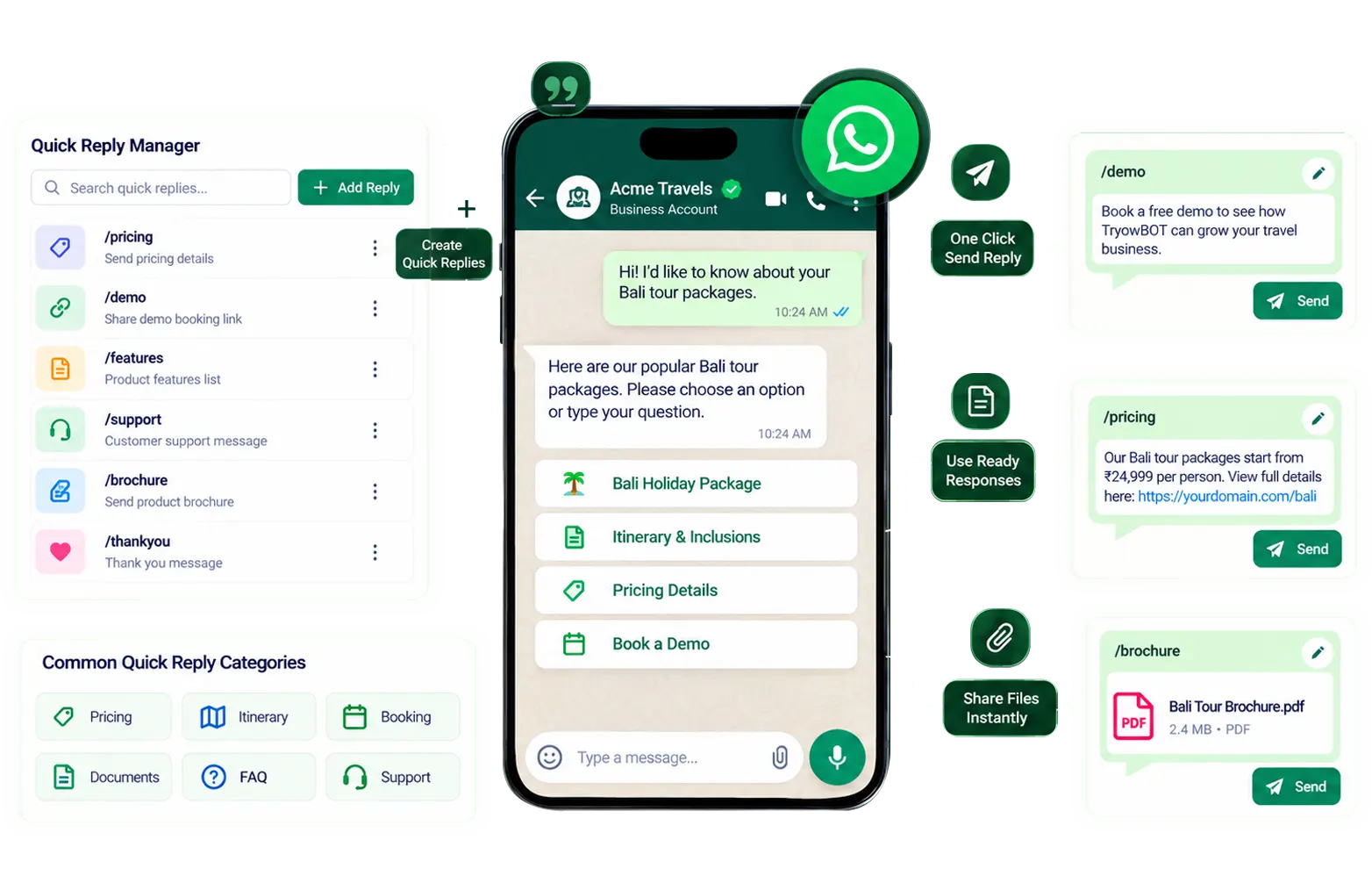
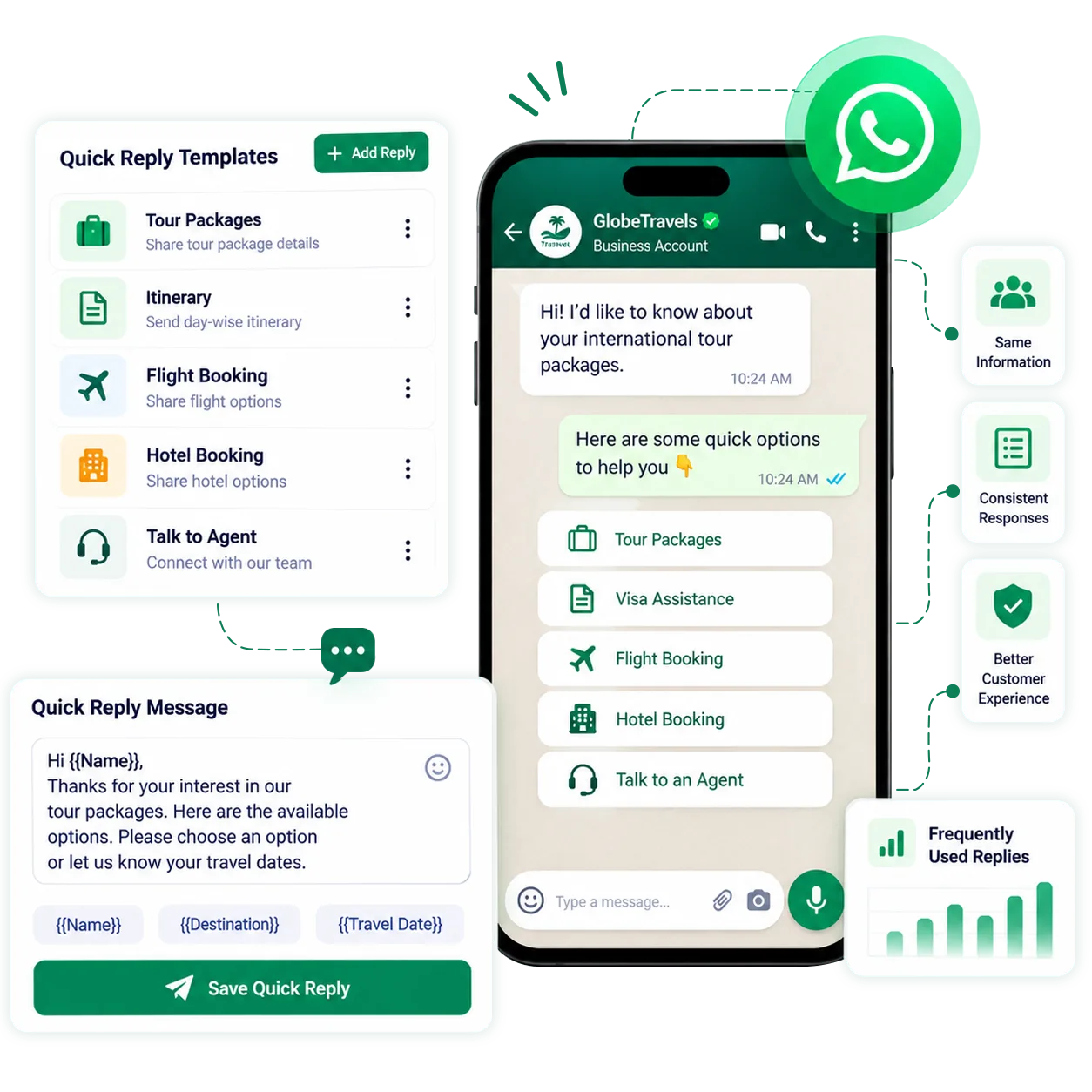
Customers ask the same questions in different ways every day. With TryowBOT WhatsApp Quick Reply, your team can create ready-to-use response paragraphs for common customer conversations and send them whenever they are needed.

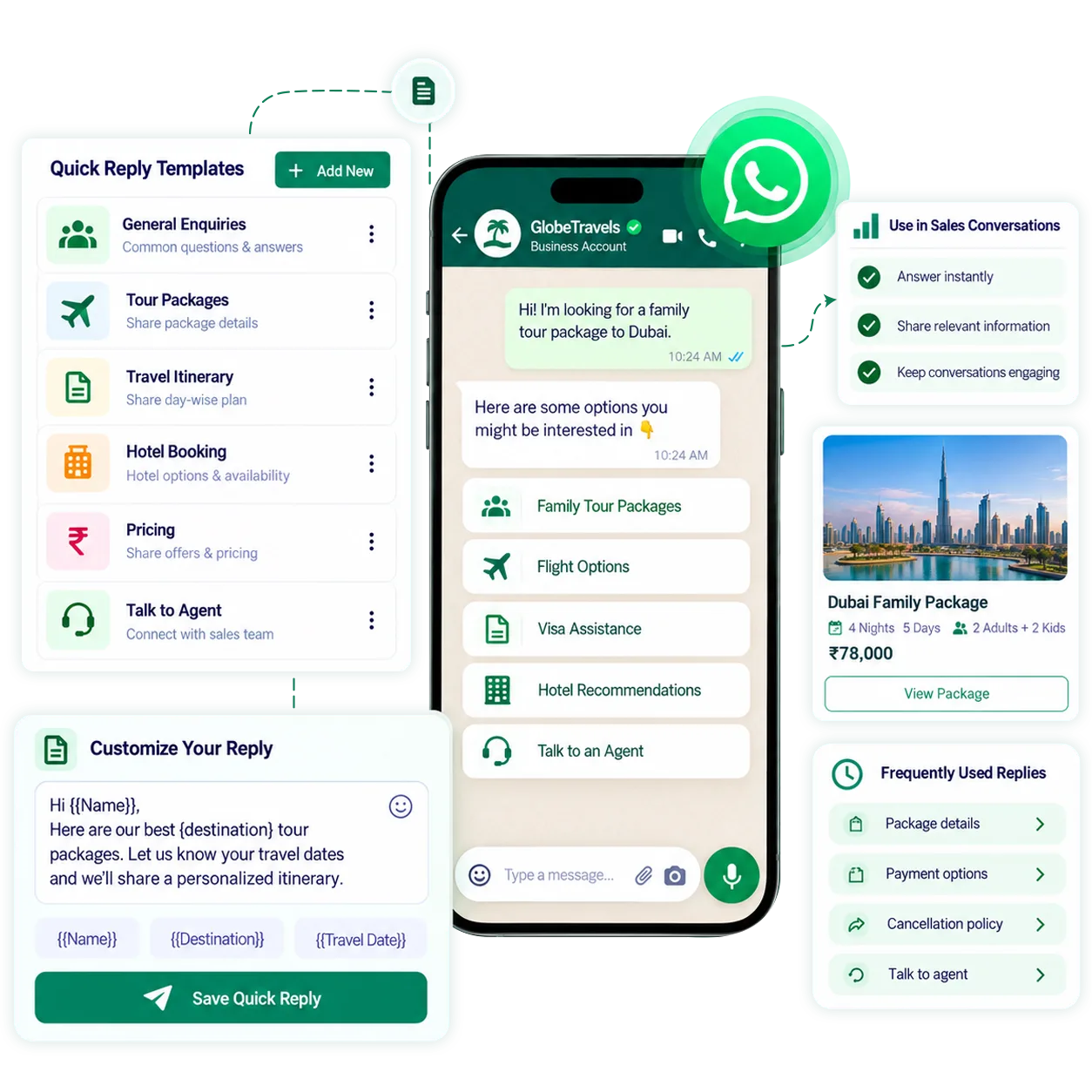
WhatsApp Quick Reply in TryowBOT showing a saved reusable customer response

Trusted by Growing Businesses

Helping businesses connect with customers through WhatsApp.
A2C House of Kurtis women's ethnic wear
AARA Homemade Skincare products
Ampere Pro Engineering Technology Pvt Ltd
Avatar Financial Group financial services
Avira Organics natural health food products
CARE Dental Hospital dental care services
Cash Bazzar loan for multiple loan services
CrestLuxe Realty real estate services
Ekatrika Ventures laundry and dry cleaning services
Family Medicals pharmacy and healthcare
kottakkal farook arts and science college education
Maruthi School of banking training and education
Surgical Shop medical equipment and surgical supplies
Yamaha motorcycles and bikes
Royal Enfield motorcycles and bikes
SMART WHATSAPP COMMUNICATION

Your Best Answers Shouldn't Have to Be Typed Again

When customers ask about pricing, services, availability, timings, products or other common topics, your team often already knows the answer. Instead of repeatedly typing the same explanation, create it once as a Quick Reply and keep it ready for future conversations.

Write Your Response Once

Create a paragraph that explains the information your customers frequently request. Write it in the way your business normally communicates.

Product information
Pricing information
Service explanations
Frequently requested information
QUICK REPLY

Create a reusable response

Customer Enquiry Response

Thank you for your interest in our services. We offer solutions designed around your business requirements. Please share a few details about what you are looking for, and our team will be happy to provide the relevant information and assist you further.

Saved as a Quick Reply
Ready whenever your team needs the same response.
SIMPLE CREATION

Create Quick Replies in Seconds

Quick Reply doesn't need a complicated setup. Create the response paragraph your business needs, save it and keep it available for future WhatsApp conversations.

Keep your everyday answers ready. Write once and reuse whenever the same information is requested.
01

Write

Create a clear paragraph that answers a question your customers frequently ask.

02

Save

Keep the response available as a reusable Quick Reply for your future customer conversations.

03

Use

Select the saved response whenever a customer needs the same information.

EVERYDAY QUESTIONS

Create a Reply for the Conversations You Handle Most

Your customers may phrase their questions differently, but many conversations eventually ask for the same information. Turn those frequently requested answers into ready-to-use paragraphs.

Pricing Enquiries

Prepare a clear paragraph explaining your pricing, plans, packages or starting prices.

Product Enquiries

Explain your product, important features, available options or general product information.

Service Enquiries

Keep a ready explanation of the services your business provides and who they are designed for.

Availability

Prepare responses for customers asking whether a product, service or appointment is available.

Business Information

Keep information about your business, location, working hours and service availability ready.

General Enquiries

Save useful responses for recurring questions that don't belong to a specific product or service.

TEAM COMMUNICATION

Let Your Team Speak With One Consistent Voice

When several people handle customer conversations, the same question can receive completely different explanations.

Quick Replies give your team a prepared paragraph for commonly requested information. Instead of everyone creating their own version of the same answer, your business can keep frequently used communication clear and consistent.

Keep important information consistent

Give your team a reliable response for recurring customer questions.

Maintain your communication style

Write responses that reflect the language and tone your business wants customers to receive.

Team sending consistent saved Quick Reply responses to customers on WhatsApp
TEAM PRODUCTIVITY

Your Team Has Better Things to Do Than Type the Same Paragraph All Day

Repeated messages may only take a few moments to type, but those moments add up across dozens of conversations. Save the responses your team uses repeatedly and make them available when needed.

Less Typing

Reduce the need to repeatedly write the same customer response.

Faster Conversations

Make commonly requested information easier for your team to send.

Consistent Replies

Keep recurring business information consistent across conversations.

More Customer Time

Let your team spend more attention on the actual customer conversation.

SALES CONVERSATIONS

A Ready Reply Can Keep the Conversation Moving

A Quick Reply doesn't have to be the end of the conversation. It can provide the information a customer needs and give your salesperson a natural starting point for the next message.

Create responses that answer the immediate question while inviting customers to share what they actually need.

Think beyond the first response. A useful answer can naturally open the door to a more meaningful sales conversation.
Sales team using a WhatsApp Quick Reply to continue a customer conversation
BRAND COMMUNICATION

Your Quick Replies. Your Words. Your Brand Voice.

Your business knows how it wants to speak with customers. Create your Quick Replies using the language, information and communication style that fits your brand.

Write It Your Way

Create paragraphs that sound natural for your business instead of relying on generic responses.

Keep Information Clear

Include the details customers need to understand your product, service or business.

Represent Your Brand

Use communication that reflects how you want your business to interact with customers.

>
BUSINESS USE CASES

Whatever Your Business Sells, Your Customers Have Questions

Create Quick Replies around the conversations that matter most to your business and give your team ready information for everyday WhatsApp enquiries.

Real Estate

Prepare responses for property availability, pricing, amenities, location and project information.

Retail

Answer product, availability, pricing and store-related customer enquiries.

Education

Create replies for courses, fees, eligibility, admissions and student enquiries.

Healthcare

Keep information ready for services, timings, departments and general enquiries.

Travel & Tourism

Respond to questions about packages, destinations, availability and travel services.

Ecommerce

Prepare responses for products, availability, delivery information and customer questions.

B2B

Keep detailed responses ready for product, service, quotation and business enquiries.

RESPONSE LIBRARY

The Messages You Send Every Day Are Worth Saving

Some customer messages are written once. Others are written again and again. Build a useful collection of those recurring responses and keep them ready for your team.

Pricing Products Services Availability Business Info Support
PRODUCT ENQUIRY

Product Information

Thank you for your interest in our product. We offer multiple options based on different requirements. Please share the product or model you are interested in, and our team will provide the relevant details.

SERVICE ENQUIRY

Service Information

Thank you for contacting us. We provide solutions designed around different business requirements. Please tell us what you are looking for, and our team will help you with the appropriate service.

PRICING ENQUIRY

Pricing Information

Thank you for your interest. Our pricing depends on the features and requirements of your business. Share a few details about what you need, and our team will provide the relevant pricing information.

GENERAL INFORMATION

Business Information

Thank you for reaching out to us. Our team is available during regular business hours to assist with your enquiries. Please share your requirement here and we will provide the relevant information.

Integrations

Get more value from your tools

Connect your tools, connect your teams. With over 200 apps already available in our directory, your team’s favourite tools are just a click away.

Stop Typing the Same Reply. Save It Once.

Give your team ready-to-use responses for the questions they answer every day. Create a Quick Reply paragraph in TryowBOT and keep everyday WhatsApp conversations simpler, faster and more consistent.

Create Your First Quick Reply
+8
10,000+ Businesses trust TryowBOT

Frequently Asked Questions

  • What is WhatsApp Quick Reply?

    WhatsApp Quick Reply allows businesses to create and save frequently used text responses as reusable paragraphs. With TryowBOT, your team can keep commonly needed customer replies ready and use them whenever similar questions come through WhatsApp.

  • How does WhatsApp Quick Reply work in TryowBOT?

    TryowBOT lets you create a Quick Reply by entering the response you want your customers to receive. Once saved, the paragraph can be reused by your team during WhatsApp conversations instead of typing the same response repeatedly.

  • Can I create my own WhatsApp Quick Reply messages?

    Yes. You can create your own WhatsApp Quick Reply content based on the questions and information your customers frequently request. Write the response paragraph in your own business language and save it for future conversations.

  • What can I use WhatsApp Quick Replies for?

    You can create Quick Replies for commonly asked questions about products, services, pricing, availability, business information, working hours and other recurring customer enquiries. The response can be written as a complete paragraph that your team can reuse.

  • Can WhatsApp Quick Reply help my sales team?

    Yes. Sales teams can save commonly used responses for product enquiries, service information, pricing questions and other frequently requested details. This reduces repetitive typing and gives salespeople more time to focus on the customer's actual needs.

  • Can my team use the same Quick Reply?

    Yes. Quick Replies can provide your team with reusable responses for common WhatsApp conversations. This helps team members use consistent information when responding to similar customer questions.

  • How can WhatsApp Quick Reply save time for businesses?

    Instead of manually typing the same paragraph whenever a customer asks a familiar question, your team can reuse a saved Quick Reply. This can make everyday WhatsApp conversations more efficient and reduce repetitive message writing.

  • Can I create Quick Replies for customer support?

    Yes. Customer support teams can create reusable paragraphs for frequently asked questions and common support conversations. This gives the team a ready response when customers request information that is handled regularly.

  • Can WhatsApp Quick Replies be customized for my business?

    Yes. You create the actual response content, so the paragraph can be written according to your products, services, business information and preferred communication style. This lets you keep your customer responses relevant to your business.

  • Why should businesses use WhatsApp Quick Reply with TryowBOT?

    TryowBOT WhatsApp Quick Reply gives businesses a simple way to prepare frequently used text responses and reuse them during customer conversations. It helps teams reduce repetitive typing, maintain consistent communication and respond to common enquiries more efficiently.